Exploratory testPR #16431dhruvi/python-venv-version-changed60beab945

Python venv version changes (deleted, recreated and changed-in-place interpreters)

When the workspace venv is recreated with another Python while it is the selected interpreter or has a console running, Positron now shuts down the old console and offers the venv at its new version. When another interpreter is selected and no console uses the venv, the recreated venv drops out of the interpreter pickers entirely until Interpreter: Discover All Interpreters is run.

Findings
1
1 moderate
Coverage
13scenarios
6 passed4 failed3 not run
Run
26m$3.65
Opus 5.5 exploreSonnet 5.5 verify
SeverityFindingReproducedStatus
Moderate1Recreating .venv with no console on it drops the venv from both interpreter pickers2/2Confirmed
Linked issues
Finding 1ModerateConfirmedReproduced 2/2

Recreating `.venv` with no console on it drops the venv from both interpreter pickers

Observed

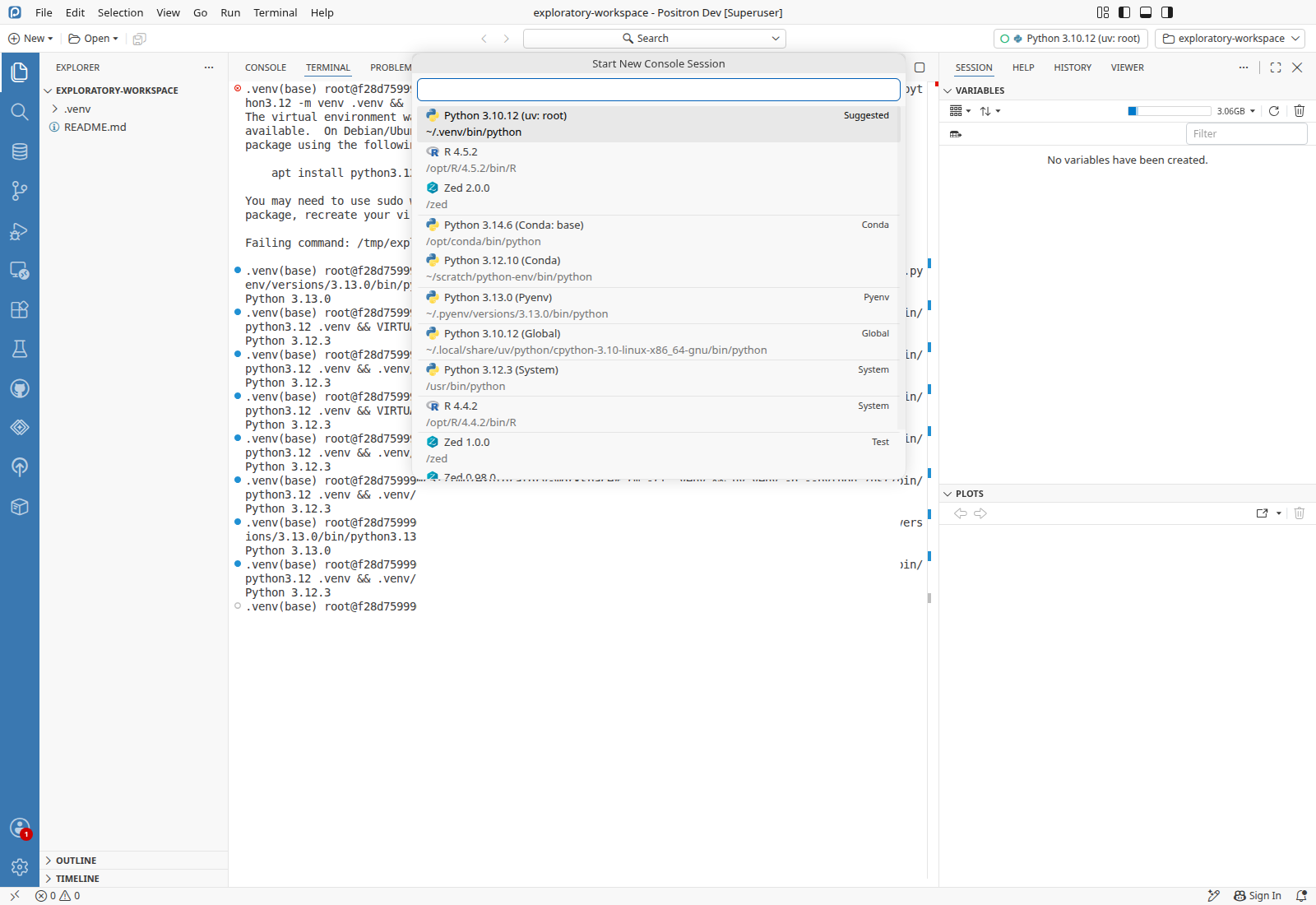
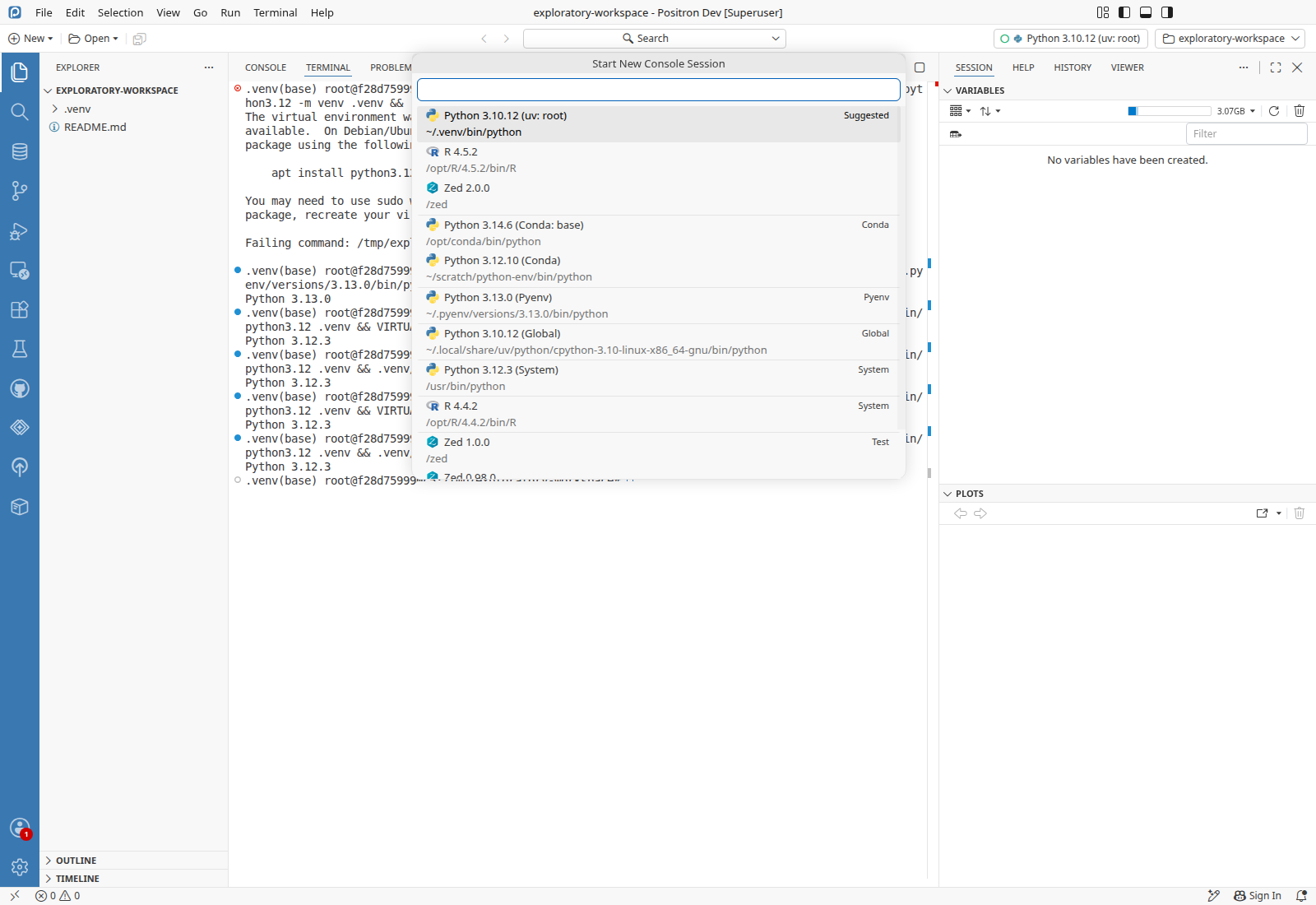
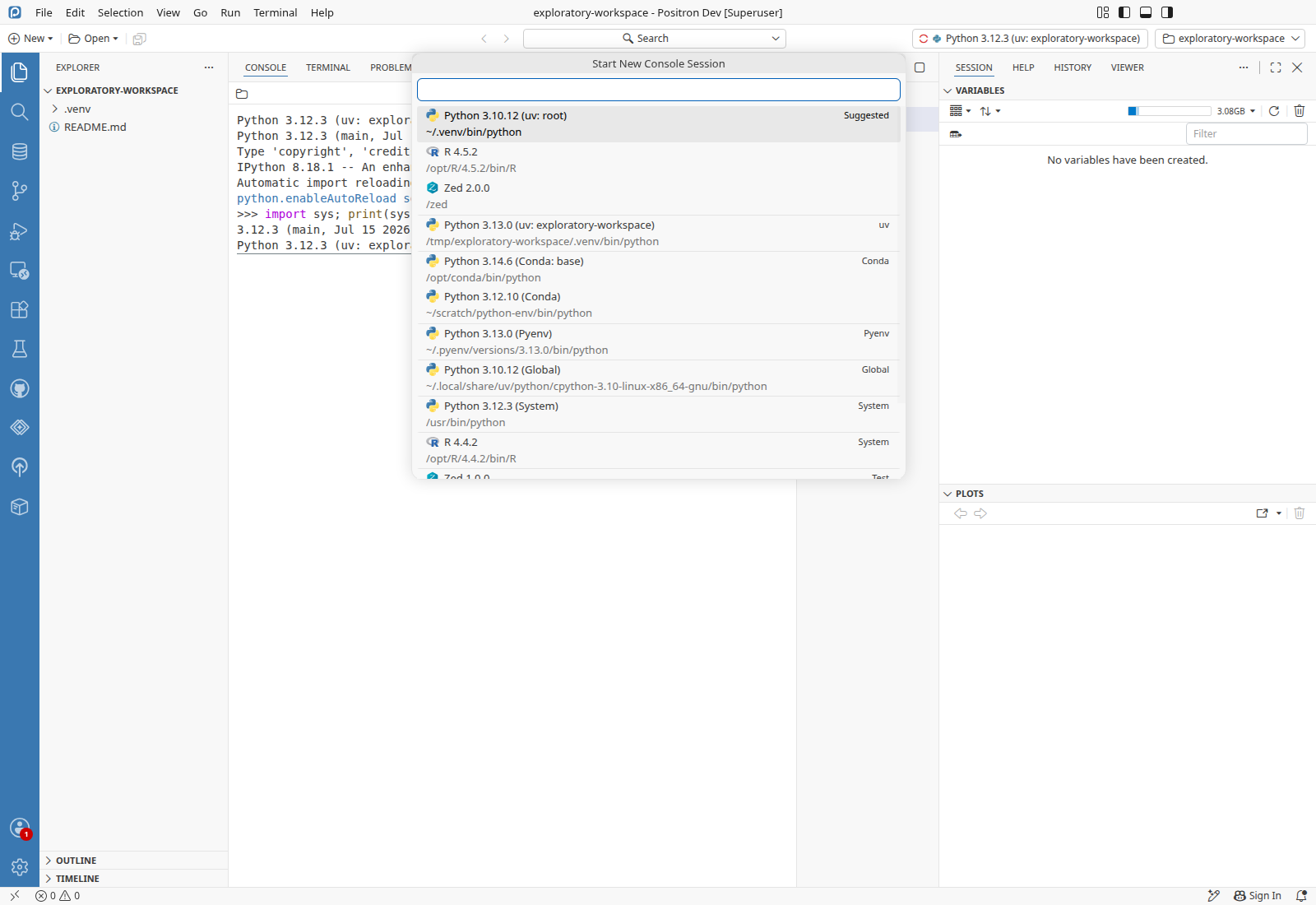
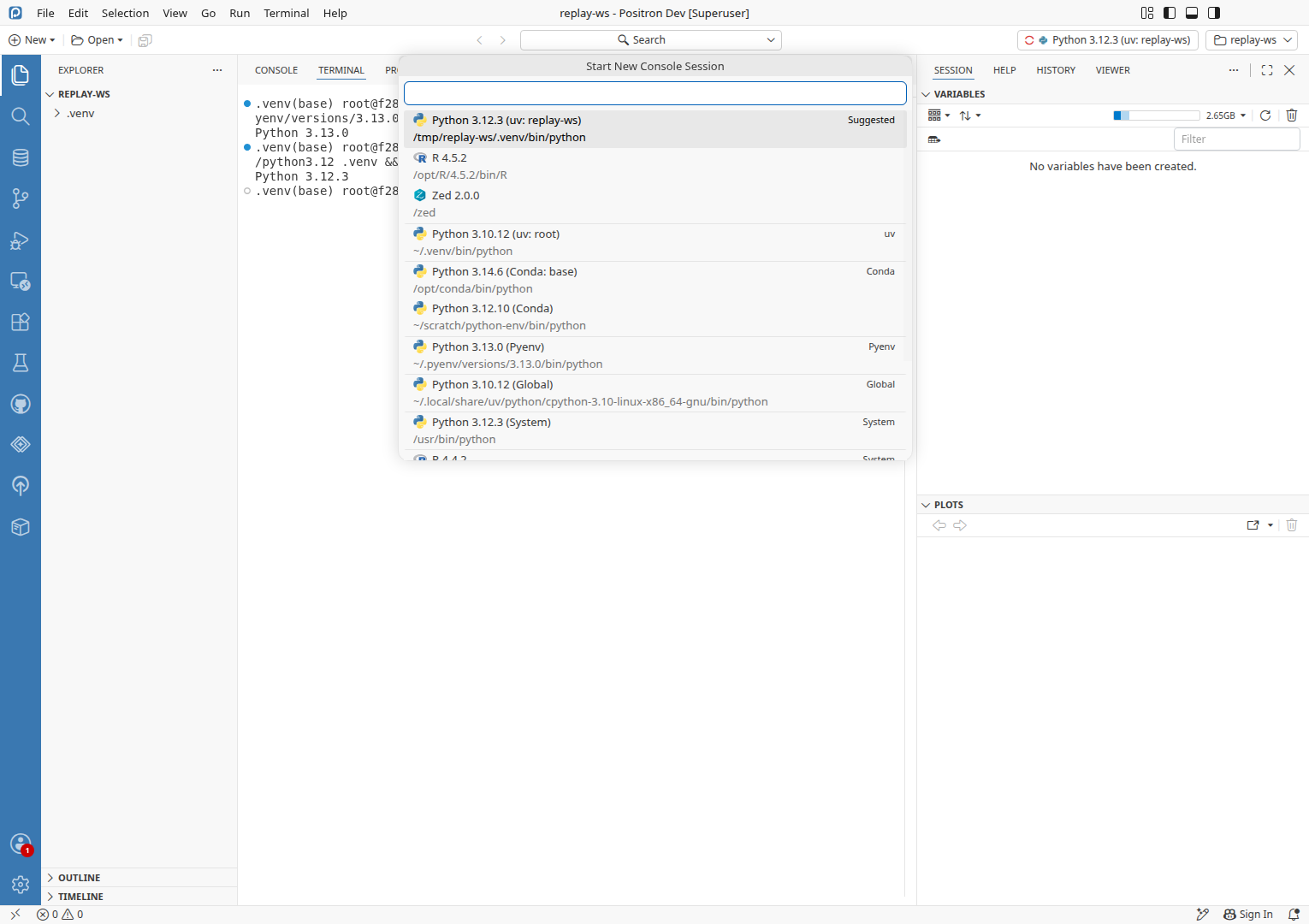
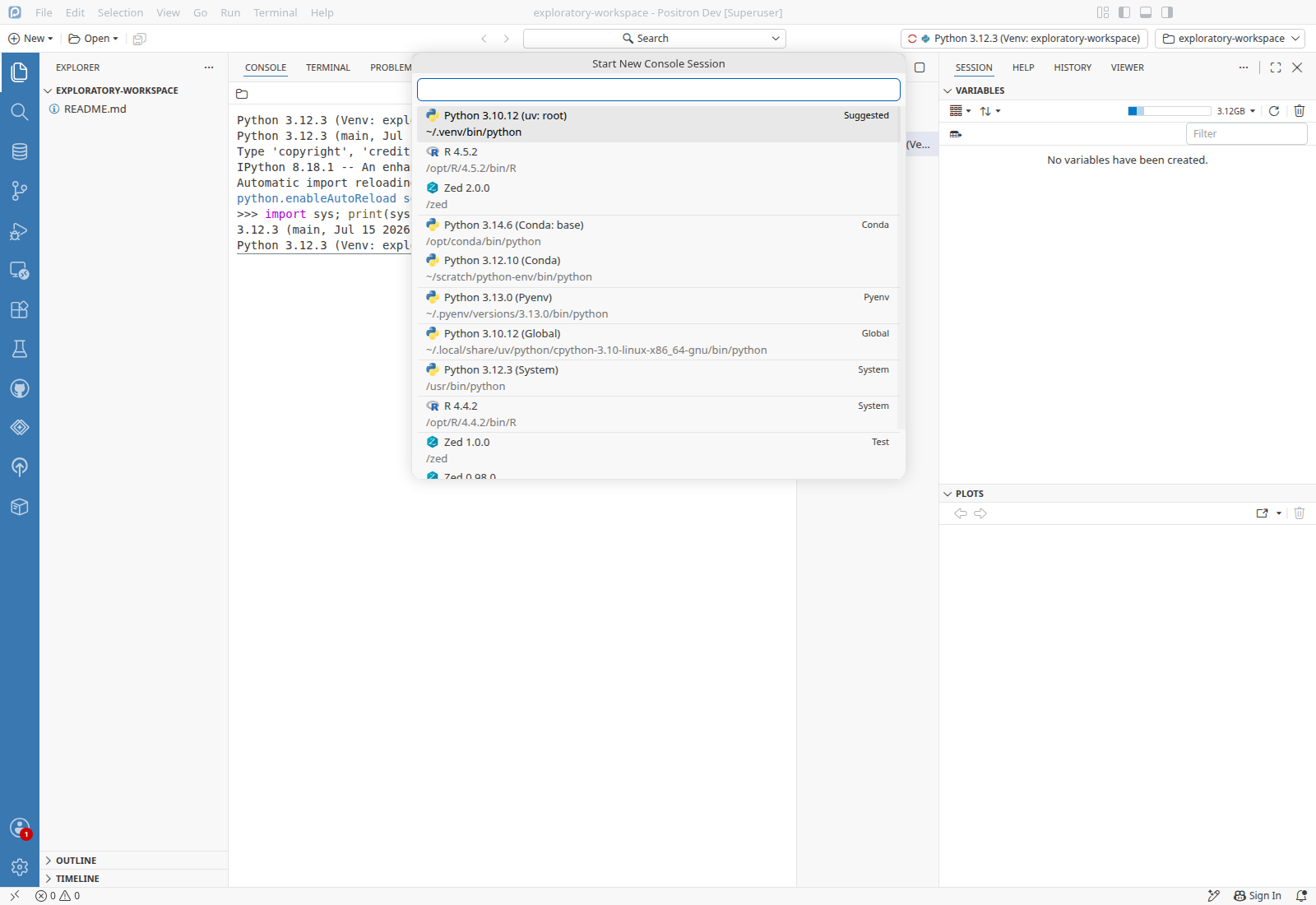
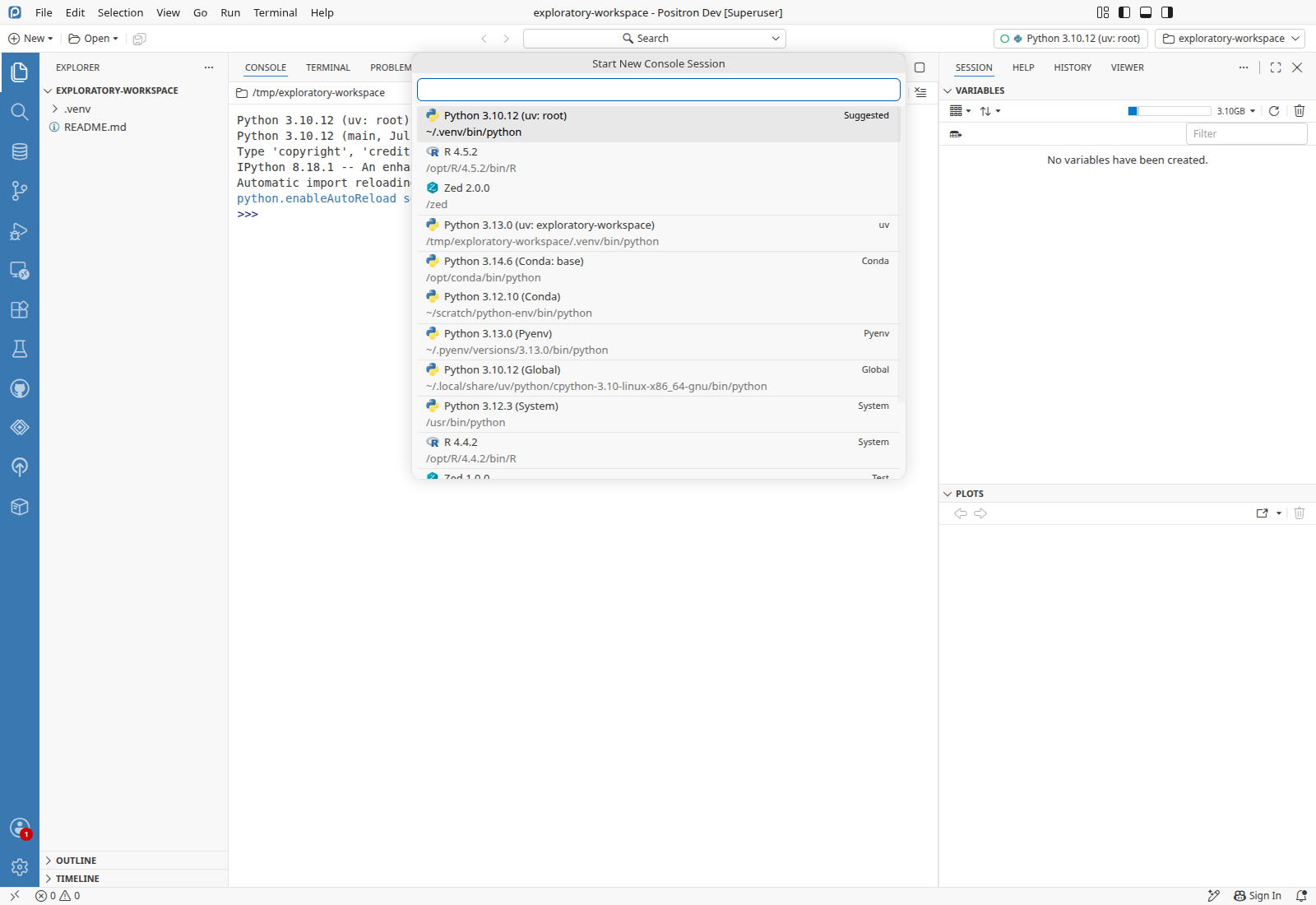
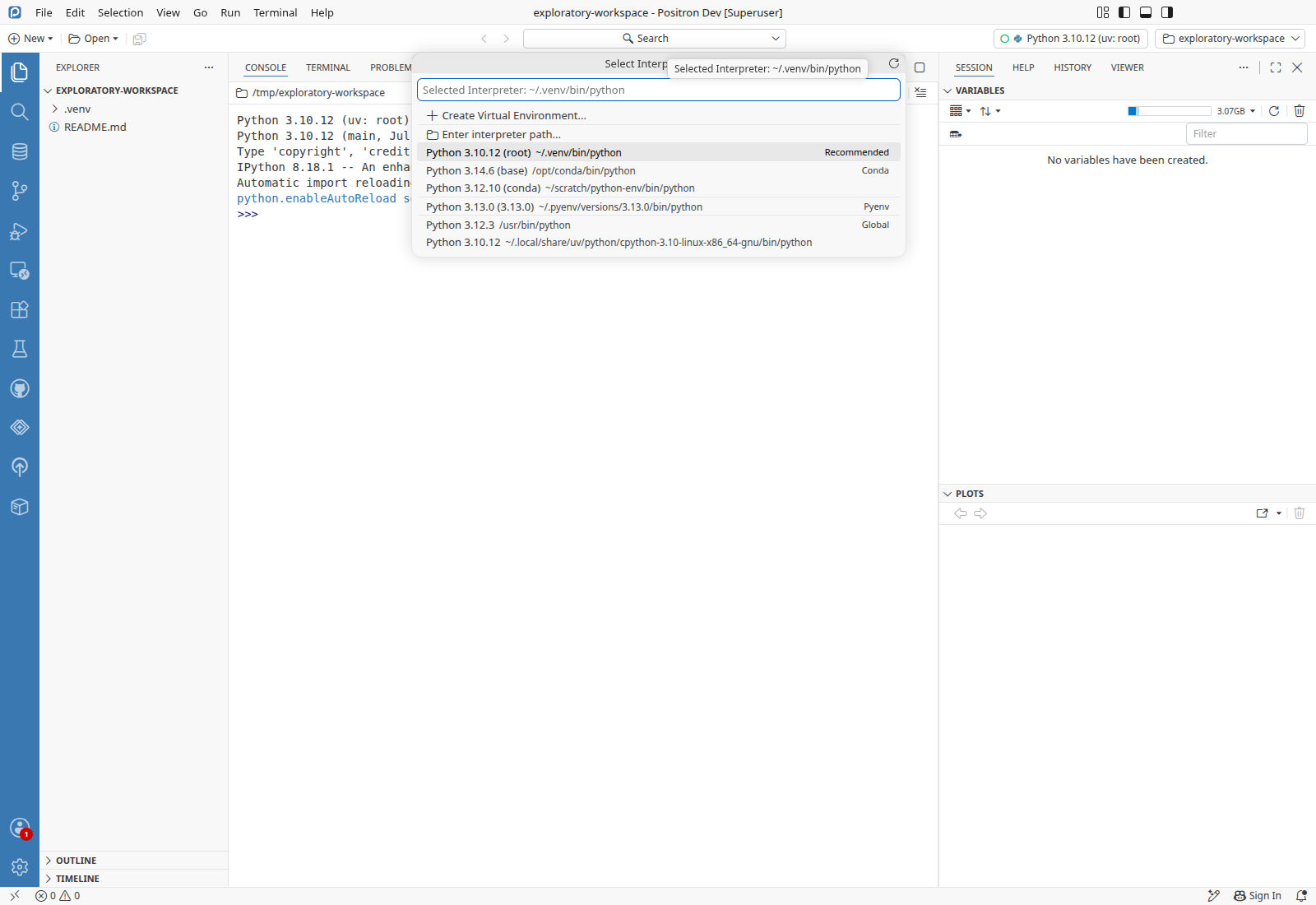
After .venv is deleted and created again, neither Interpreter: Start New Console Session nor Python: Select Interpreter has any row for the workspace venv, and it was still missing 45 s later. Interpreter: Discover All Interpreters brings it back.

Expected

The picker lists the recreated venv at its new version, Python 3.12.3 (uv: exploratory-workspace), as it does when the venv is the selected interpreter or has a console running.

Reproduce
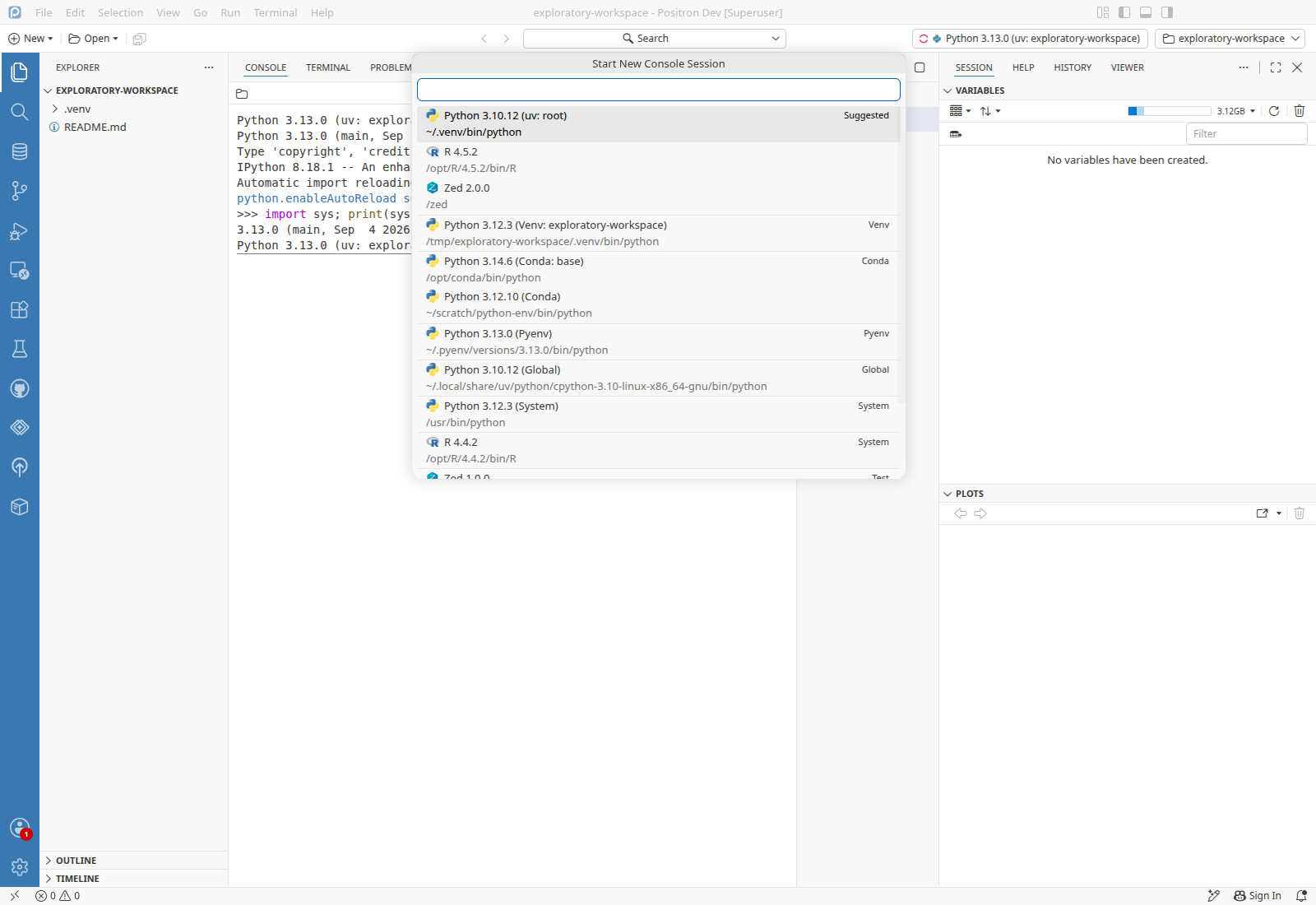
  • /tmp/exploratory-workspace/.venv made with uv venv --python /root/.pyenv/versions/3.13.0/bin/python3.13 .venv, listed as Python 3.13.0 (uv: exploratory-workspace)
  • The workspace's selected interpreter is not the venv: here the Python 3.10.12 (uv: root) console the window started at launch is open and selected
  • No running console uses the venv (the earlier one was deleted from the console's session list)
  1. Run Interpreter: Start New Console Session.
  2. Verify the picker lists Python 3.13.0 (uv: exploratory-workspace)PASS
  3. Run rm -rf .venv && uv venv -q --python /usr/bin/python3.12 .venv && .venv/bin/python --version in the terminal, and wait 20 s.
  4. Run Interpreter: Start New Console Session.
  5. Verify the picker lists Python 3.12.3 (uv: exploratory-workspace)FAIL 4
Evidence · 3 log lines
logs/36561-python-language-pack.log:1489 2026-10-06 00:18:39.958 [debug] Python API env change detected /tmp/exploratory-workspace/.venv/bin/python remove (With no "add" for the path after it)
logs/36561-python-locator.log no "Resolved Python Environment /tmp/exploratory-workspace/.venv/bin/python" line between 00:17:39 and the next Interpreter: Discover All Interpreters, so nothing resolved the new bin/python
actions.log:89 read Start New Console Session rows -> saved logs/S03-later.txt: no exploratory-workspace row (45 s after the last recreate)
Likely cause · Hypothesis

The folder delete now removes the venv, and nothing adds the new one back. The new ** delete watcher in extensions/positron-python/src/client/pythonEnvironments/base/locators/common/pythonWatcher.ts reports the deleted .venv folder, and workspaceEventHandler in extensions/positron-python/src/client/pythonEnvironments/nativeAPI.ts (the isParentPath filter in its delete branch) removes every env under it. The re-add relies on the unchanged **/bin/python watcher, and the locator log shows no resolve of the new bin/python afterwards. The watcher probably reports the new folder as one create for .venv, mirroring the delete, so the pattern never matches. When the venv is the selected interpreter, the active-env-deleted refresh re-adds it, which is why a running console or a selected venv hides this. One try where the watcher reported the recreate as an update of bin/python kept the venv. Before the change the folder delete matched no pattern and left the entry in place. The removal is new in this change, and the missing re-add on creation is in watcher code the change does not touch.

Test gap · 1 missing case
Suggested case
  1. After the folder holding an env is deleted, a Created event for that folder (not for its bin/python) puts the env back in the list
    UnitAdd to nativeAPI.unit.test.ts exists, covers the folder delete alone in its workspace path deleted suite
Other tests that touch this code
  • Unitmanager.unit.test.ts the runtime manager's handling of deleted, replaced and changed-in-place interpreters and the sessions it shuts down

rm -rf .venv plus uv venv, uv venv --clear, an in-place symlink change and a plain folder delete in the terminal, with and without a console on the venv, in the pre-launched instance and a fresh one.

ScenarioResult
Recreate the workspace venv and install ipykernel with no console on itFinding 1
Recreate the workspace venv with no console on it and no installFinding 1
Change the venv's Python version with no console on itFinding 1
Cold instance: change the venv's Python with another interpreter selectedFinding 1
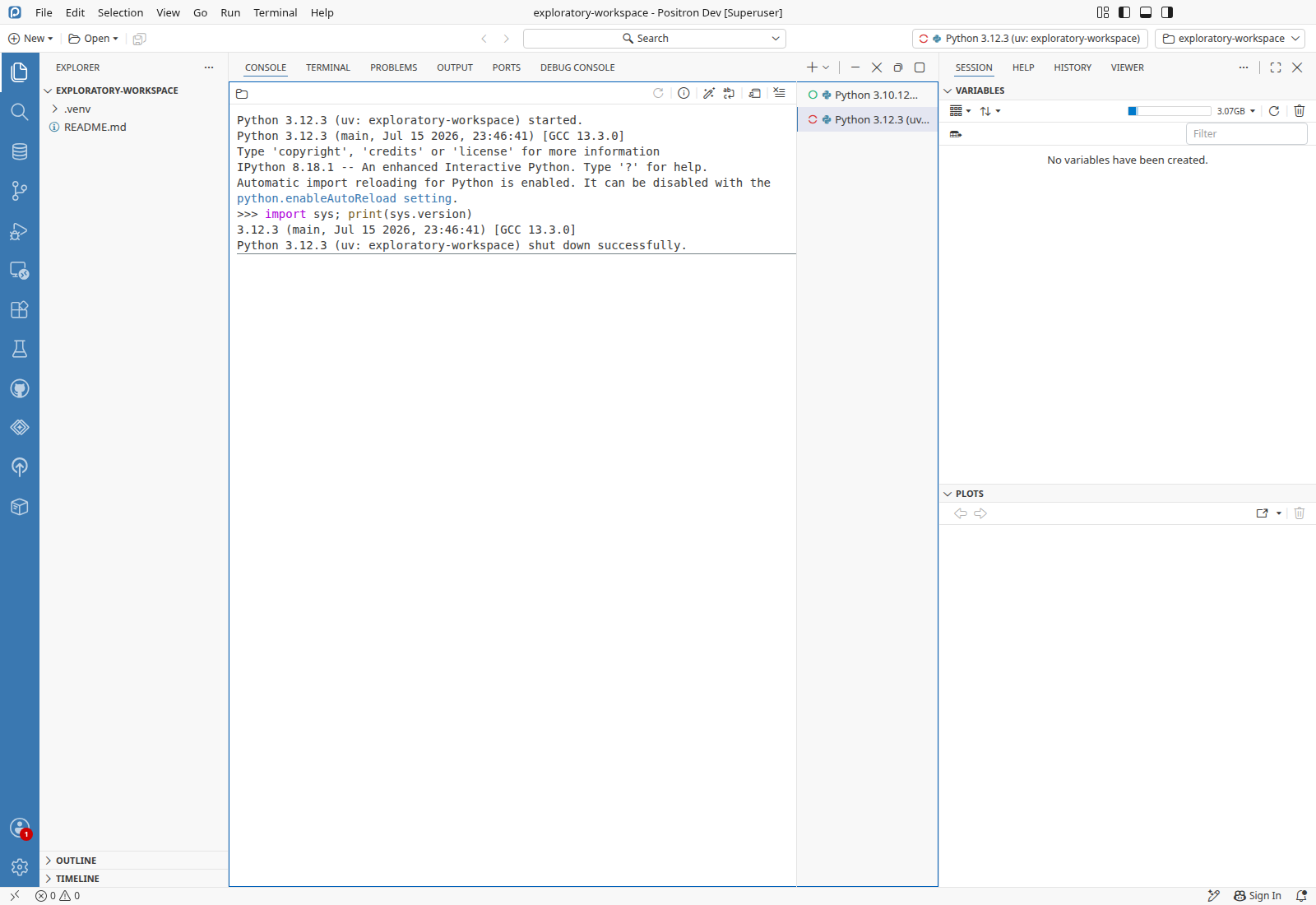
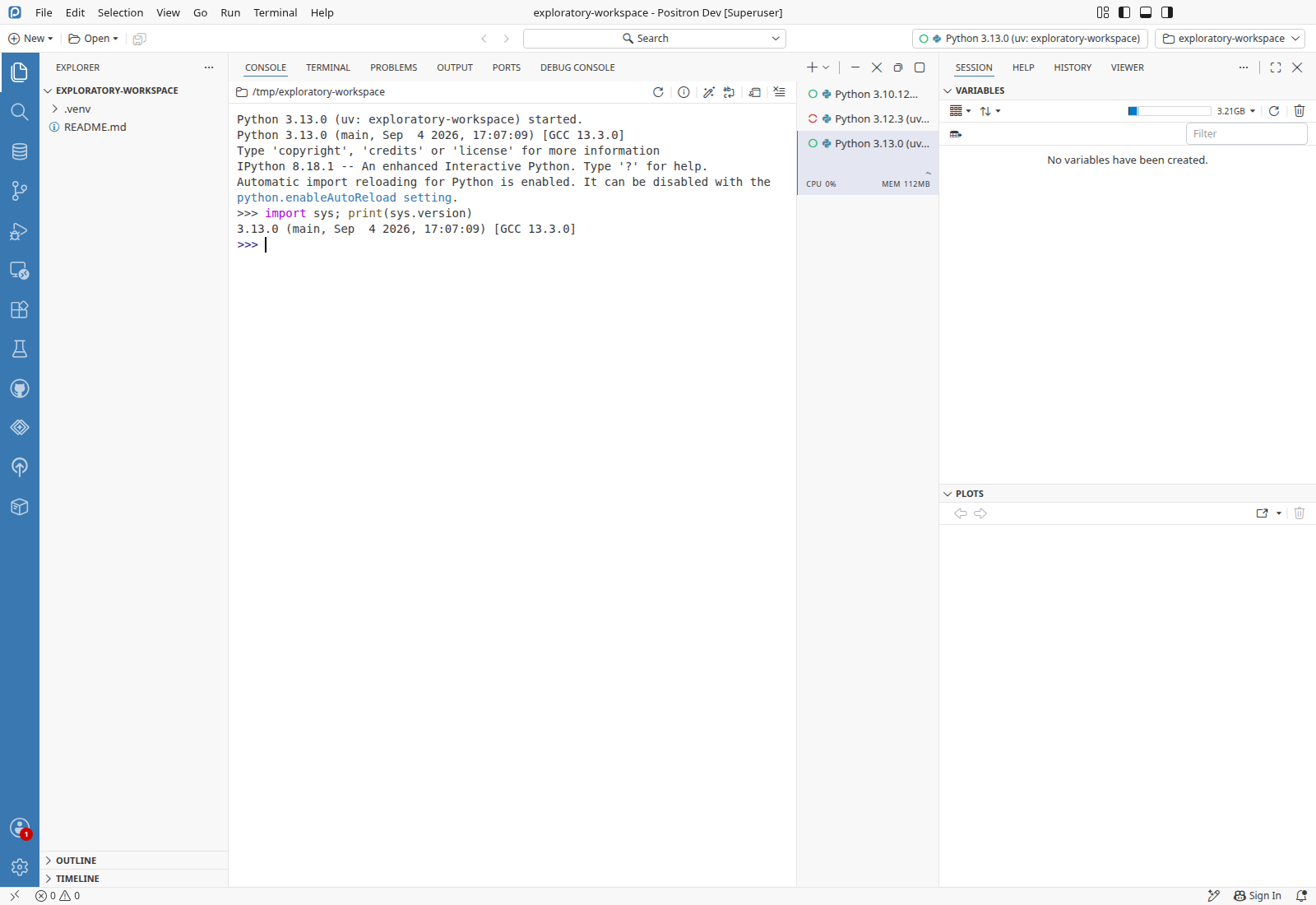
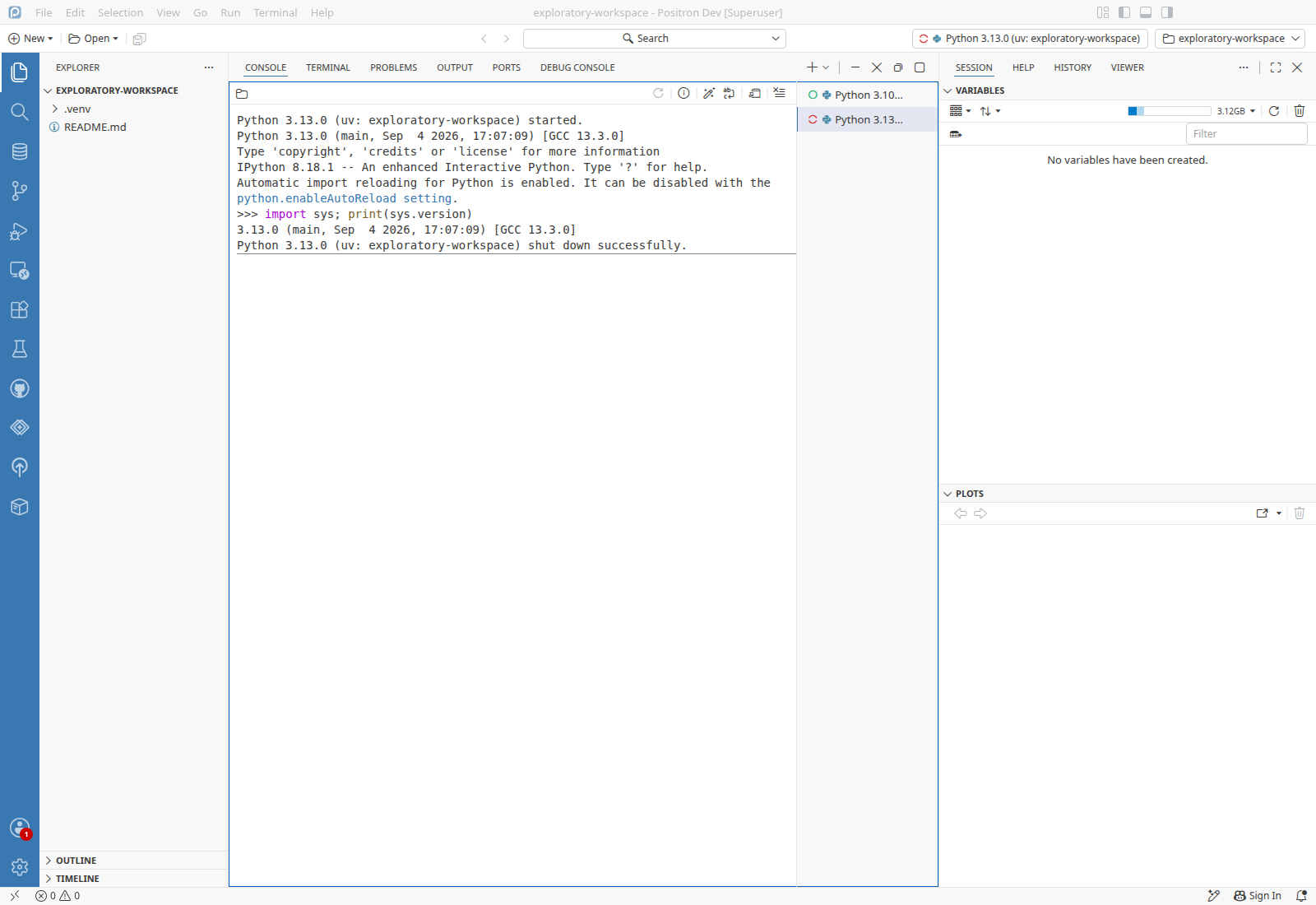
Recreate the workspace venv with a newer Python while its console runsFix verified for #4556 · The 3.12 console shut down and a new console for the venv started as 3.13.0.

3.12 workspace venvPreconditions3.12 workspace venv/tmp/exploratory-workspace/.venv made with uv venv --python /usr/bin/python3.12 .venv (with ipykernel installed by uv pip install ipykernel)

  1. Run Interpreter: Discover All Interpreters, and wait 20 s.
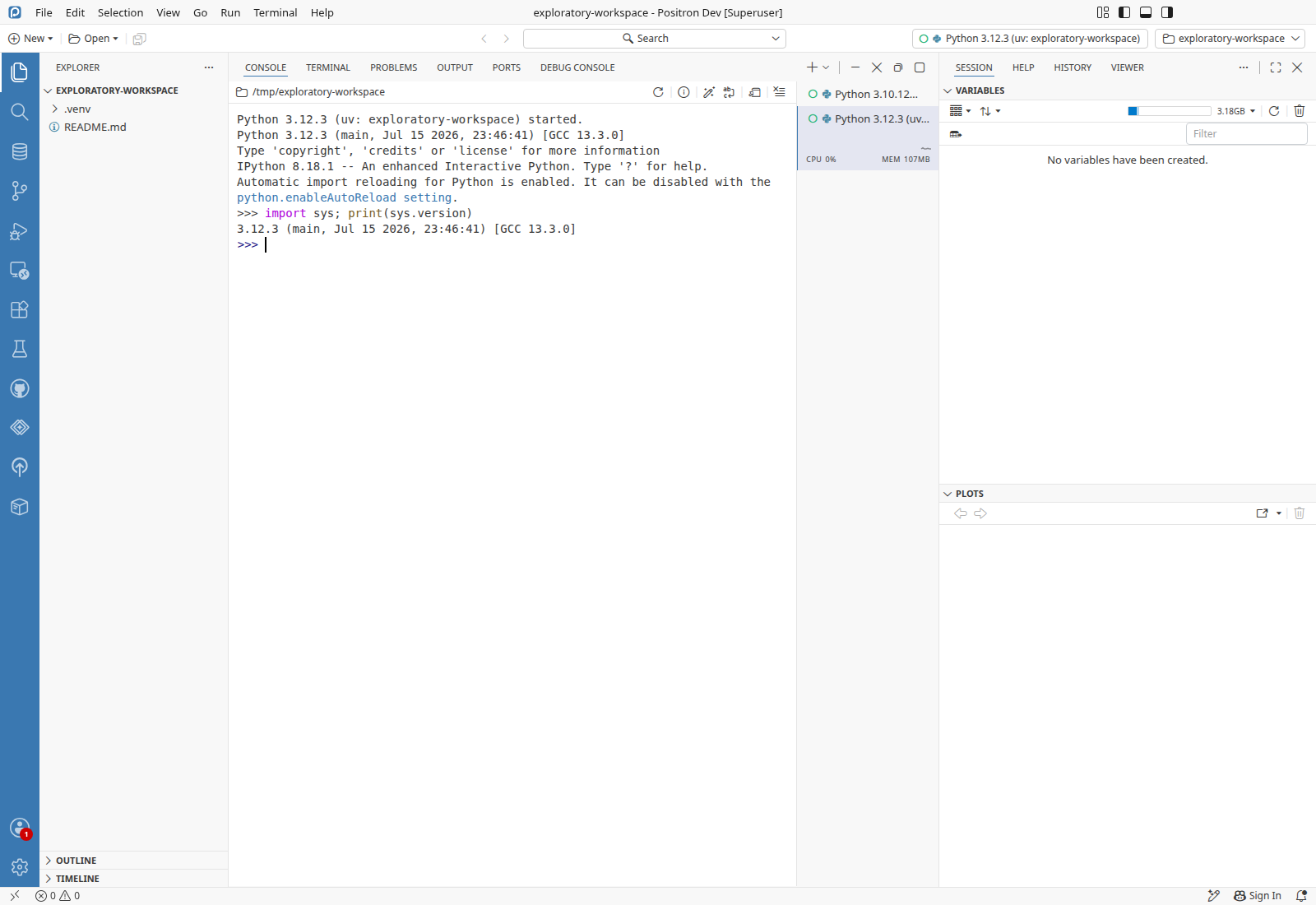
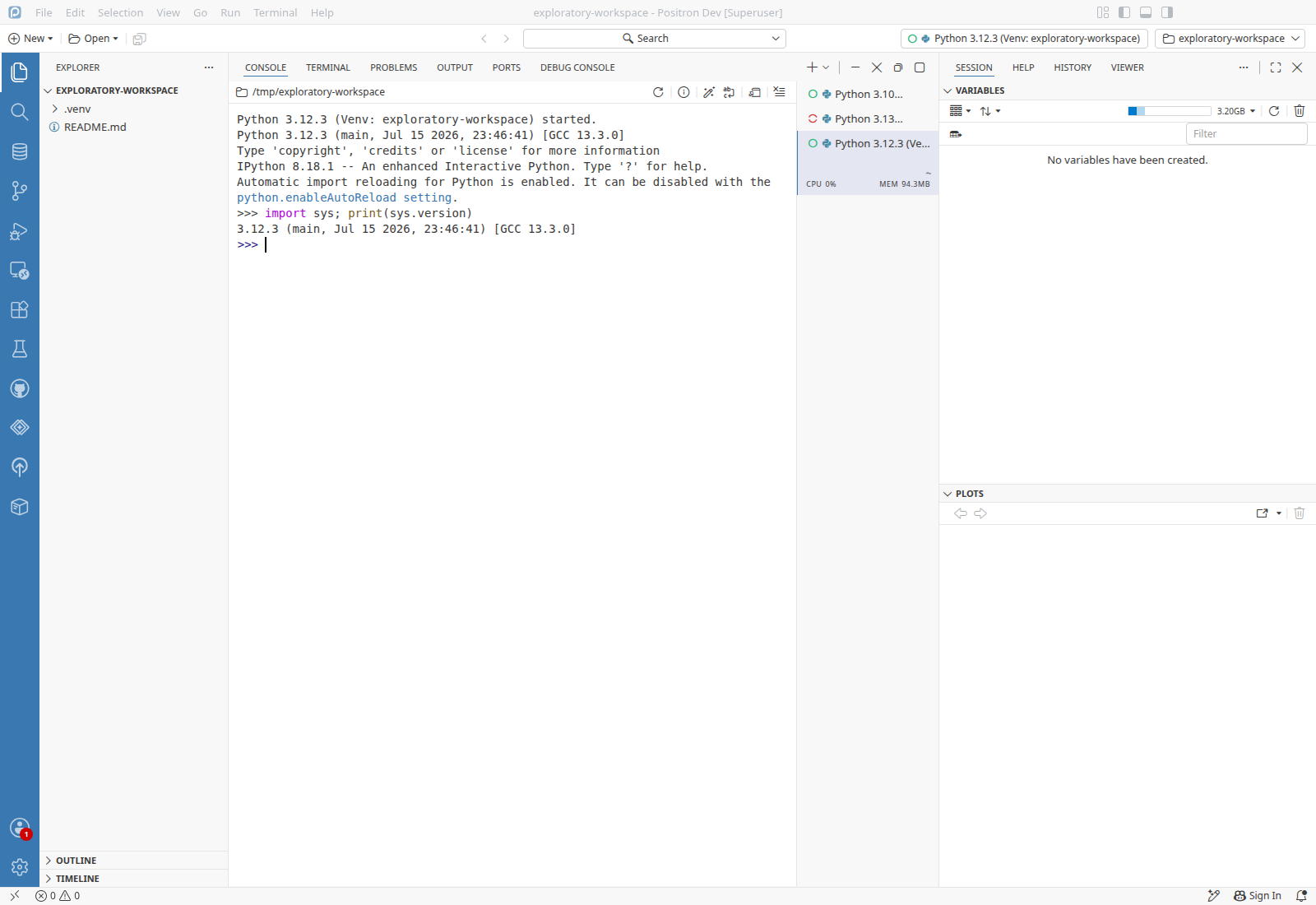
  2. Run Interpreter: Start New Console Session and pick Python 3.12.3 (uv: exploratory-workspace).
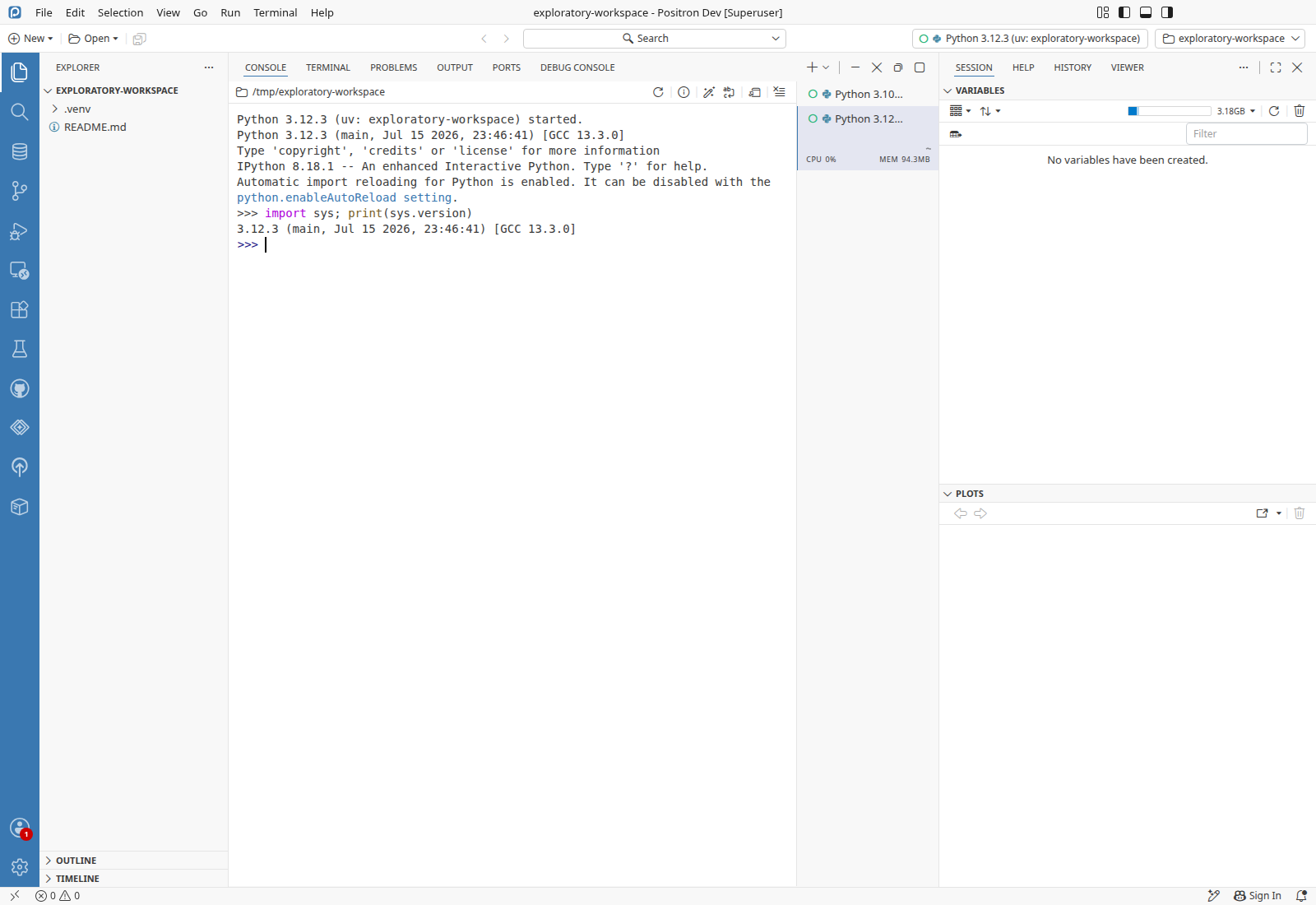
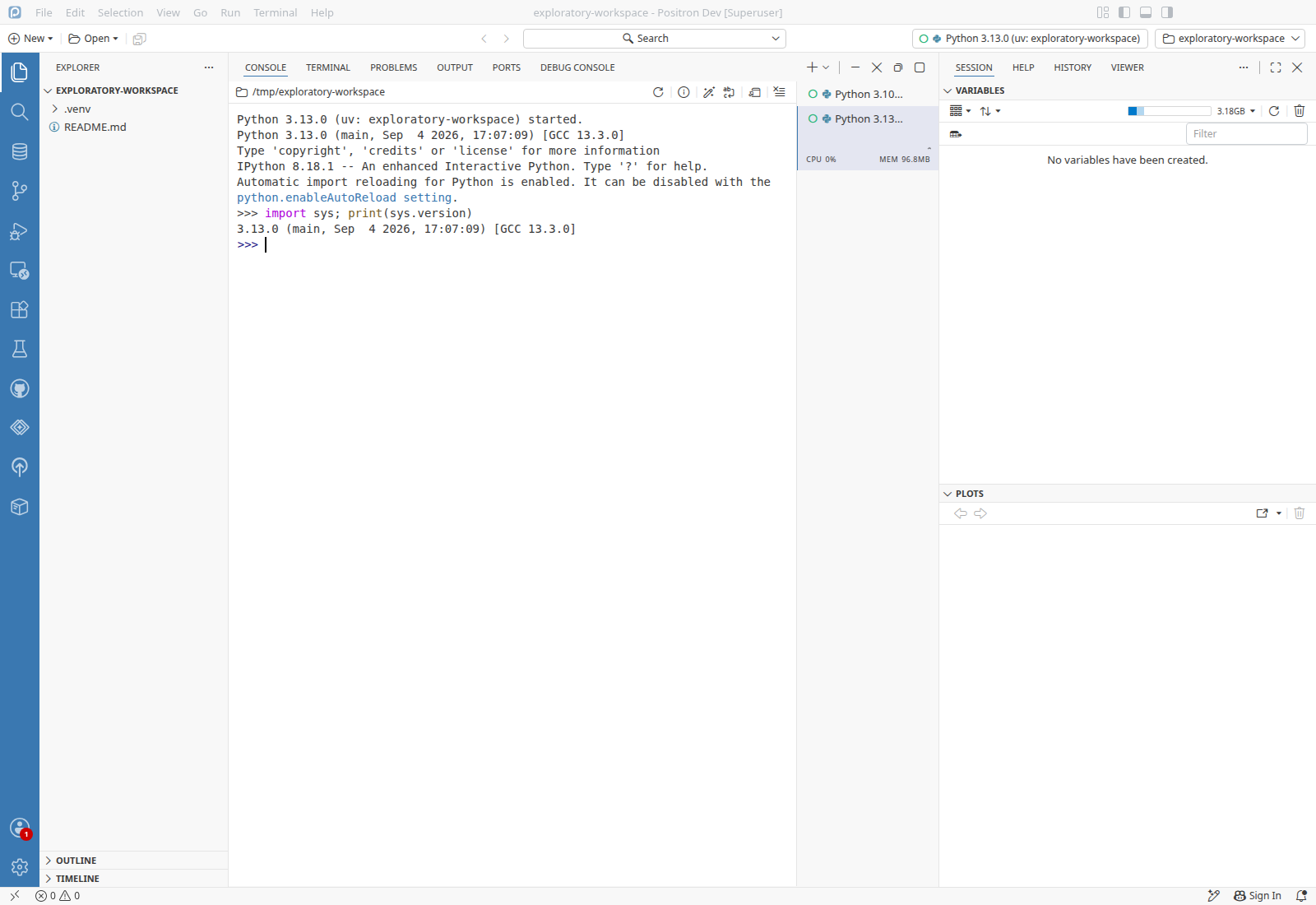
  3. Verify Running import sys; print(sys.version) in that console prints 3.12.3PASS
  4. Run rm -rf .venv && uv venv -q --python /root/.pyenv/versions/3.13.0/bin/python3.13 .venv && .venv/bin/python --version in the terminal, and wait 20 s.
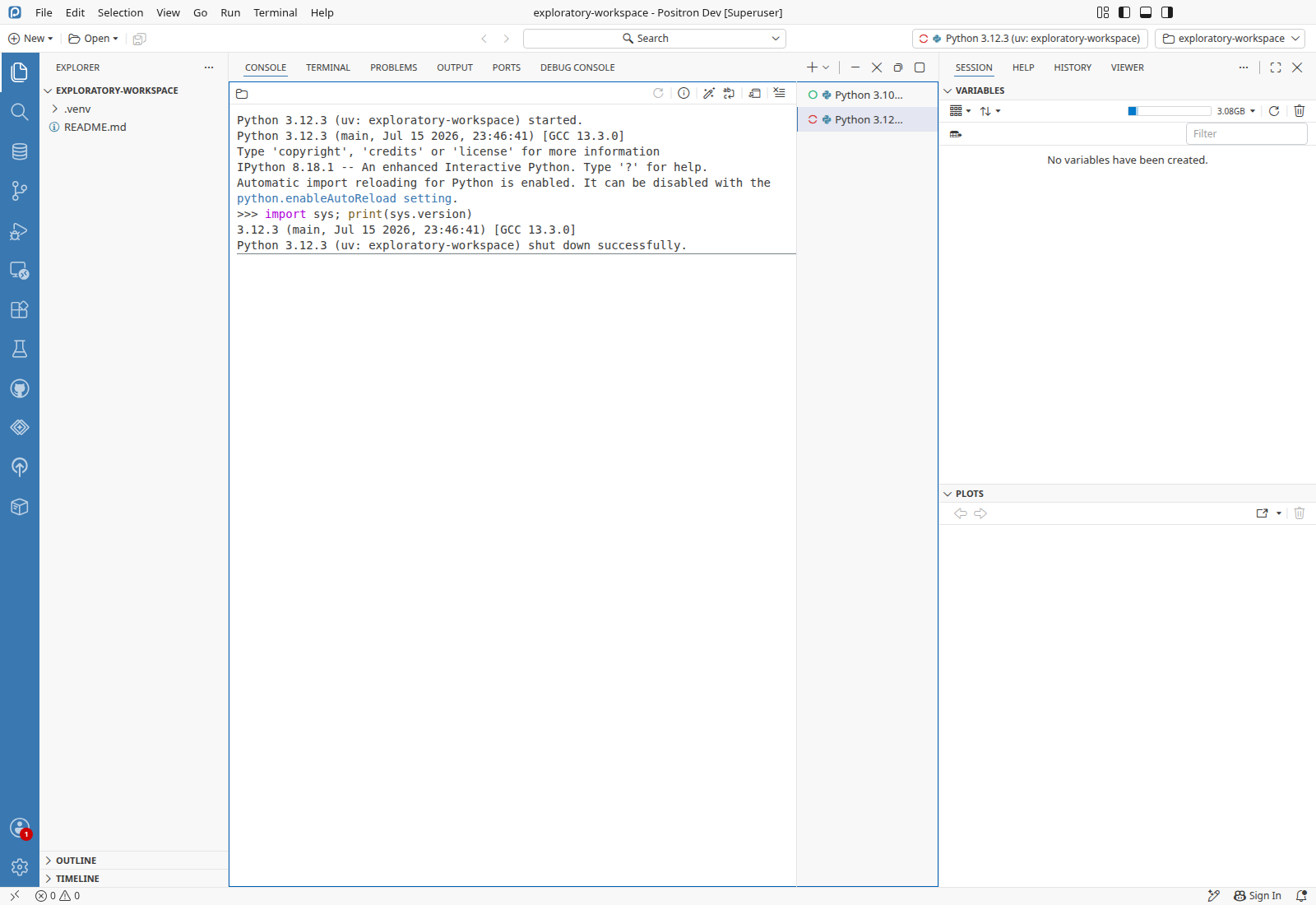
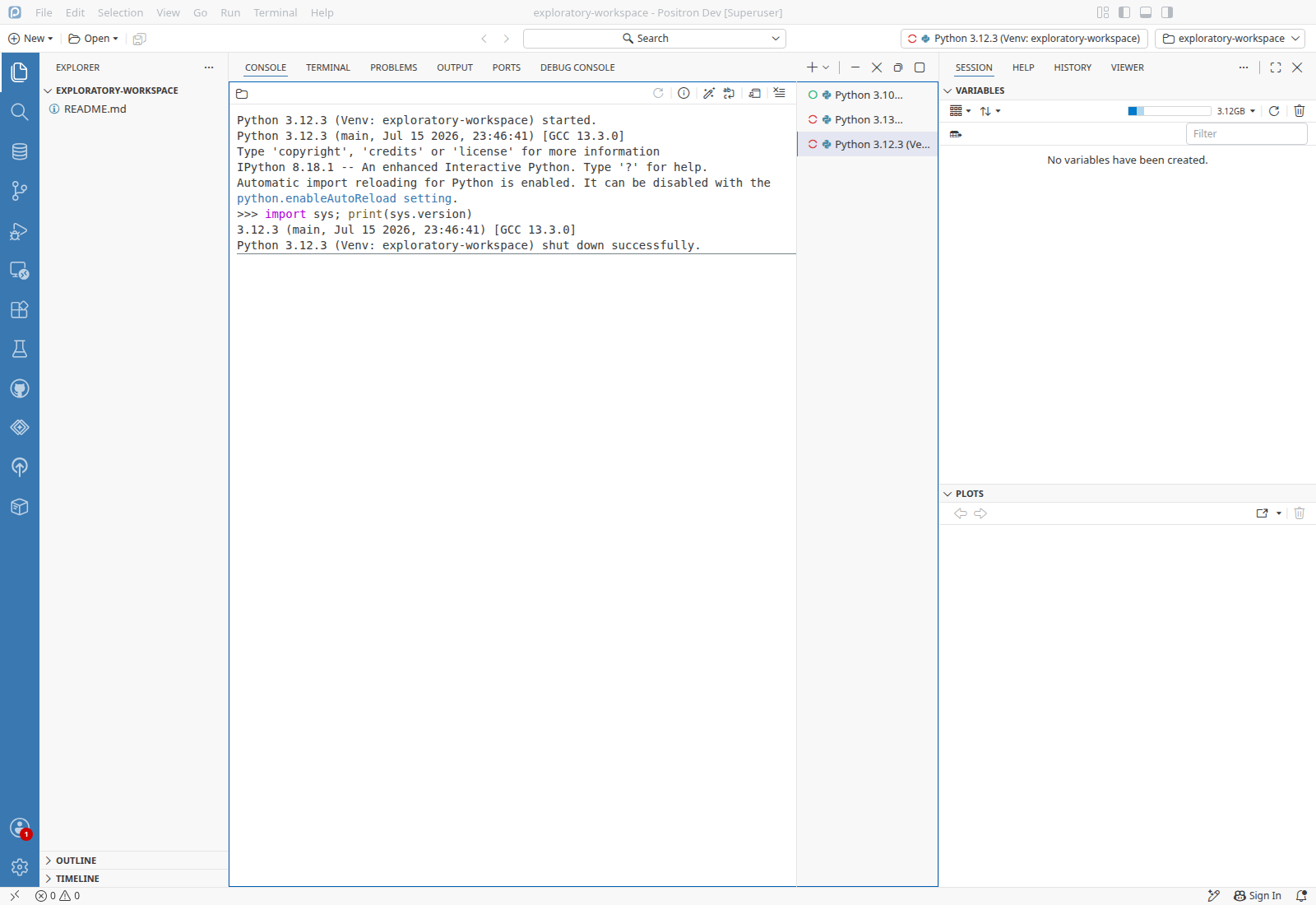
  5. Verify the 3.12.3 console ends with "shut down successfully"PASS
  6. Run Interpreter: Start New Console Session and pick Python 3.13.0 (uv: exploratory-workspace).
  7. Verify Running import sys; print(sys.version) in the new console prints 3.13.0PASS
Switch the venv's Python with uv venv --clear while its console runsFix verified for #4556 · The 3.12 console shut down and the picker lists the venv as Python 3.13.0.

3.12 workspace venv, root consolePreconditions3.12 workspace venvCreated in Recreate the workspace venv with no console on it and no install: /tmp/exploratory-workspace/.venv is Python 3.12.3root consoleThe Python 3.10.12 (uv: root) console the window started at launch is open

  1. Run Interpreter: Discover All Interpreters, and wait 20 s.
  2. Run Interpreter: Start New Console Session and pick Python 3.12.3 (uv: exploratory-workspace).
  3. Verify Running import sys; print(sys.version) in that console prints 3.12.3PASS
  4. Run uv venv -q --clear --python /root/.pyenv/versions/3.13.0/bin/python3.13 .venv && .venv/bin/python --version in the terminal, and wait 20 s.
  5. Verify the 3.12.3 console ends with "shut down successfully"PASS
  6. Run Interpreter: Start New Console Session.
  7. Verify the picker lists Python 3.13.0 (uv: exploratory-workspace)PASS
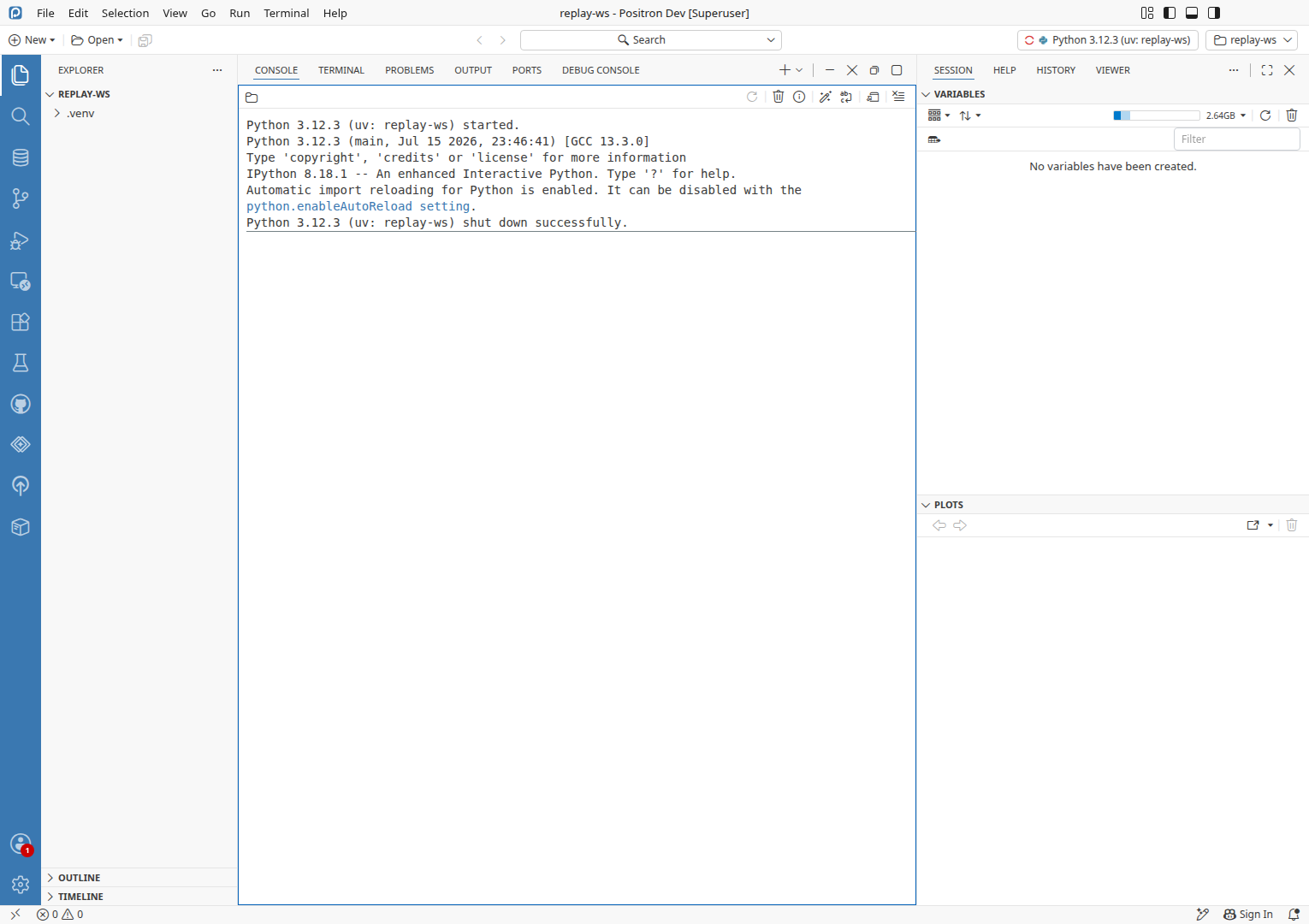
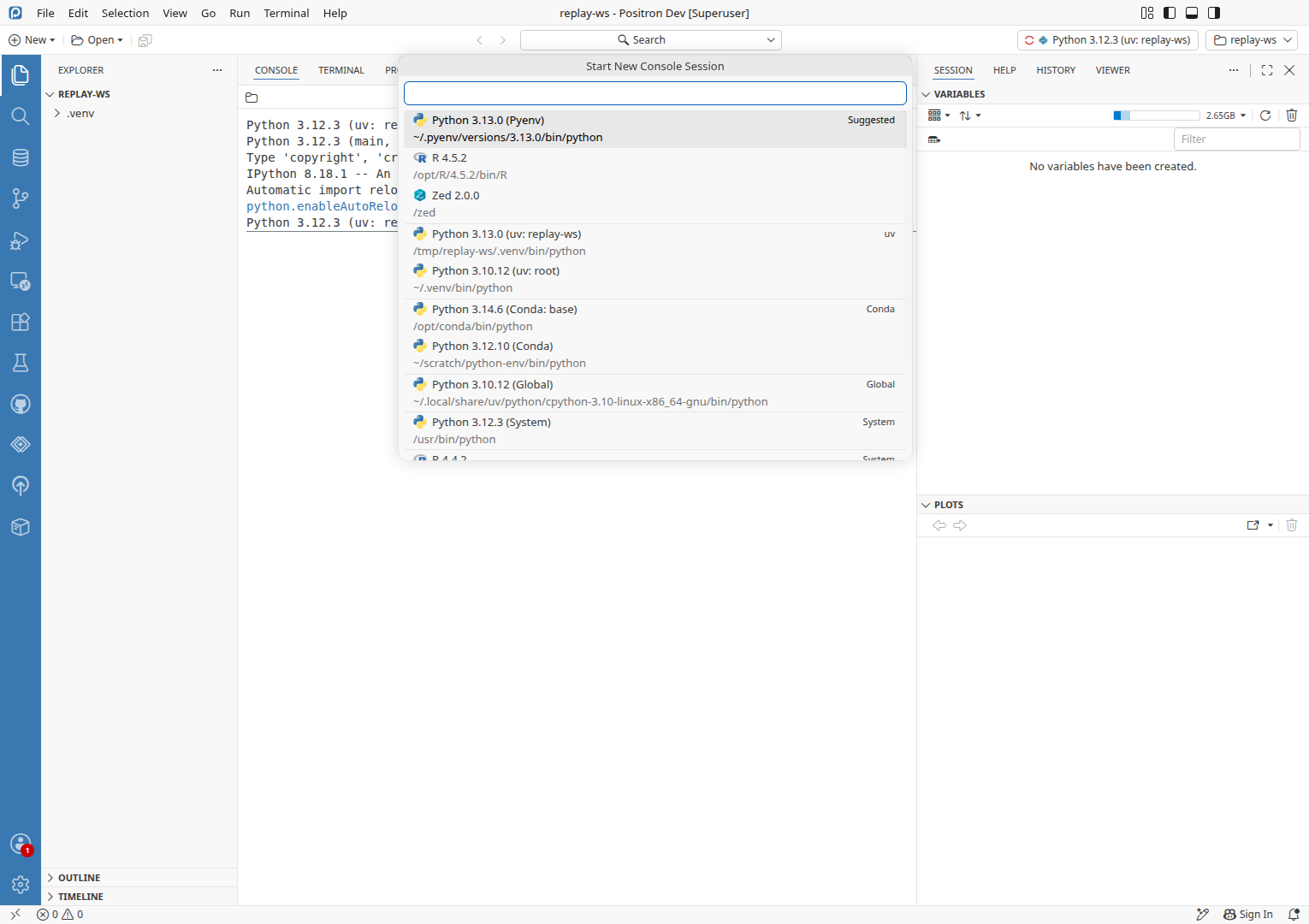
Cold instance: recreate the venv with a newer Python while its console runsFix verified for #4556 · In a fresh instance the venv's console shut down and the picker lists the venv as Python 3.13.0.

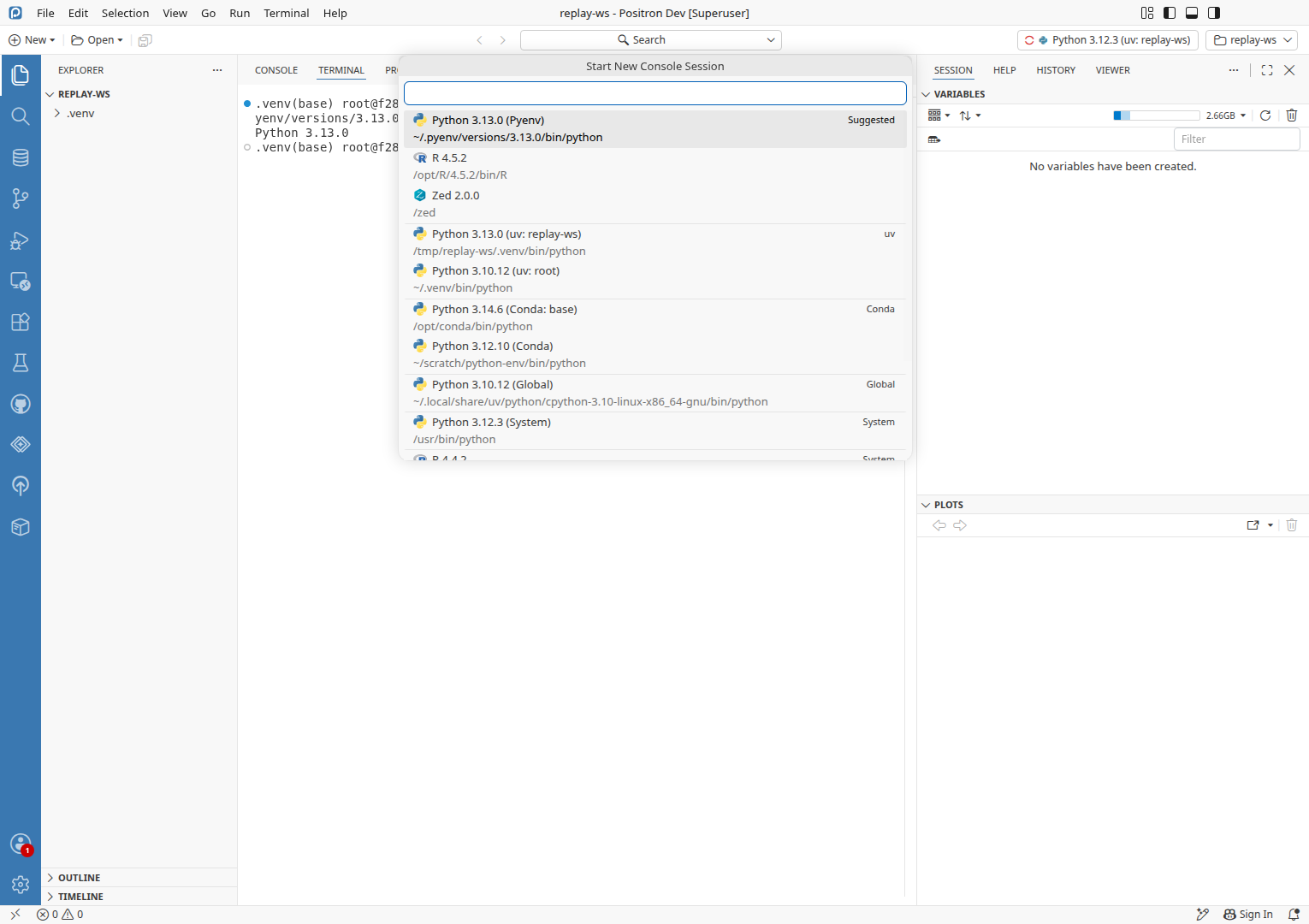
3.12 replay venv, fresh instancePreconditions3.12 replay venv/tmp/replay-ws/.venv made with uv venv --python /usr/bin/python3.12 .venv before launchfresh instanceA new instance from the CI seed profile, opened on /tmp/replay-ws

  1. Wait for the window to start the Python 3.12.3 (uv: replay-ws) console by itself.
  2. Run Terminal: Create New Terminal.
  3. Run rm -rf .venv && uv venv -q --python /root/.pyenv/versions/3.13.0/bin/python3.13 .venv && .venv/bin/python --version in the terminal, and wait 20 s.
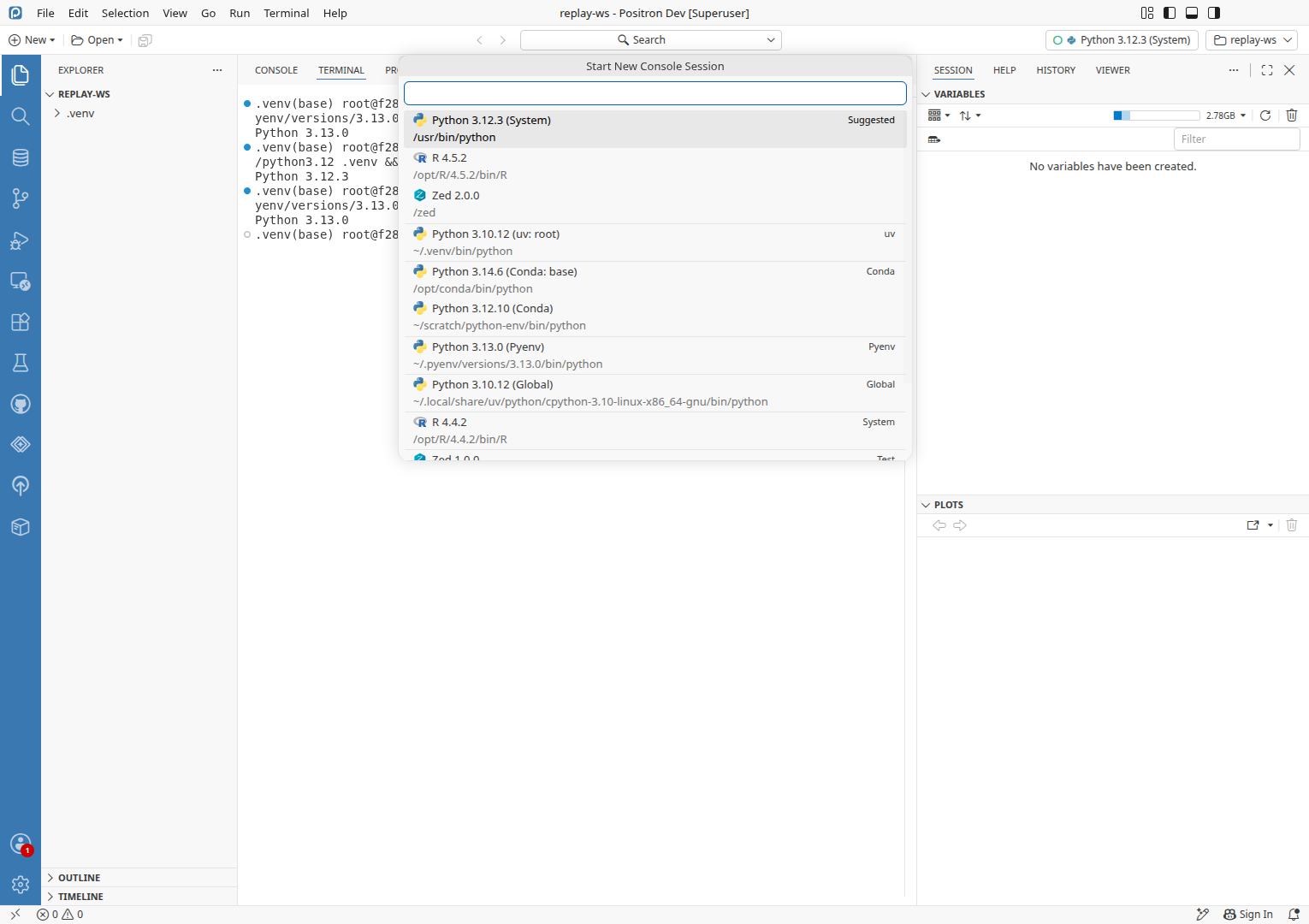
  4. Run Interpreter: Start New Console Session.
  5. Verify the picker lists Python 3.13.0 (uv: replay-ws)PASS
  6. Verify the 3.12.3 console ends with "shut down successfully"PASS
Cold instance: recreate the venv while it is still the selected interpreterWith the venv still the selected interpreter and its console exited, the picker lists it at its new version, 3.12.3.

3.13 replay venv, selectedPreconditions3.13 replay venv, selectedCreated in Cold instance: recreate the venv with a newer Python while its console runs: /tmp/replay-ws/.venv is Python 3.13.0 and is still the workspace's selected interpreter, its console exited

  1. Run Interpreter: Start New Console Session.
  2. Verify the picker lists Python 3.13.0 (uv: replay-ws)PASS
  3. Run rm -rf .venv && uv venv -q --python /usr/bin/python3.12 .venv && .venv/bin/python --version in the terminal, and wait 20 s.
  4. Run Interpreter: Start New Console Session.
  5. Verify the picker lists Python 3.12.3 (uv: replay-ws)PASS
Change the venv's Python in place, without deleting the folder, while its console runsRepointing .venv/bin/python from 3.13 to 3.12 shut down the 3.13 console, and a new console started as 3.12.3.

3.13 workspace venv, root consolePreconditions3.13 workspace venvCreated in Change the venv's Python version with no console on it: /tmp/exploratory-workspace/.venv is Python 3.13.0root consoleThe Python 3.10.12 (uv: root) console the window started at launch is open

  1. Run Interpreter: Discover All Interpreters, and wait 20 s.
  2. Run Interpreter: Start New Console Session and pick Python 3.13.0 (uv: exploratory-workspace).
  3. Verify Running import sys; print(sys.version) in that console prints 3.13.0PASS
  4. Run /usr/bin/python3.12 -m venv --upgrade --without-pip .venv && .venv/bin/python --version && grep version .venv/pyvenv.cfg in the terminal, and wait 20 s.
  5. Verify the 3.13.0 console keeps running, since .venv/bin/python still points at 3.13PASS
  6. Run ln -sfn /usr/bin/python3.12 .venv/bin/python && .venv/bin/python --version in the terminal, and wait 20 s.
  7. Verify the 3.13.0 console ends with "shut down successfully"PASS
  8. Run Interpreter: Start New Console Session.
  9. Verify the picker lists Python 3.12.3 (Venv: exploratory-workspace)PASS
  10. Pick Python 3.12.3 (Venv: exploratory-workspace).
  11. Verify Running import sys; print(sys.version) in the new console prints 3.12.3PASS
Delete the venv folder while its console runsThe venv's console shut down and the venv left the picker.

3.12 workspace venv with consolePreconditions3.12 workspace venv with consoleCreated in Change the venv's Python in place, without deleting the folder, while its console runs: The Python 3.12.3 (Venv: exploratory-workspace) console is running

  1. Run rm -rf .venv in the terminal, and wait 15 s.
  2. Verify the 3.12.3 console ends with "shut down successfully"PASS
  3. Run Interpreter: Start New Console Session.
  4. Verify the picker has no row for the workspace venvPASS
The same venv changes on macOS and Windows, whose file watchers report a deleted or created folder differentlyNot run · Environment: Linux container only
A conda or pyenv environment whose version changes at the same path (outside the workspace watcher)Not run · Out of time, the change targets workspace envs
Remote SSH, WSL and Posit Workbench, where the file watcher runs remotelyNot run · Environment: not available in this container
Run detailsAgents, change under test, environment, state manipulation, test ledger, logs, test files, branch verification
Agents
StageModelCostTurns
ExploreOpus 5.5$3.5082 of 200
VerifySonnet 5.5$0.164
Total26m elapsed$3.6586
Change under test

The diff (5 files in extensions/positron-python) makes three changes. The workspace watcher now reports every deleted path, so rm -rf .venv is seen. Discovery removes every env under a deleted folder and no longer resolves an executable that is gone. The runtime manager, when an interpreter at the same path changes major or minor version, re-registers it and shuts down consoles still on the old runtime. It fixes #4556, the wrong Python version after a project's venv is switched. The fix held whenever a console was running on the venv, both via rm -rf plus uv venv and via uv venv --clear, in the pre-launched instance and in a fresh one. The in-place path (repointing .venv/bin/python) also shut down the old console and listed the new version.

Environment
  • Positron 2026.10.0 build 0, dev build of d60beab945 (Code - OSS 1.134.0), on Ubuntu 24.04.4 LTS (Linux x86_64).
  • Python 3.12.3 (/usr/bin/python3.12), Python 3.13.0 (pyenv, /root/.pyenv/versions/3.13.0), Python 3.10.12 (uv-managed, /root/.venv), uv 0.12.9. Workspace venvs are made with uv venv in the app's terminal, and consoles use Positron's bundled ipykernel.
  • Two instances. The pre-launched one (CDP 36561) is opened on /tmp/exploratory-workspace, which had no venv at launch, so the Python 3.10.12 (uv: root) console it started by itself stayed open all run. A second, fresh one (CDP 34317, Playwright session replay) from the CI seed profile, opened on /tmp/replay-ws, was the cold replay.
State manipulation
  • Venvs in /tmp/exploratory-workspace/.venv and /tmp/replay-ws/.venv were made, deleted and recreated with uv venv and rm -rf (in-app terminal), and once with ln -sfn on .venv/bin/python. The first .venv was made outside the app during setup, as python3.12 -m venv, then replaced with uv venv plus uv pip install ipykernel. Its venv also vanished from the picker, the first sighting of Finding 1. The last state is .venv deleted.
  • A second instance (CDP 34317) was launched from the CI seed profile on /tmp/replay-ws with --no-sandbox (the container runs as root), via a copy of launch.sh without the pre-launch step, for the cold replay. Its OS keyring dialog closed when Escape was pressed at 00:21:34. It was stopped with stop.sh after its logs were collected. The pre-launched instance was left running.
  • In the replay instance, Python: Select Interpreter was set to /usr/bin/python to match the pre-launched instance, where another interpreter was selected.
Test ledger

Every scenario’s preconditions, steps and checks, recorded as the run went: ledger.md

Logs

Everything captured during the run, saved next to this report. Error lines are also in each finding’s Evidence and agent prompt.

Test files

Every file the scenarios used, saved as it was when used. Also in files/ next to this report.

  • pick-rows.sh Shell · 8 lines the run's helper that opens Interpreter: Start New Console Session, saves every row to logs/ and logs the workspace row S02, S03, S04, S05, S06, S07, S08, S09, S10; Finding 1
Branch verification

CI compiled out/ in this job from the ref under test (d60beab945), so no build or grep was needed.

Verification detailsSecond agent, repository only, advisory

A second agent re-read this report with the repository but without driving the app. Advisory only: no finding was changed or removed.

1 confirmed
  1. The diff matches the cause for the removal half. The new ** delete watcher in pythonWatcher.ts reports the folder delete, and the isParentPath filter in nativeAPI.ts removes every env under it. The same log line, "env change detected ... remove", appears with no later "add" in S02, S03, S05 and S08 (the language-pack logs). The passing S07 shows the venv returning when it is the selected interpreter. In S01, S04, S06 and S09 a running console on the venv also kept it. The "watcher reports one Create for the folder" sentence is a guess, and the report words it as one. The log evidence is enough to confirm the symptom without it. The "unchanged pre-change behavior" sentence checks out against the diff. Before the change the ** watcher did not exist, so the folder delete matched nothing and the entry stayed.

The test file nativeAPI.unit.test.ts has a workspace path deleted suite at line 1282. Its helper fireDeleted fires a single folder-level delete, and its first test is "deleting the folder that holds an env removes the env". That matches the report's "covers the folder delete alone". No Created-for-folder test appears in what I read.

No known issue matches. Searches for "venv recreated interpreter missing picker", "venv deleted recreated interpreter", "interpreter picker missing venv" and "venv disappears interpreter list" returned only unrelated issues (#9186, #15693) or no matches. The linked issue file lists only #4556, which is the fix this PR targets.

The setup does not explain the symptom. The replay instance S08 reproduces it on a clean profile. Both instances needed another interpreter selected and no console on the venv.

Linked issue #4556 is marked "fix held" and not "observed" in the ledger, so there is nothing to rate.

No process issues.