Exploratory testPR #16475merge/1.138.0bb1458311a

Positron features on the Code OSS 1.138.0 merge

Positron's layouts, side-bar webviews, notebooks, Data Explorer code action, AI switch and pickers work on the merged workbench, but after a window reload a Positron notebook's breadcrumb shows its internal editor ID until the tab is switched.

Findings
1
1 minor
Coverage
18scenarios
11 passed1 failed6 not run
Run
16m$6.54
Opus 5.5 exploreSonnet 5.5 verify
Finding 1MinorConfirmedReproduced 2/2

After a window reload, a Positron notebook's breadcrumb editor-type label shows its internal ID

Observed

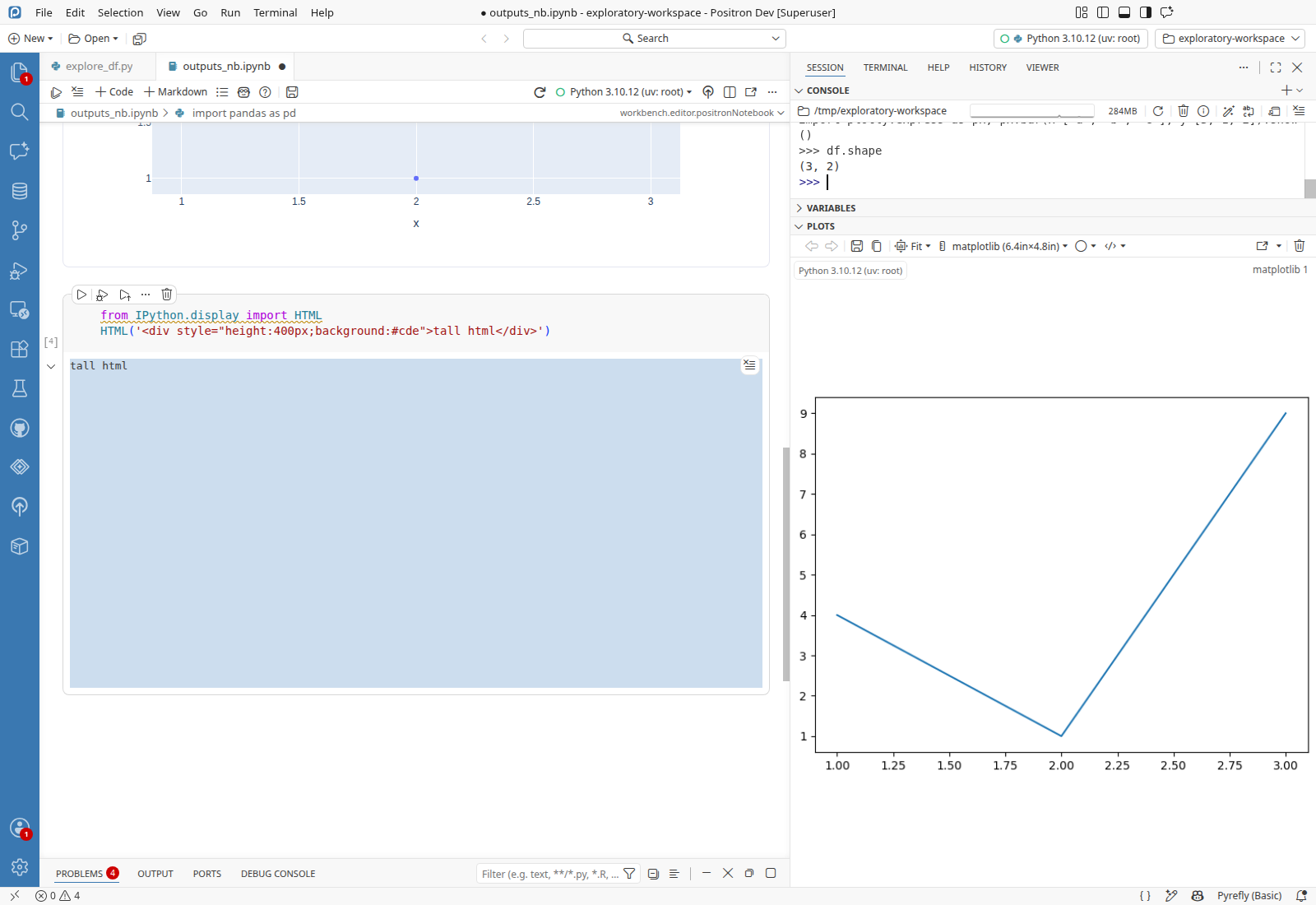
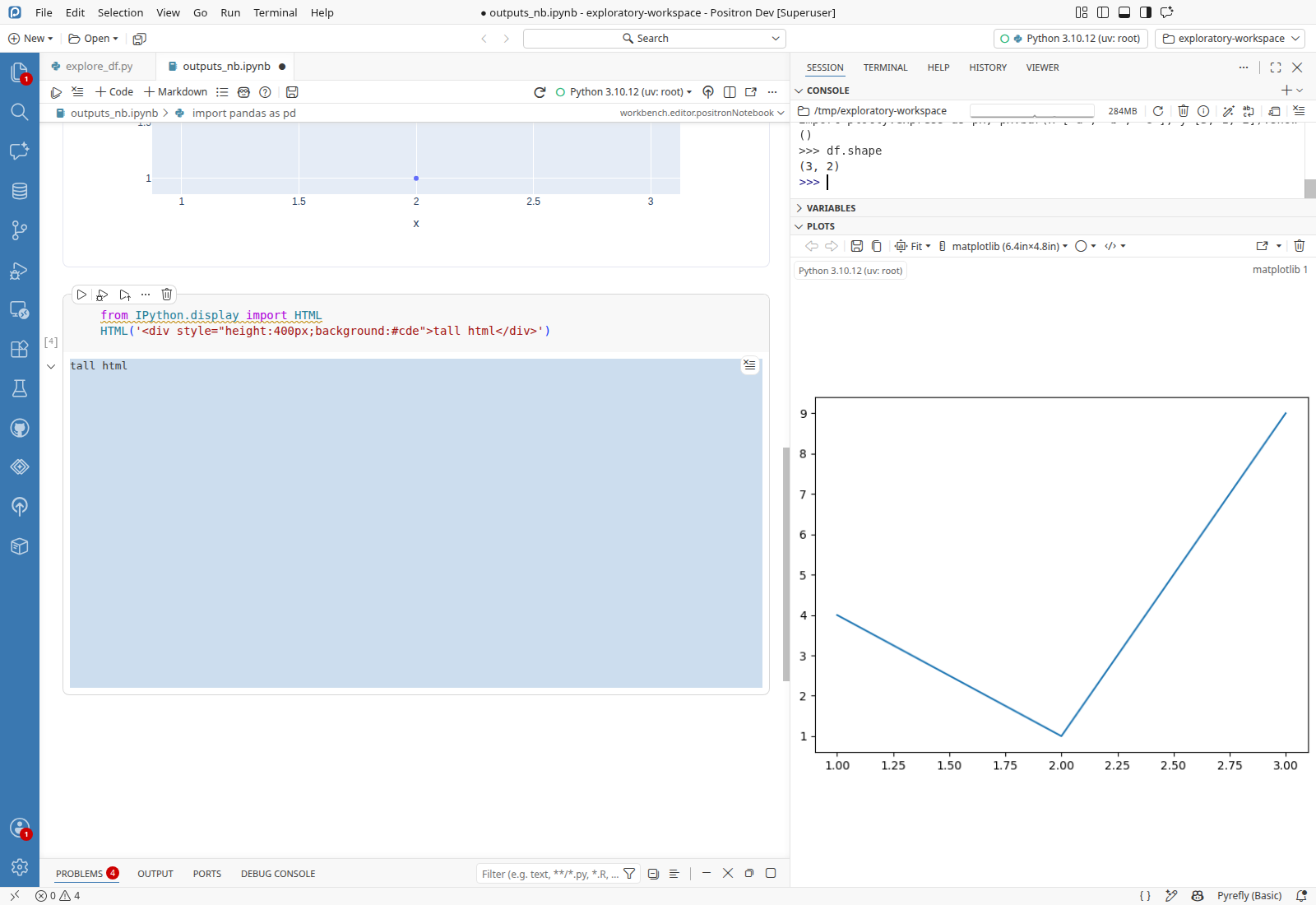
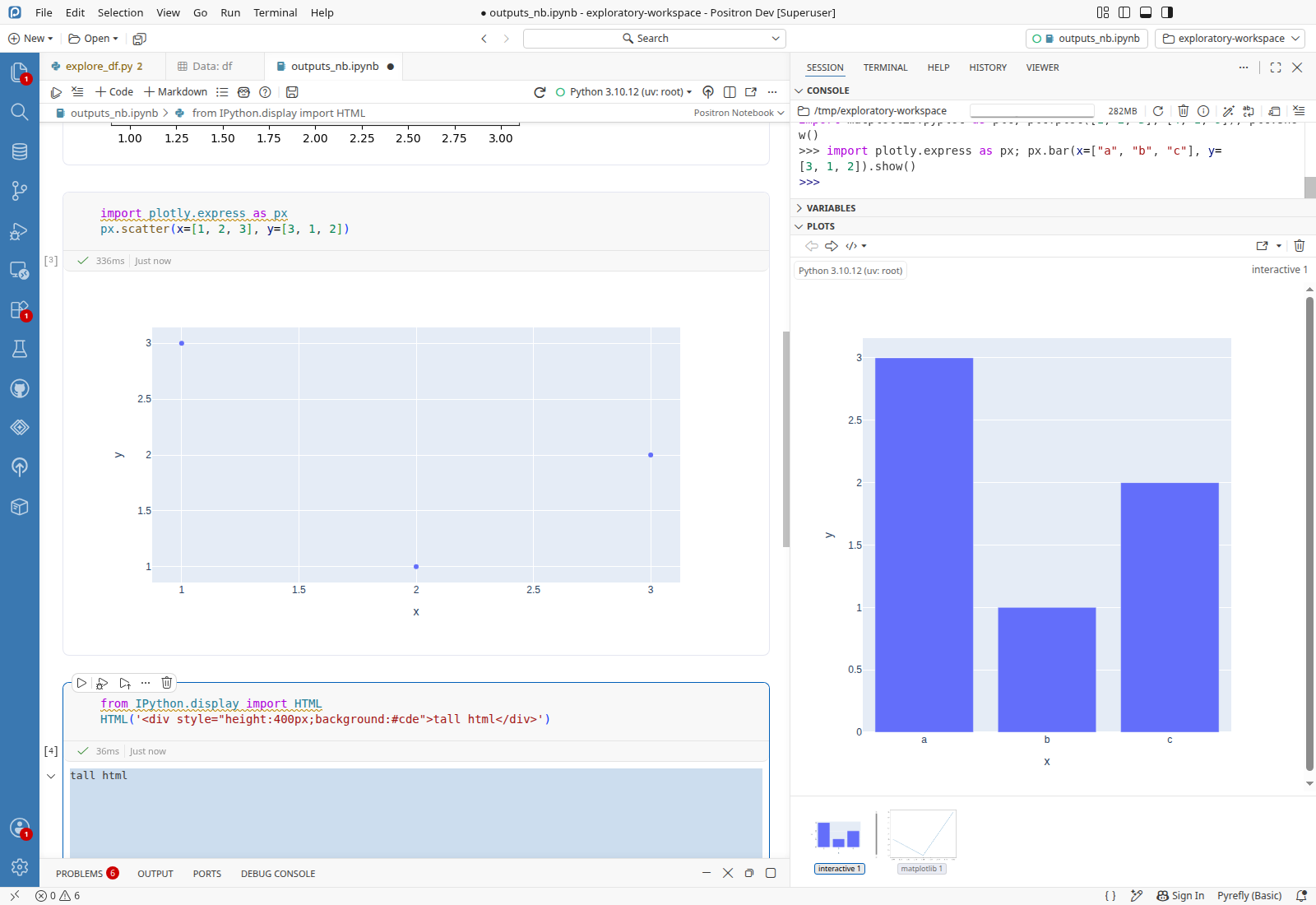
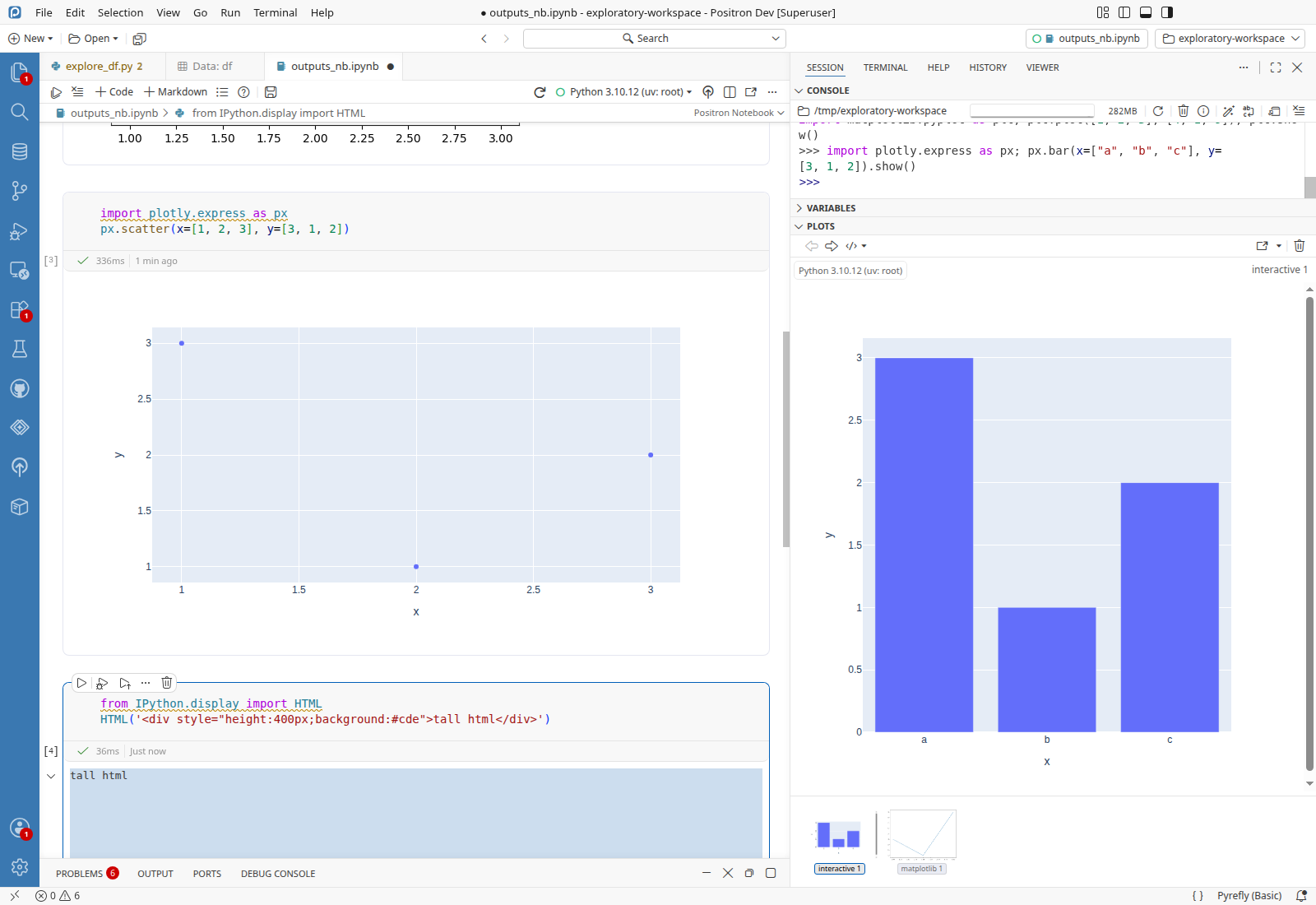
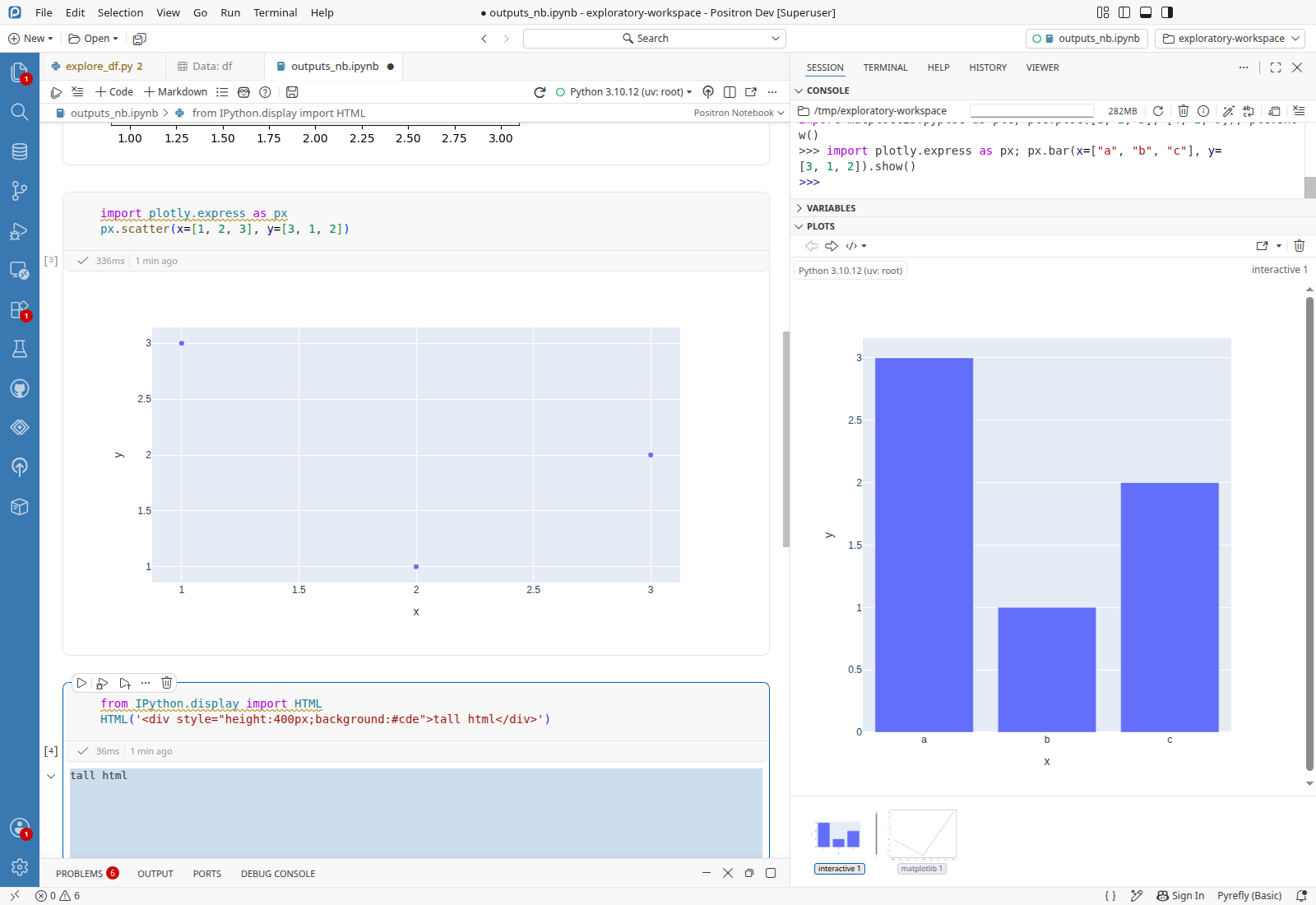
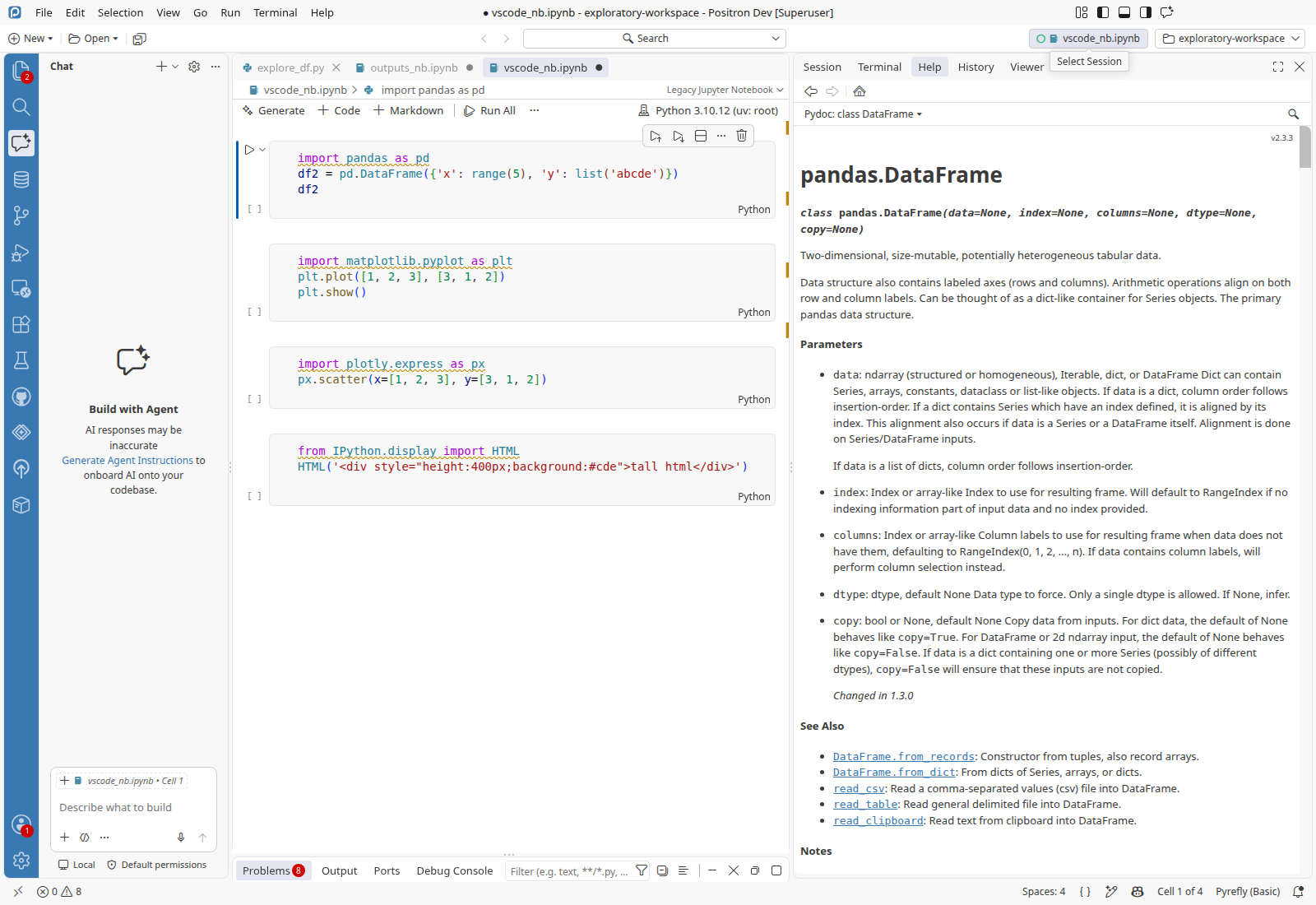
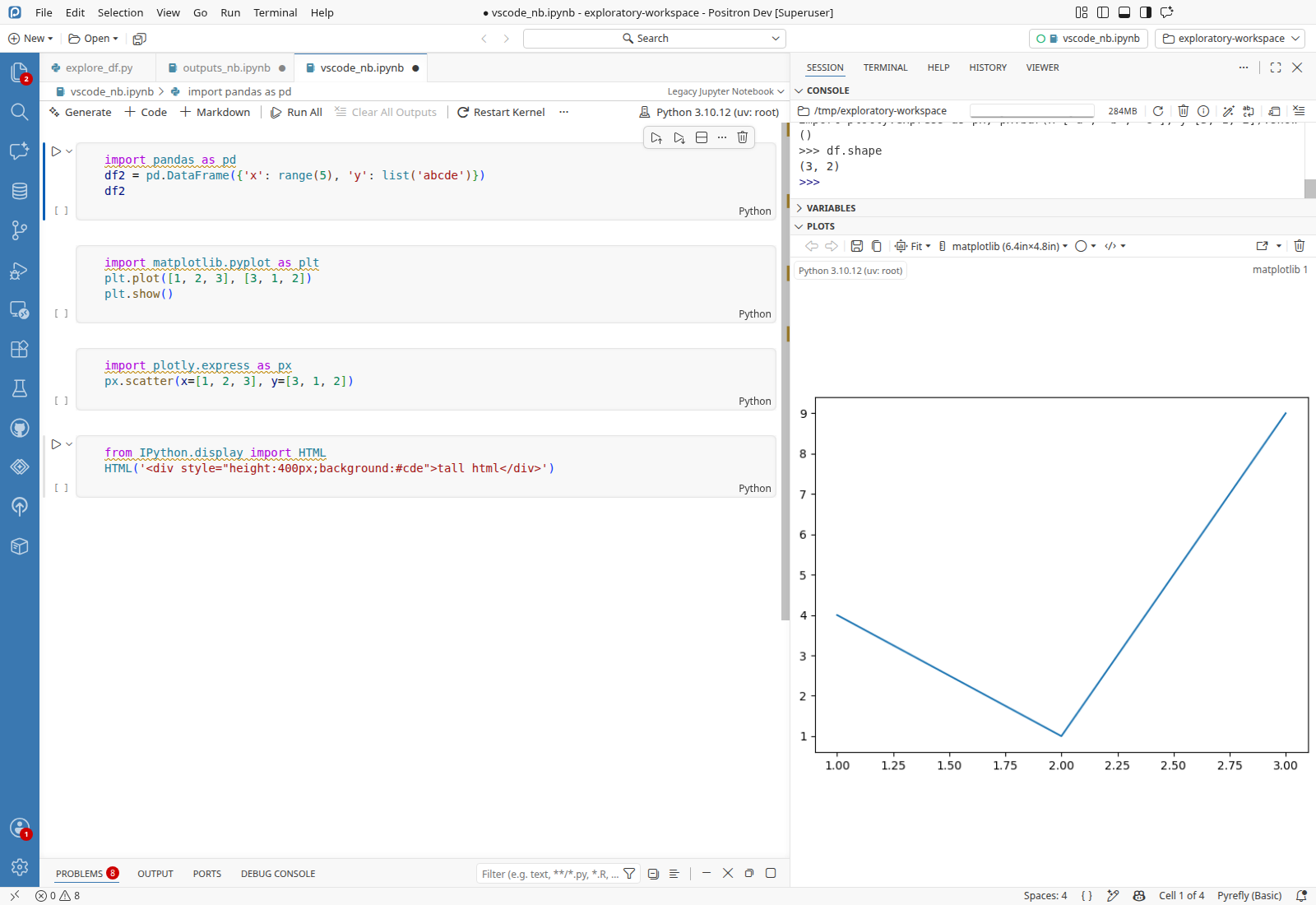
After the reload, the breadcrumb control that names the notebook's editor type reads workbench.editor.positronNotebook, the internal editor ID, and its hover says Editor: workbench.editor.positronNotebook. Switching to another tab and back makes it read Positron Notebook.

Expected

The control reads Positron Notebook, as it does before the reload, and as the Legacy Jupyter Notebook editor's control does after a reload in the same window.

Reproduce
  • Python 3.10.12 (uv: root) started with Interpreter: Start New Console Session, with df defined
  • explore_df.py open in an editor tab
  • outputs_nb.ipynb open in the Positron Notebook editor (the default for .ipynb), all four cells run, unsaved, as the active tab
  1. Run Developer: Reload Window and wait for the workbench to come back.
  2. Run df.shape in the Python console.
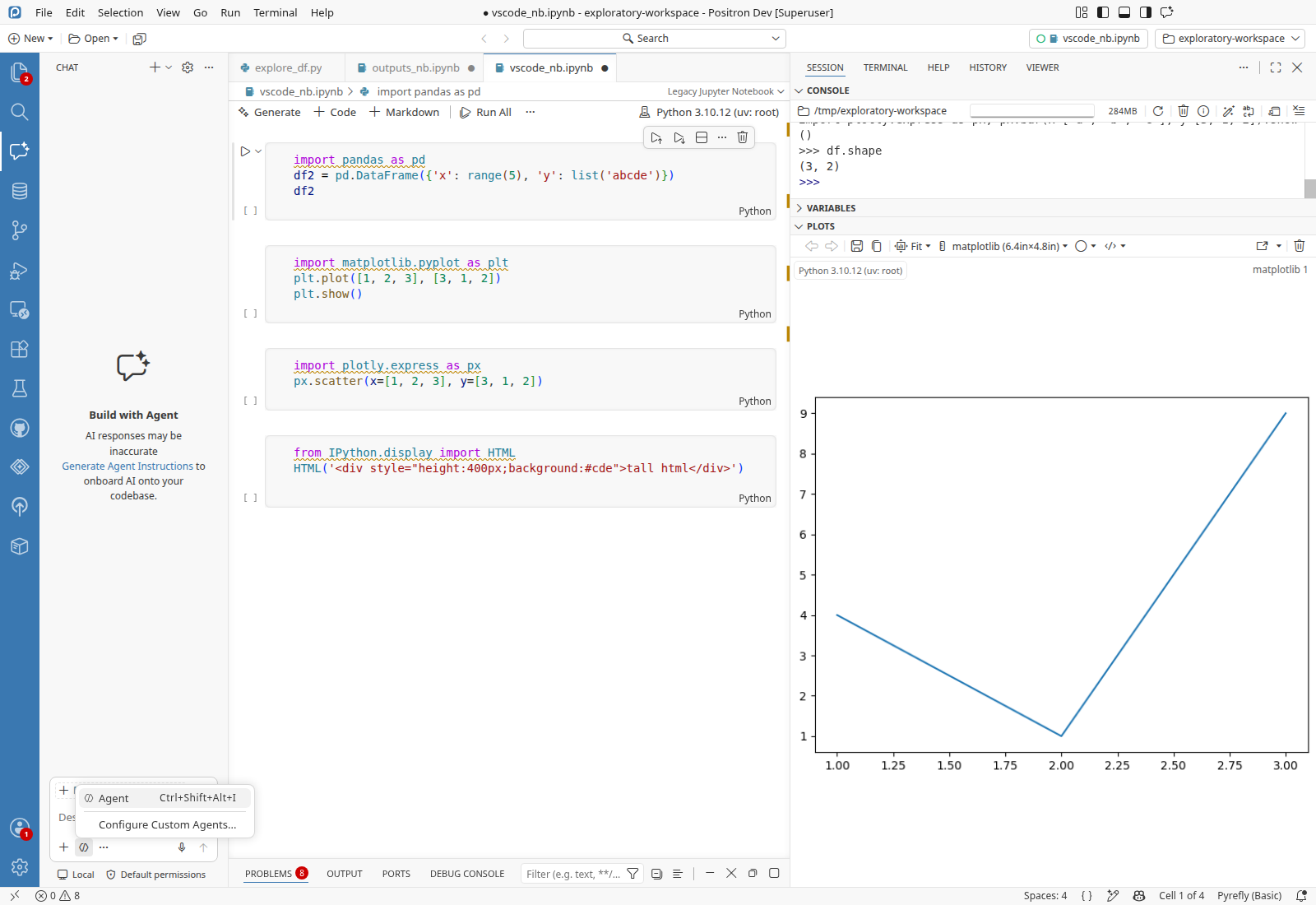
  3. Verify the Plots pane shows the matplotlib 1 plot made before the reloadPASS
  4. Verify the Python console printed (3, 2) for df.shapePASS
  5. Verify the editor-type control at the right end of the notebook's breadcrumbs reads Positron NotebookFAIL 2Observed: It reads workbench.editor.positronNotebook, and its hover says Editor: workbench.editor.positronNotebook.
  6. Open explore_df.py.
  7. Open outputs_nb.ipynb.
  8. Verify the editor-type control reads Positron NotebookPASS
  9. Run Developer: Reload Window and wait 15 s after the workbench comes back.
  10. Verify the editor-type control reads Positron NotebookFAIL Observed: It reads workbench.editor.positronNotebook again.
Likely cause · Hypothesis

The breadcrumbs control computes the label before Positron's notebook editor is registered, and never recomputes it. PositronNotebookContribution registers the editor with the editor resolver at WorkbenchPhase.AfterRestored (src/vs/workbench/contrib/positronNotebook/browser/positronNotebook.contribution.ts:406), so when the restored active editor's breadcrumbs ask getAvailableEditorTypes (src/vs/workbench/browser/parts/editor/editorTypePicker.ts:35) for matches, the Positron editor is not among them and _updateEditorTypeControl falls back to available.currentId (src/vs/workbench/browser/parts/editor/breadcrumbsControl.ts:533). That method reruns only on an active-editor change or a settings change, not when the resolver gains an editor. The breadcrumbs control and the AfterRestored registration are the same at the base commit, but editorTypePicker.ts changed in this merge, so whether the label was already wrong before it cannot be told without a base build.

Test gap · 2 missing cases
Suggested cases
  1. After a window reload with a Positron notebook as the active editor, the breadcrumb editor-type label reads Positron Notebook
    E2EAdd to notebook-editor.test.ts exists, covers switching between notebook editors and a reload with a dirty notebook, not the breadcrumb label
  2. The editor-type control updates when an editor registration for the active resource arrives after the control was drawn
    UnitAdd to editorTypePicker.test.ts exists, covers hidden, exclusive and universal optional matches

Data Explorer code action in the rewritten action list, Positron layout presets and Customize Layout, plot and Help webview overlays, Positron notebook outputs, ai.enabled gating, session picker, Chat mode picker, window reload, Modern UI with Positron parts.

ScenarioResult
Window reload with a Positron notebook in frontFinding 1
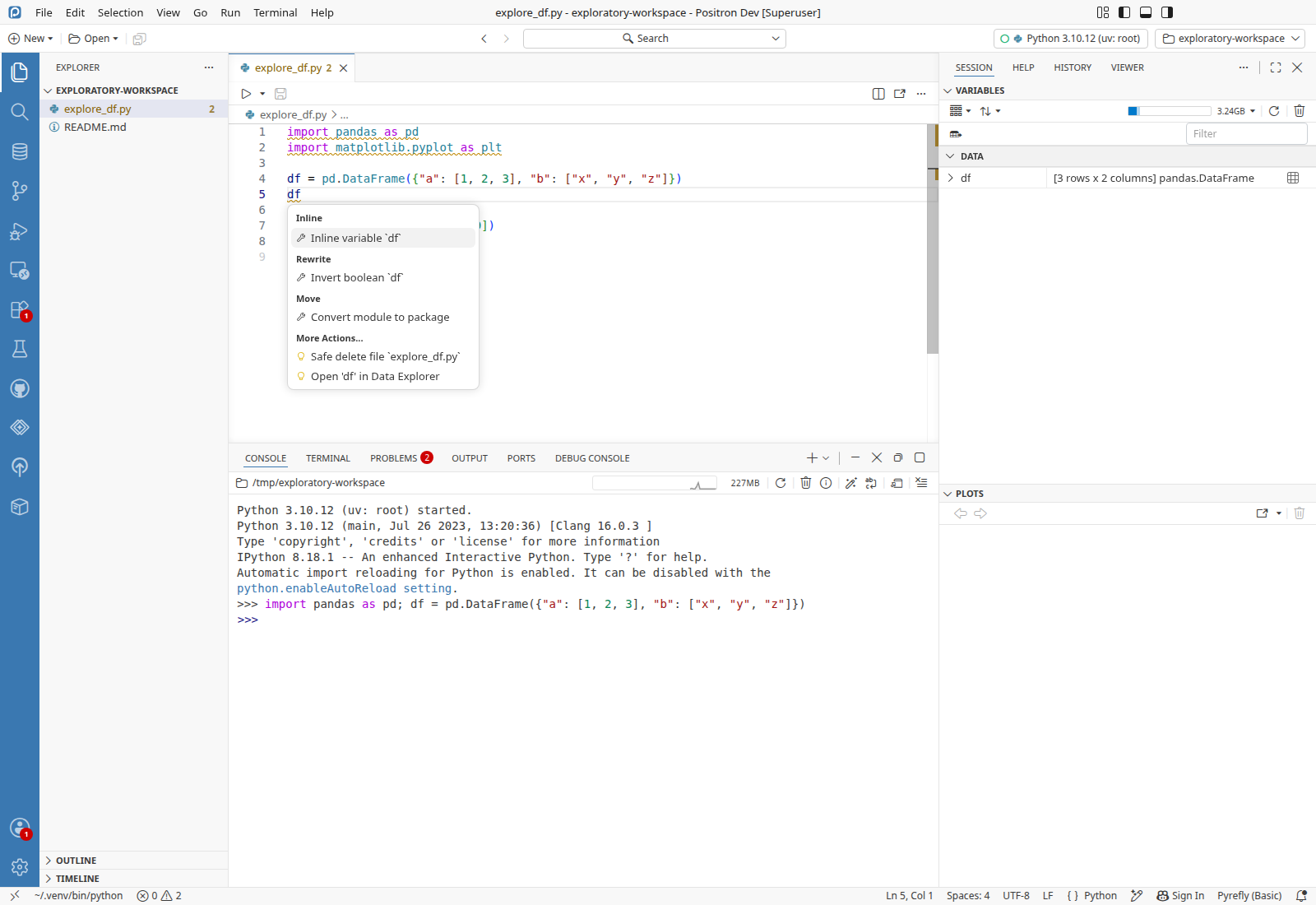
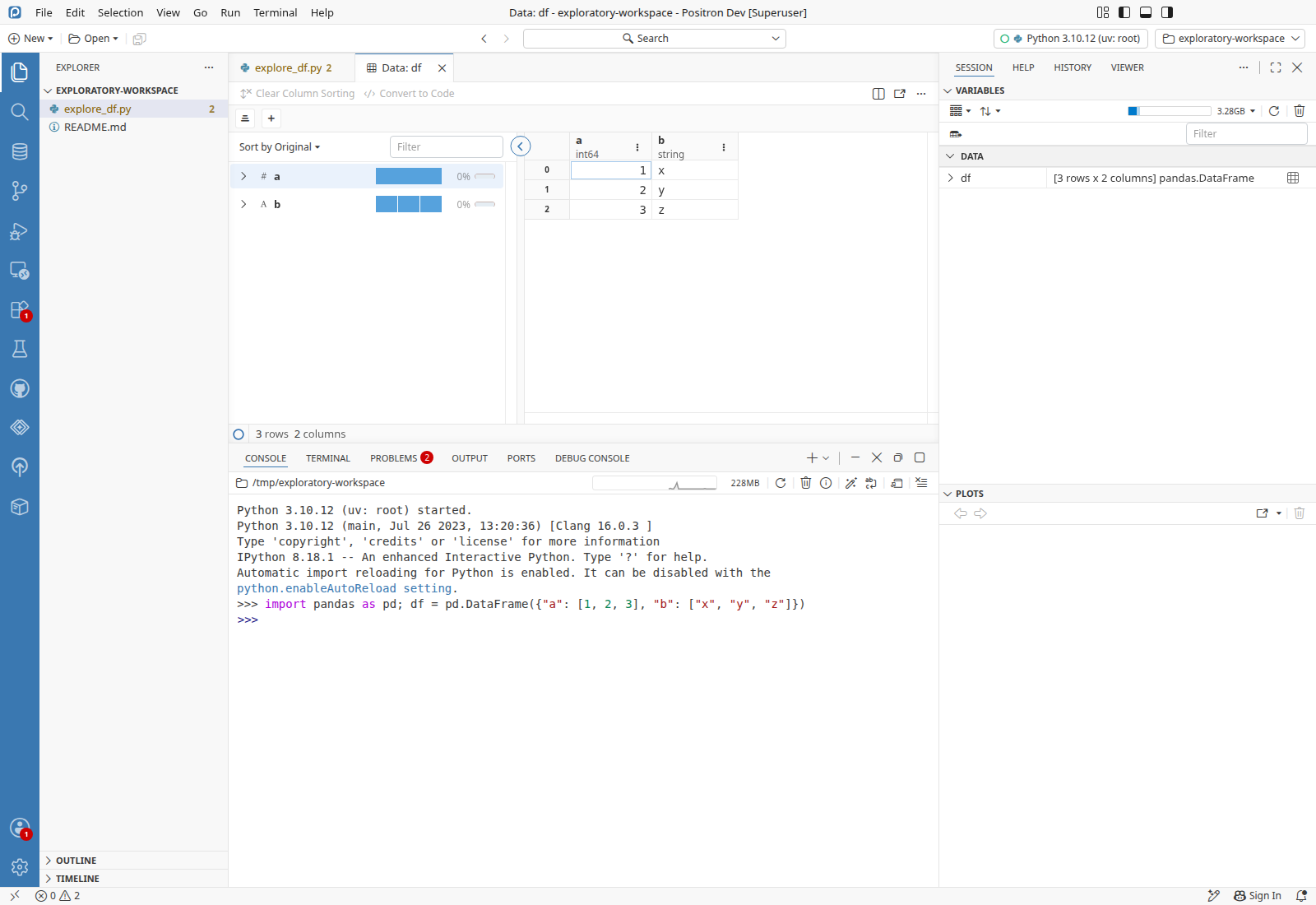
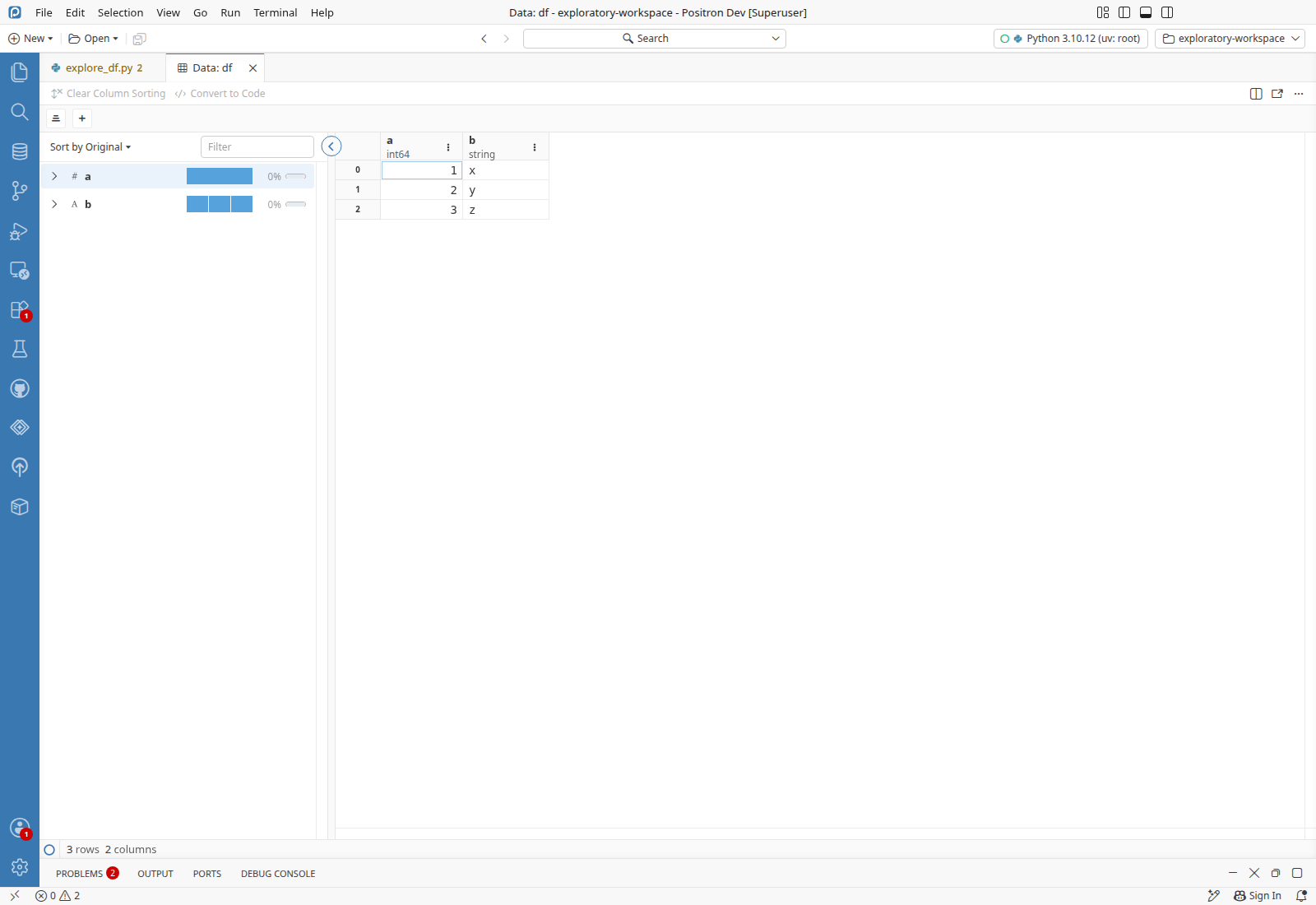
Data Explorer code action in the Refactor action listThe Refactor list offers Open 'df' in Data Explorer, and choosing it opens a Data: df tab with 3 rows and 2 columns.

explore_df.py in workspacePreconditionsexplore_df.py in workspaceexplore_df.py copied to the workspace root

  1. Run Interpreter: Start New Console Session and pick Python 3.10.12 (uv: root).
  2. Run import pandas as pd; df = pd.DataFrame({"a": [1, 2, 3], "b": ["x", "y", "z"]}) in the Python console.
  3. Open explore_df.py.
  4. Put the cursor at line 5, column 1 (df).
  5. Run Refactor....
  6. Verify the action list shows an Open 'df' in Data Explorer optionPASS
  7. Click Open 'df' in Data Explorer.
  8. Verify a Data: df editor opens showing 3 rows and 2 columns, a and bPASS
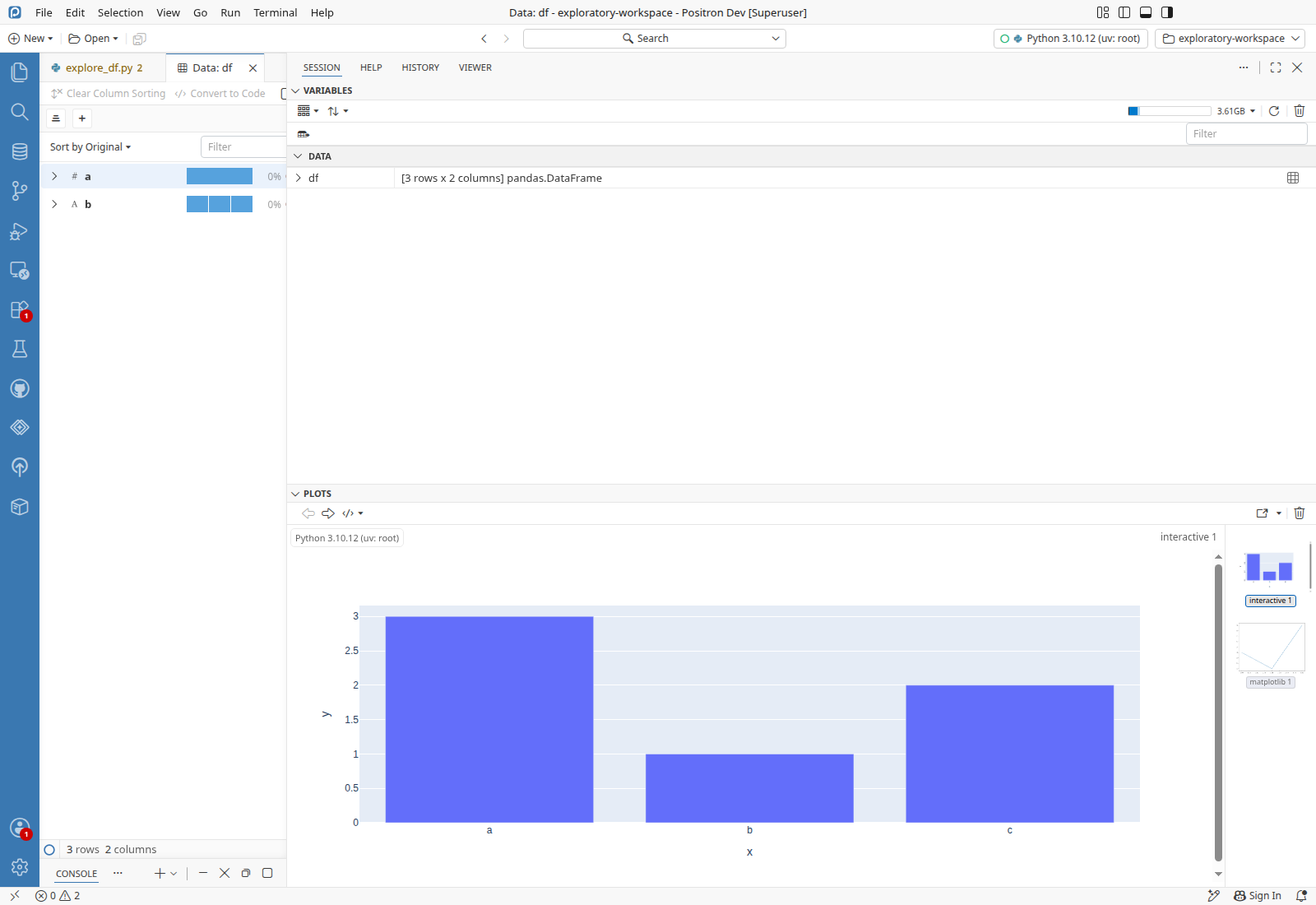
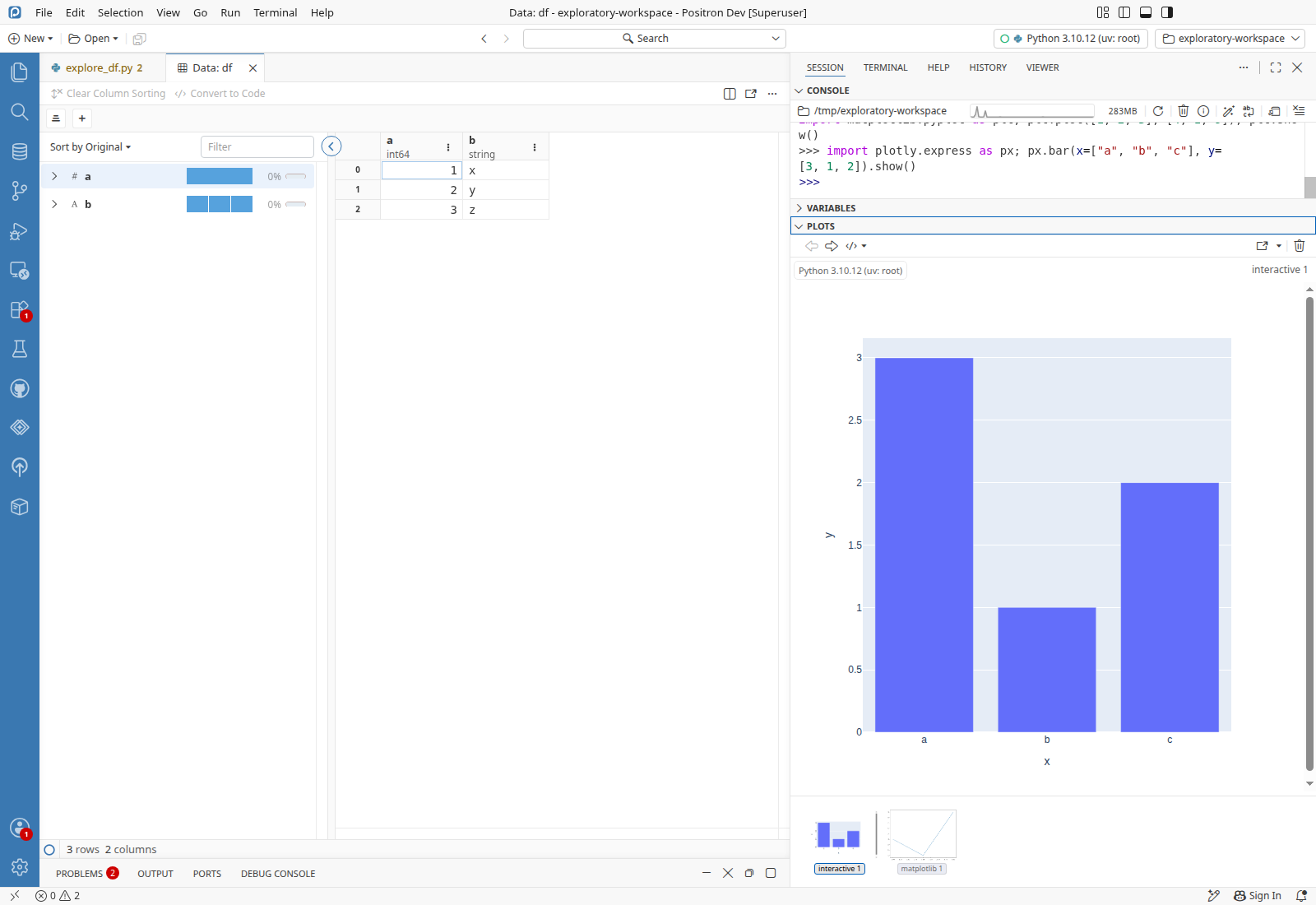
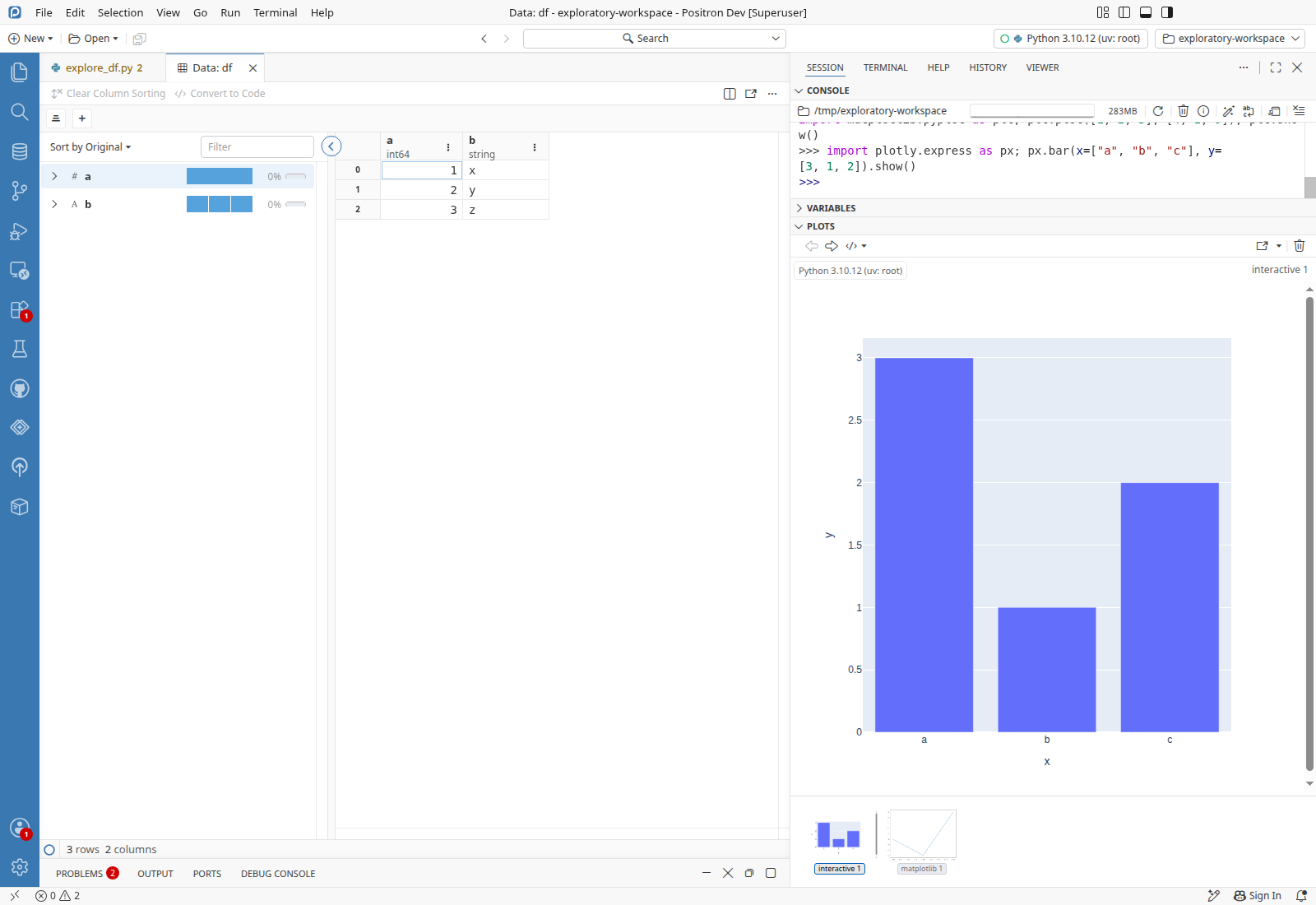
Interactive plot stays on its pane across Positron layoutsThe plotly webview overlay matched the Plots pane in Maximized Auxiliary Bar and Side-By-Side layouts, and after hiding and showing the side bar.

Python console openPreconditionsPython console openCreated in Data Explorer code action in the Refactor action list: Python 3.10.12 (uv: root) started with Interpreter: Start New Console Session

  1. Run import matplotlib.pyplot as plt; plt.plot([1, 2, 3], [4, 1, 9]); plt.show() in the Python console.
  2. Run import plotly.express as px; px.bar(x=["a", "b", "c"], y=[3, 1, 2]).show() in the Python console.
  3. Run View: Side-By-Side Layout.
  4. Run View: Stacked Layout.
  5. Run View: Maximized Auxiliary Bar Layout.
  6. Verify the plotly webview overlay has the same box as the plot area of the Plots panePASS
  7. Run View: Side-By-Side Layout.
  8. Click the Plots section header in the secondary side bar.
  9. Verify the plotly webview overlay has the same box as the plot area, 961,343 at 639x619PASS
  10. Run View: Toggle Secondary Side Bar Visibility.
  11. Verify the plotly webview overlay is hiddenPASS
  12. Run View: Toggle Secondary Side Bar Visibility.
  13. Verify the plotly webview overlay is back on the plot area, 961,343 at 639x619PASS
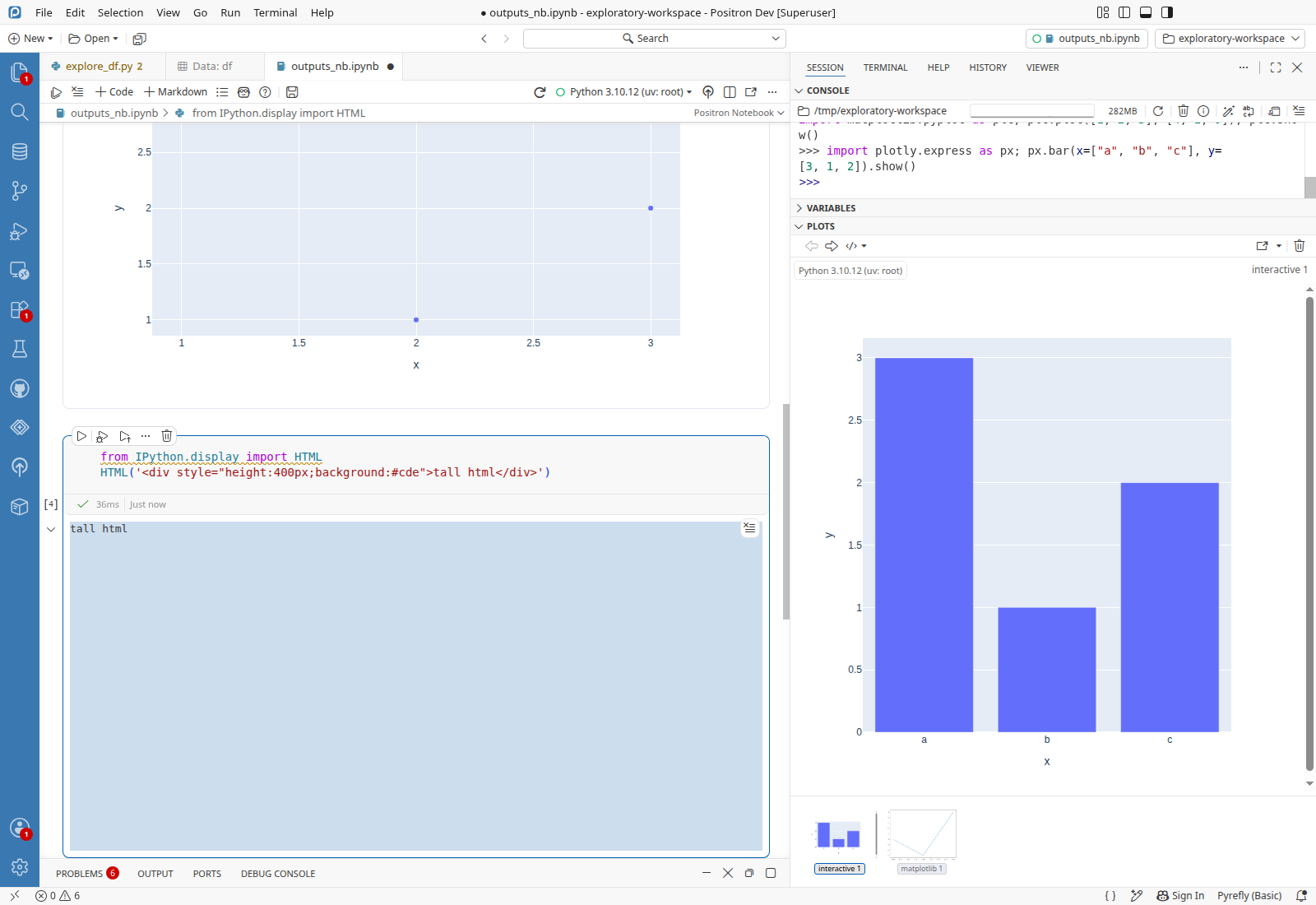
Positron notebook renders data, image, plotly and HTML outputsAll four cells ran and showed a data grid, a matplotlib image, a plotly chart and a tall HTML block, and the plotly output scrolled with its cell.

Python console open, outputs_nb.ipynb in workspacePreconditionsPython console openCreated in Data Explorer code action in the Refactor action list: Python 3.10.12 (uv: root) started with Interpreter: Start New Console Sessionoutputs_nb.ipynb in workspaceoutputs_nb.ipynb copied to the workspace root, never opened before

  1. Open outputs_nb.ipynb.
  2. Click Run Cell on cell 1.
  3. Click Run Cell on cell 2.
  4. Click Run Cell on cell 3.
  5. Click Run Cell on cell 4.
  6. Verify cell 1 shows a df2 data grid of 5 rows, cell 2 one image, and cells 3 and 4 a plotly chart and the tall html blockPASS
  7. Scroll the notebook up 300 pixels with the mouse wheel.
  8. Verify the plotly scatter output moved with its cell and is drawn inside the notebook, below the breadcrumbsPASS
Turning ai.enabled off and on hides and restores the AI status bar entriesWith ai.enabled false, the Copilot and Next Edit Suggestions status bar entries went away, and both came back when it was set to true.
  1. Set ai.enabled to false in the user settings.json.
  2. Verify neither the Copilot Sign In entry nor the Next Edit Suggestions entry is in the status barPASS
  3. Set ai.enabled to true in the user settings.json.
  4. Verify both entries are back in the status barPASS
Copilot Sign In status bar entry opens the sign-in dialogClicking Sign In opened the Sign in to use GitHub Copilot dialog with GitHub, Google, Apple and GHE buttons, and Close Dialog closed it.
  1. Click Sign In in the status bar.
  2. Verify a Sign in to use GitHub Copilot dialog opensPASS
  3. Click Close Dialog.
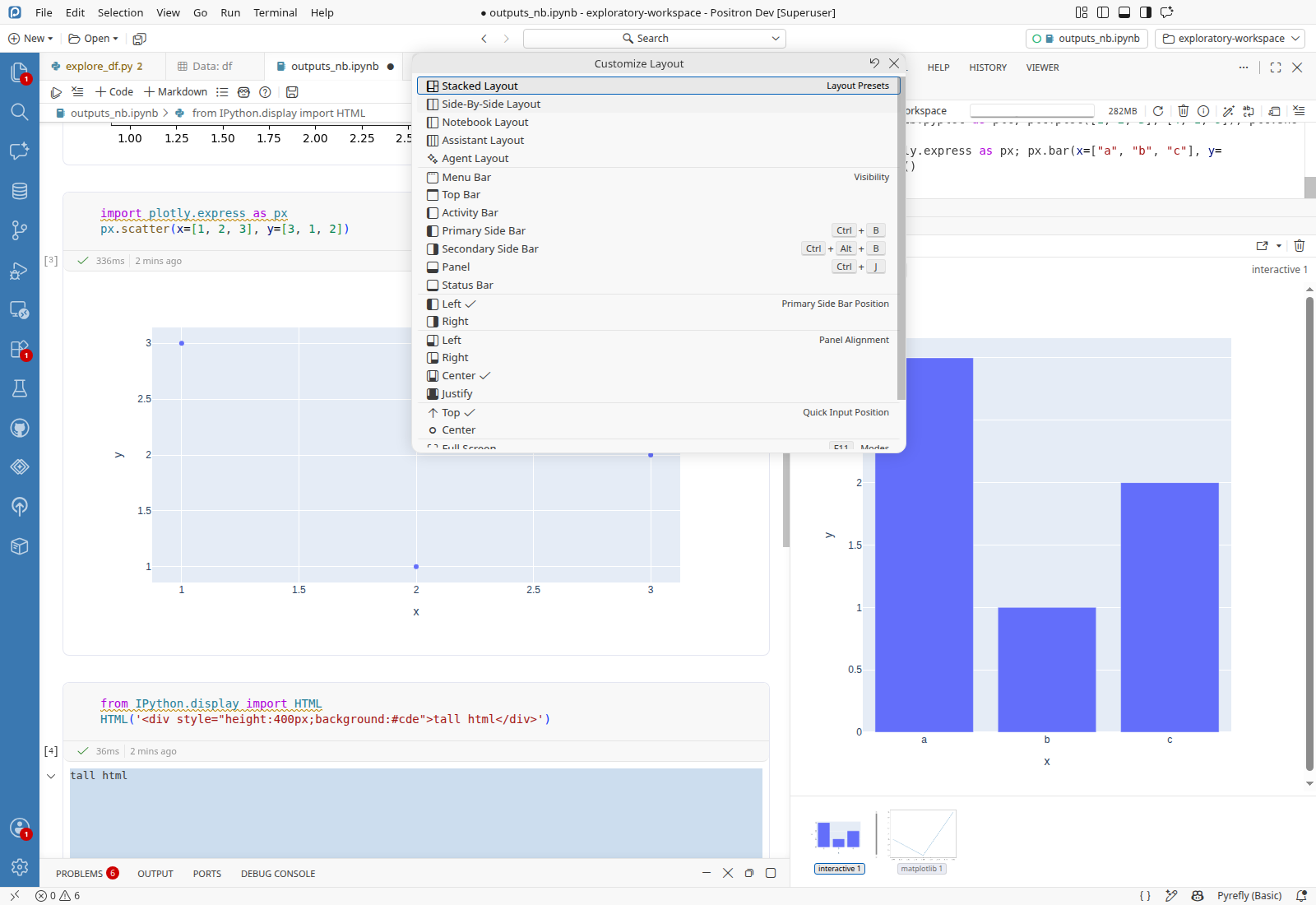
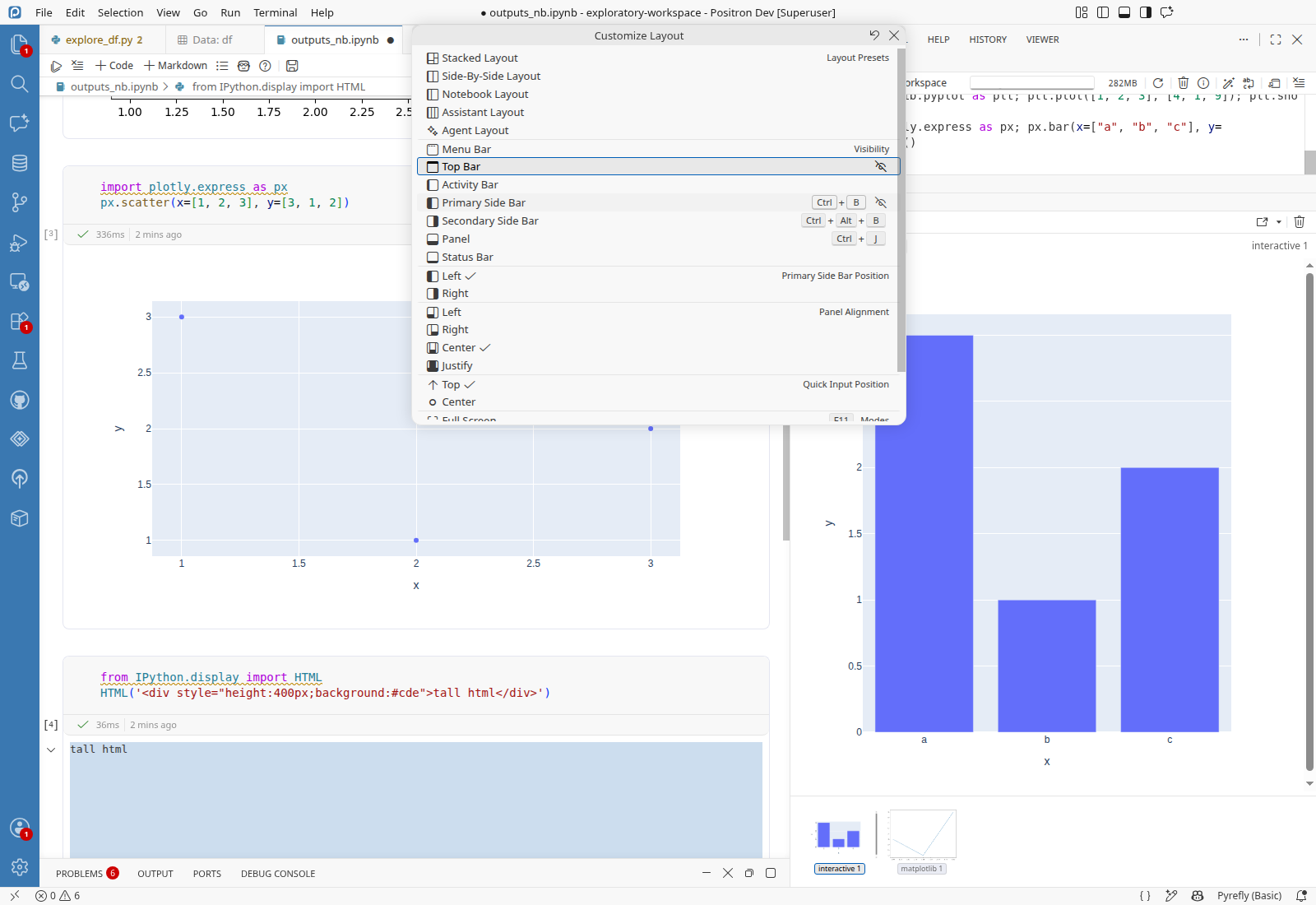
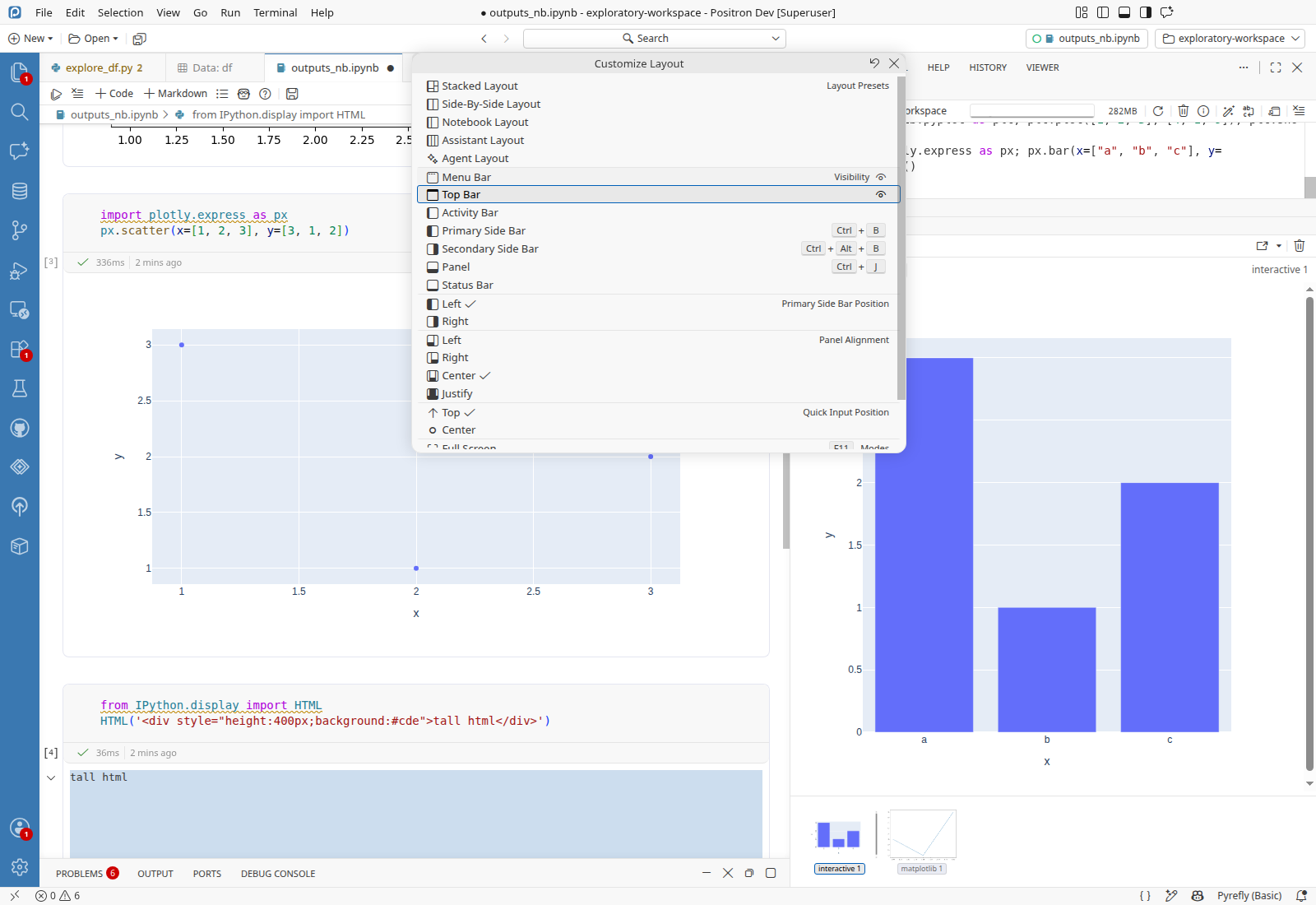
Customize Layout lists Positron presets and toggles the Top BarThe picker lists the five Positron layout presets and a Top Bar row, and picking Top Bar hid the top bar, then showed it again.
  1. Run Customize Layout....
  2. Verify the picker lists a Layout Presets group with Stacked, Side-By-Side, Notebook, Assistant and Agent Layout, and a Top Bar row under VisibilityPASS
  3. Pick Top Bar.
  4. Verify the top action bar has 0 heightPASS
  5. Pick Top Bar.
  6. Verify the top action bar is back, 34 pixels tall below the title barPASS
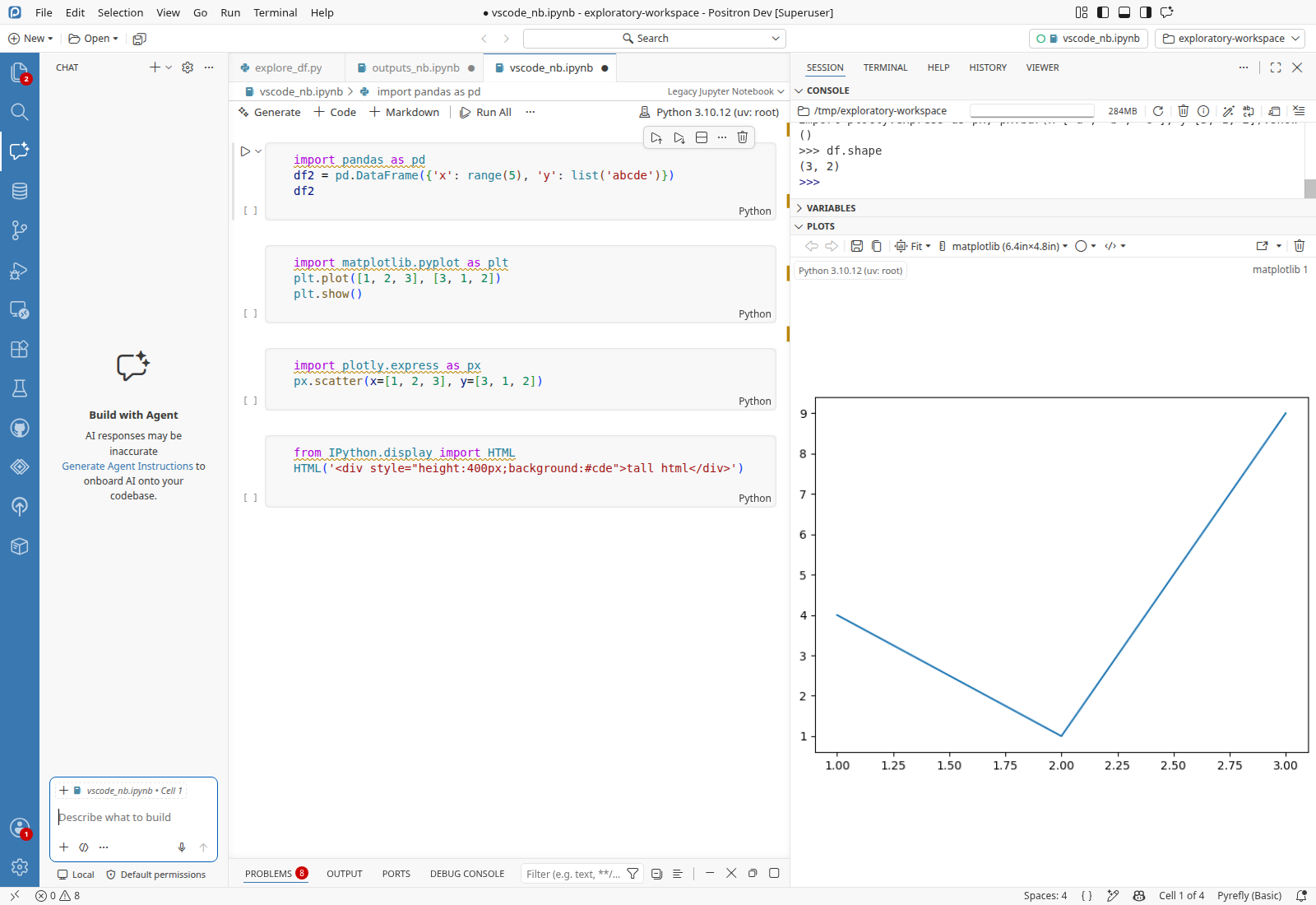
Window reload with the Legacy Jupyter Notebook editor in frontThe upstream notebook editor's breadcrumb control still read Legacy Jupyter Notebook 15 s after the reload.

vscode_nb.ipynb in workspacePreconditionsvscode_nb.ipynb in workspacevscode_nb.ipynb, a copy of outputs_nb.ipynb, copied to the workspace root

  1. Open vscode_nb.ipynb.
  2. Run View: Reopen Editor With....
  3. Pick Legacy Jupyter Notebook.
  4. Run Developer: Reload Window and wait 15 s after the workbench comes back.
  5. Verify the editor-type control in the breadcrumbs reads Legacy Jupyter NotebookPASS
Chat view's mode picker after the reloadThe Chat view appeared after the reload, and its Agent picker opened an action list with Agent and Configure Custom Agents.
  1. Click the Chat (Ctrl+Alt+I) tab in the activity bar.
  2. Verify the Chat view opens with a Describe what to build inputPASS
  3. Click Agent in the chat input toolbar.
  4. Verify an action list opens with a checked Agent row, a separator and Configure Custom Agents...PASS
  5. Press Escape.
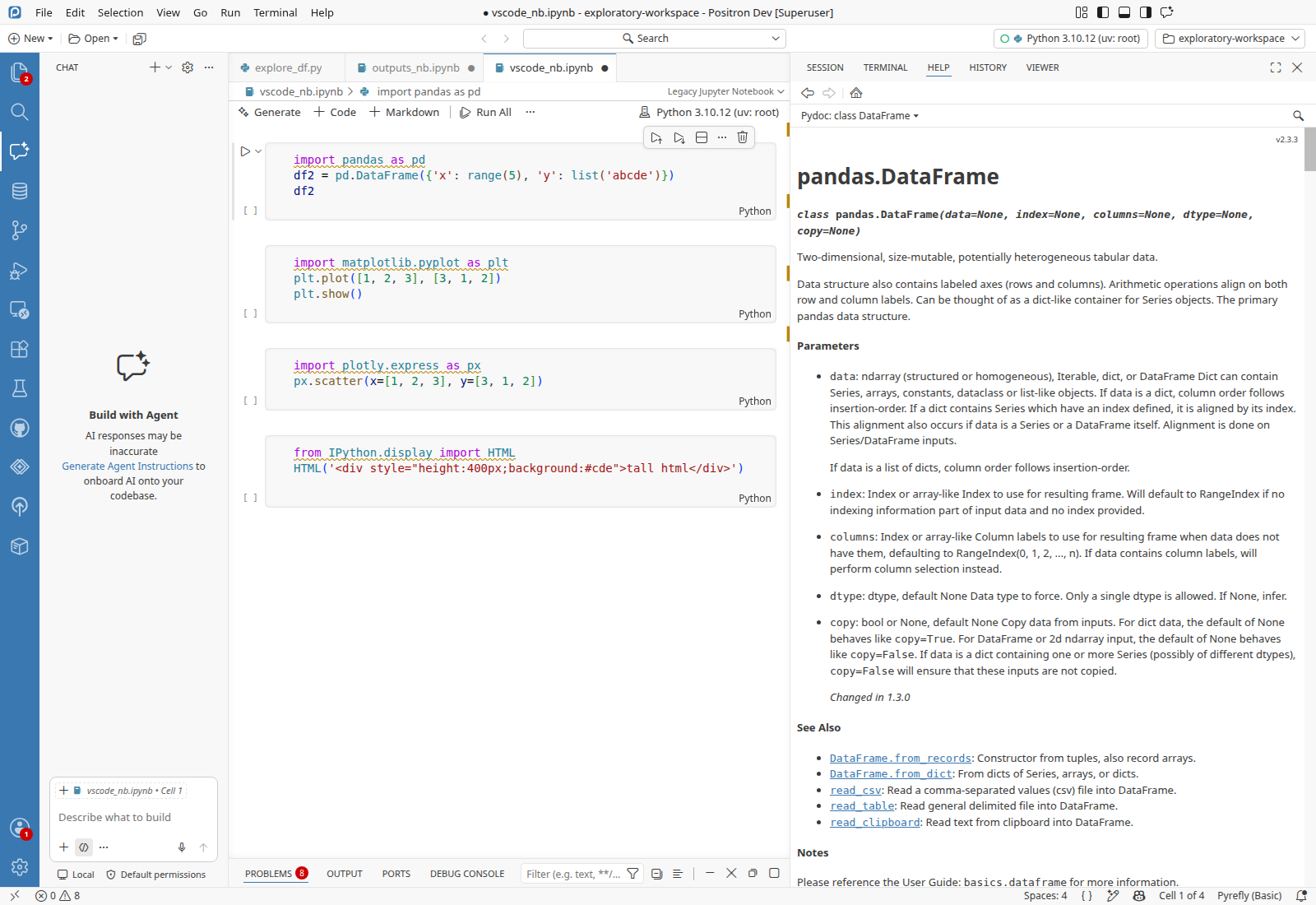
Help pane shows Python help in the side bar?pd.DataFrame opened the Help tab with the pandas.DataFrame page, its webview filling the Help pane below its toolbar.

Python console openPreconditionsPython console openCreated in Data Explorer code action in the Refactor action list: Python 3.10.12 (uv: root) started with Interpreter: Start New Console Session, pandas imported as pd

  1. Run ?pd.DataFrame in the Python console.
  2. Verify the Help tab is selected and shows the pandas.DataFrame page, its webview inside the Help panePASS
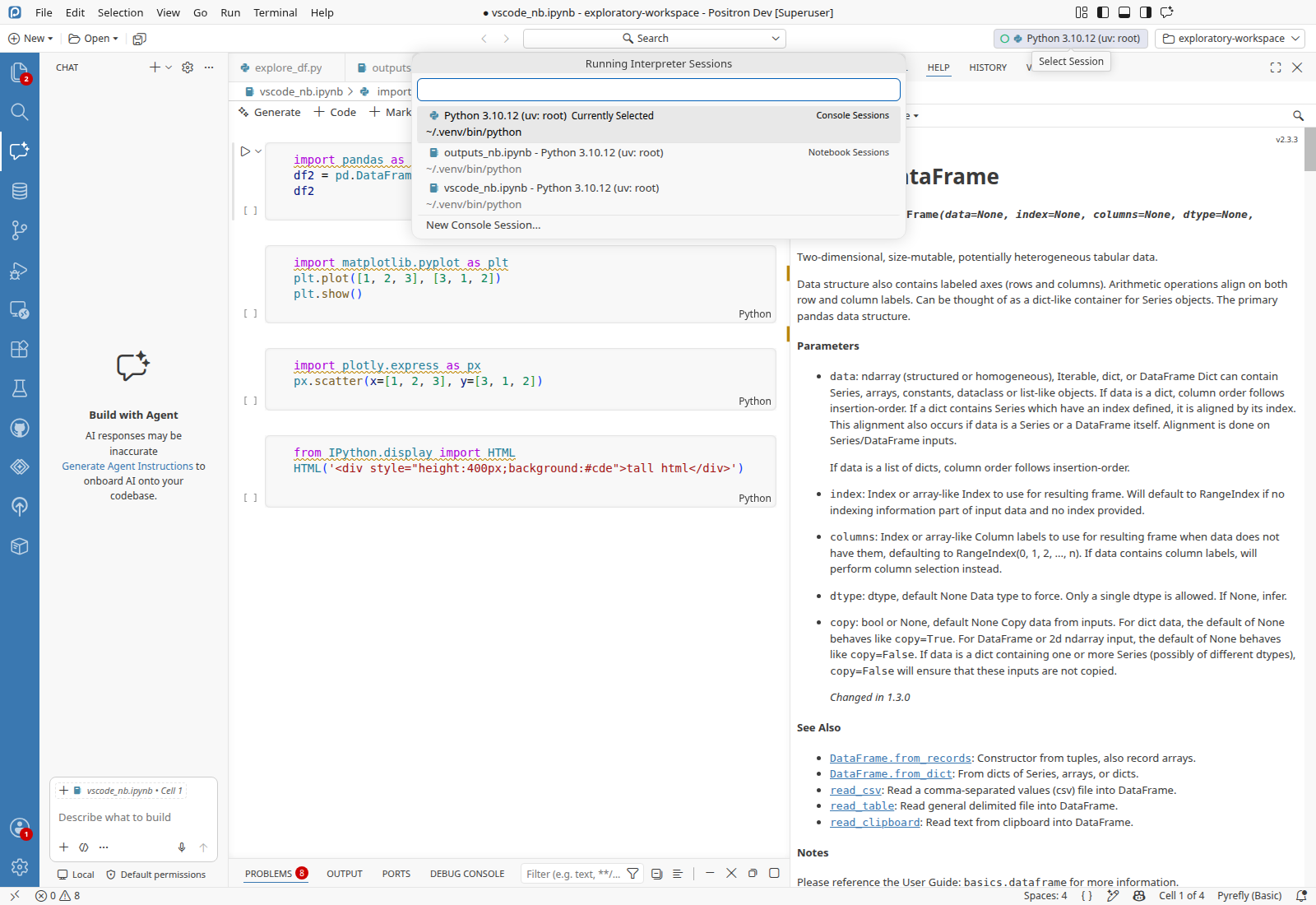
Top bar session pickerSelect Session opened a titled Running Interpreter Sessions picker listing the console session, two notebook sessions and New Console Session.
  1. Click Select Session in the top bar.
  2. Verify a quick pick titled Running Interpreter Sessions lists Python 3.10.12 (uv: root) as Currently SelectedPASS
  3. Press Escape.
Positron parts under the experimental Modern UI settingWith Modern UI on, the top bar stayed 34 pixels tall, and the Help webview stayed inside the floating secondary side bar.
  1. Set workbench.experimental.modernUI to true in the user settings.json.
  2. Verify the workbench has the modern-ui class, the top bar is 34 pixels tall, and the Help webview sits inside the secondary side barPASS
  3. Set workbench.experimental.modernUI to false in the user settings.json.
Chat model picker, where Positron draws provider logos on action-list separatorsNot run · No language model was available to VS Code chat in this run (Copilot needs GitHub sign-in).
Copilot inline suggestions gate on ai.enabled and the copilot providerNot run · Environment: no GitHub account to sign in to Copilot.
Positron Web and server changes (web client server, server CLI)Not run · Environment: no Positron Web license.
Update service and update notificationsNot run · A dev build has no update channel.
Remote SSH and remote extension host changesNot run · Environment: no Docker host or remote target.
Layout Density options in Customize Layout under Modern UINot run · Ran out of time.
Run detailsAgents, change under test, environment, state manipulation, test ledger, logs, test files, branch verification
Agents
StageModelCostTurns
ExploreOpus 5.5$6.36138 of 200
VerifySonnet 5.5$0.188
Total16m elapsed$6.54146
Change under test

An upstream merge of Code OSS 1.134.0 to 1.138.0. I read the Positron blocks and the Positron files in the brief's list and tested the Positron features that sit on upstream code the merge rewrote: the action list (Positron's separator icons and the Data Explorer code action), the layout service, auxiliary bar, pane composite and overlay webview code (Positron layouts, Plots, Help), notebook rendering, the ai.enabled gate in the chat entitlement service, the quick input (session picker), Customize Layout (Top Bar, presets), and Modern UI with Positron's top bar. I also checked that every codicon the library registers, including the renamed and removed Positron ones, has a glyph in the merged codicon.ttf (none missing).

Environment
  • Positron 2026.10.0 build 0, dev build of bb1458311a (Code - OSS 1.138.0), on Ubuntu 24.04.4 LTS (Linux x86_64).
  • Python 3.10.12 (uv venv at /root/.venv) with pandas 2.3.3 and matplotlib 3.10.9.
  • Pre-launched by CI with --disable-workspace-trust --skip-welcome --log debug, workspace /tmp/exploratory-workspace (holding only README.md at launch), window 1600x1100, seeded profile with window.dialogStyle: custom.
State manipulation
  • Drove the CI's pre-launched instance (CDP 42213) only, and launched no other instance.
  • Set ai.enabled to false, then back to true, and workbench.experimental.modernUI to true, then back to false, in the instance's user settings.json.
  • Added explore_df.py, outputs_nb.ipynb and vscode_nb.ipynb to /tmp/exploratory-workspace. Reloaded the window three times.
  • Local noise ignored: the dev-build engines errors for three internal data-explorer libraries, [LM] Failed to activate provider extension lines at each reload, and a positron-connections deactivate error at each reload (its deactivate(context) gets no argument). None is tied to a check.
  • The Python console log was not saved, since the console sat in the side bar's Session view and the reader needs it in the panel.
Test ledger

Every scenario’s preconditions, steps and checks, recorded as the run went: ledger.md

Logs

Everything captured during the run, saved next to this report. Error lines are also in each finding’s Evidence and agent prompt.

  • logs/42213-renderer.log Renderer process 57 errors, none in Finding 1: 12 for three internal data-explorer libraries without engines (dev build), 25 [LM] Failed to activate provider extension at reloads, Could not find a notebook editor for session and Cannot show Console for the notebook session, and extension host MetadataLookupWarning lines
  • logs/42213-exthost.log Extension host 6 errors, all TypeError: Cannot read properties of undefined (reading 'subscriptions') in positron-connections deactivate at each reload
  • logs/42213-code.log Main process launch output no errors
  • logs/42213-console.log Renderer process, browser console 4 errors, all MetadataLookupWarning from the extension host
  • logs/42213-python-kernel.log Python kernel no errors
  • logs/all/42213/ full log tree of the instance as above
Test files

Every file the scenarios used, saved as it was when used. Also in files/ next to this report.

  • explore_df.py Python · 8 lines Python script defining a small data frame and a plot, copied into the workspace S01
  • outputs_nb.ipynb Notebook · 4 cells four-cell Python notebook with a data frame, a matplotlib plot, a plotly chart and tall HTML, made by the run S03
  • vscode_nb.ipynb Notebook · 4 cells copy of outputs_nb.ipynb, opened with the Legacy Jupyter Notebook editor S08
Branch verification

CI compiled out/ in this job from merge/1.138.0 at bb1458311a, so the build-versus-branch check was skipped, as the brief says. git rev-parse --short=10 HEAD gives bb1458311a, and product.json reads Positron 2026.10.0 build 0, on Code - OSS 1.138.0.

Verification detailsSecond agent, repository only, advisory

A second agent re-read this report with the repository but without driving the app. Advisory only: no finding was changed or removed.

1 confirmed
  • Finding 1: The log shows the raw ID twice after a reload (00:04:40, 00:05:39). It also shows the label read "Positron Notebook" after a tab switch (00:04:50). The Legacy Jupyter control stayed readable in S08. That fits a stale label computed before the late registration. Matches the report's cause. In the diff, getEditors and getEditorMatches return the same set, so the registration-timing mechanism is older. The report only says "cannot be told without a base build", which is a hedge, not reasoning from the diff. Only the new getAvailableEditorTypes path was exercised, so whether the base build showed the same label is untested.
  • Test gap, notebook-editor.test.ts: it exists and does cover a reload with a dirty notebook (the ghost-editor test), with no breadcrumb assertion. The report's description is correct.
  • Test gap, editorTypePicker.test.ts: it exists and covers hidden, exclusive and universal optional matches, plus set-default. The report's description is correct.
  • The known-issues search returned no match for "breadcrumb editor type Positron Notebook reload". The same-terms search returned only #10349, a merge tracker, which is not the same symptom. The linked-issues file was not read.
  • O01 in the Noticed notes (click on the control opens no menu) was a raw click by ref and is unverified. It may be an automation artifact, so I did not treat it as a finding.
  • Step 6 and 7 of S07 are logged as open-file.sh calls, which matches the steps.

No process issues. I did not open the screenshots; the findings above rest on the action log and the code.