Exploratory testPR #16511midleman/python-interpreters-install-uv-from-the-create-vf0e1067034

installing uv from the create-venv notification, and the python.allowUvPythonInstall gate

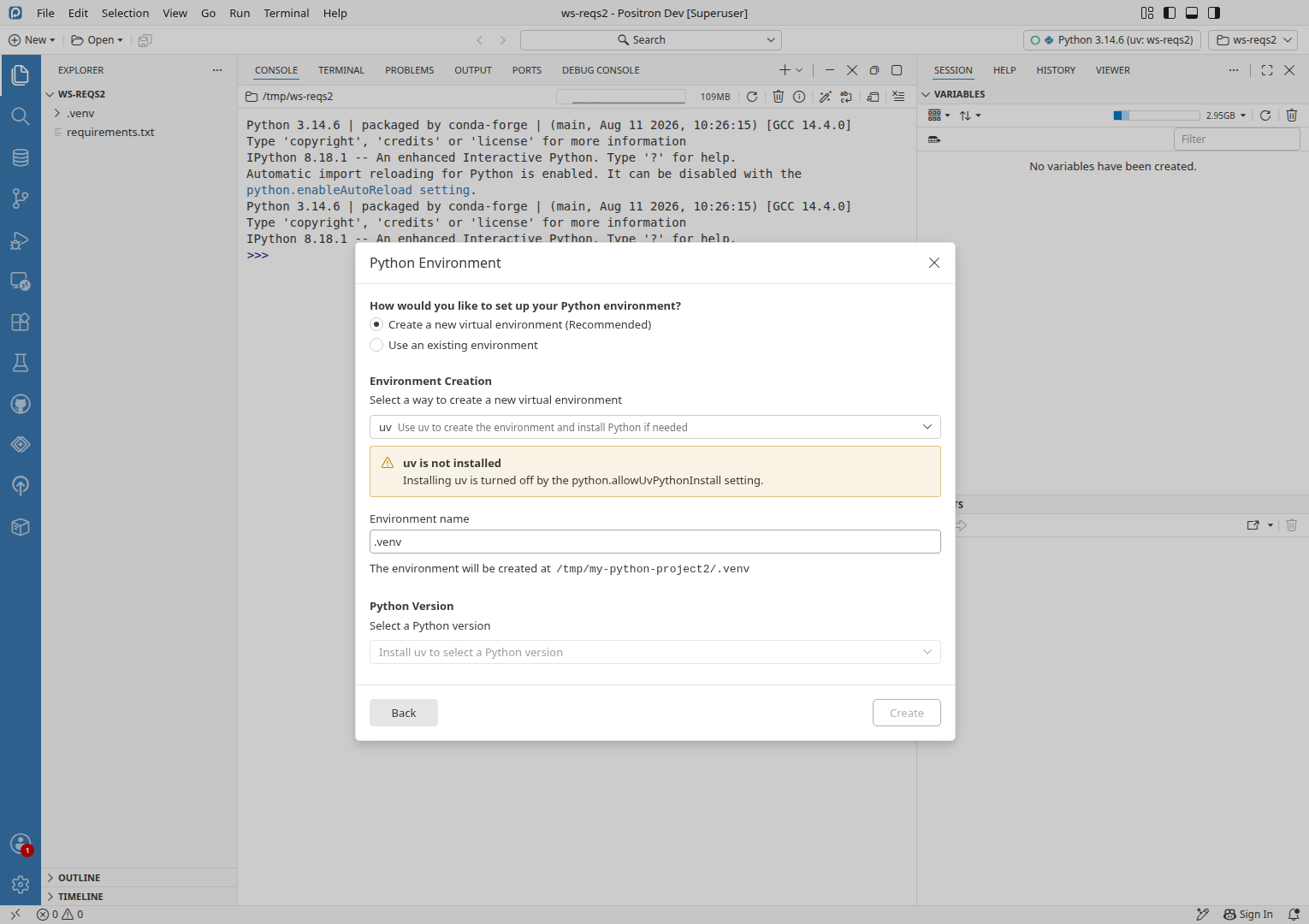
With uv missing, the "create a .venv from requirements.txt" notification and Create Environment's uv choice now offer to install uv, install it, and create the venv. With installing uv turned off, Create Environment still lists uv and only fails once it is picked, and the New Folder flow still says "Install uv to select a Python version".

Findings
3
1 moderate2 minor
Coverage
16scenarios
6 passed6 failed4 not run
Run
20m$4.32
Opus 5.5 exploreSonnet 5.5 verifySonnet 5.5 edit
SeverityFindingReproducedStatus
Moderate1Lists uv when it is not installed and installing it is turned off2/2Confirmed Minor2Python Version says "Install uv to select a Python version" when installing uv is off2/2Confirmed Minor3Keyboard shortcuts do nothing after closing dialog until you click in the workbench4/4Unresolved
Linked issues
Finding 1ModerateConfirmedReproduced 2/2

Lists uv when it is not installed and installing it is turned off

Observed

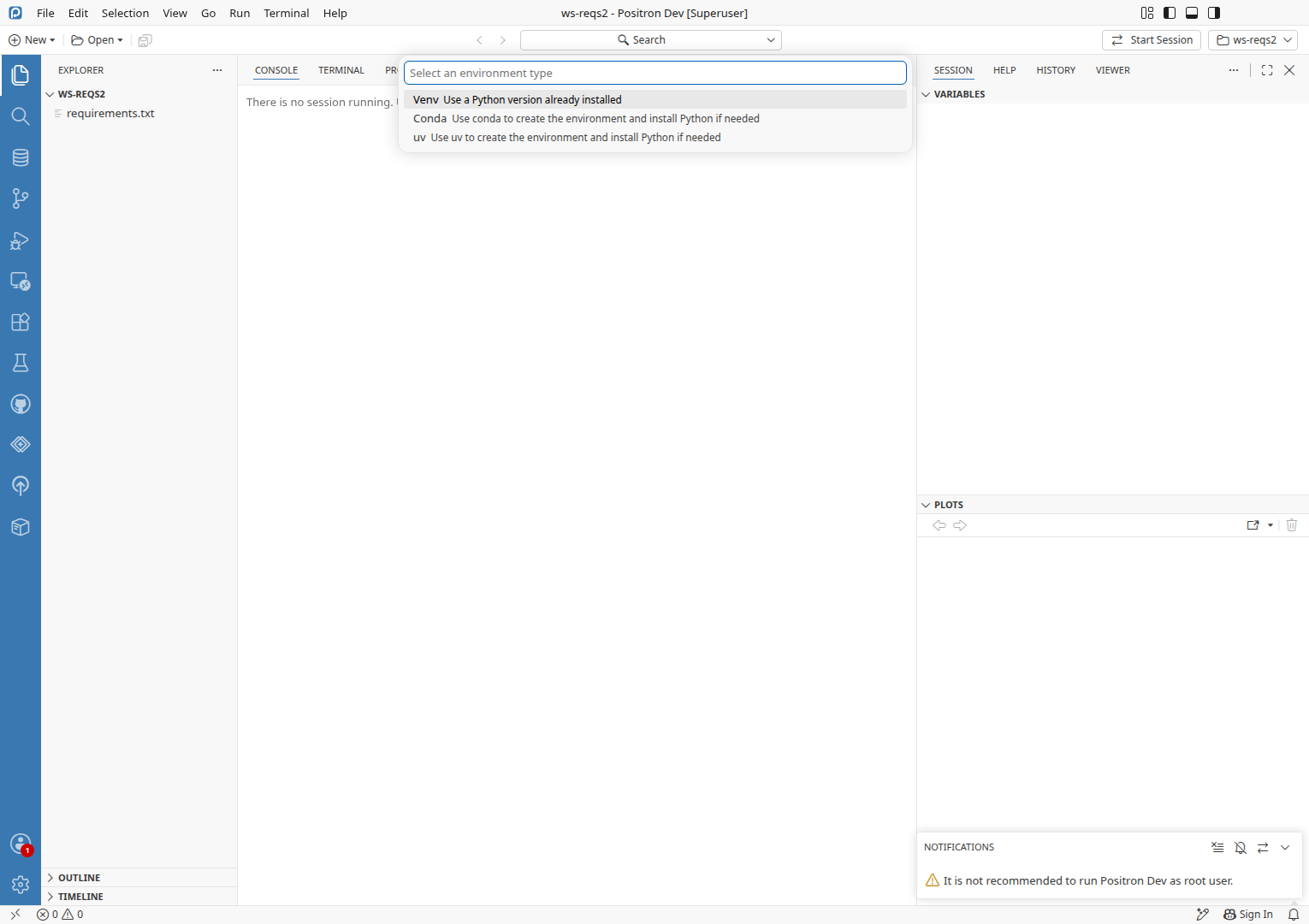
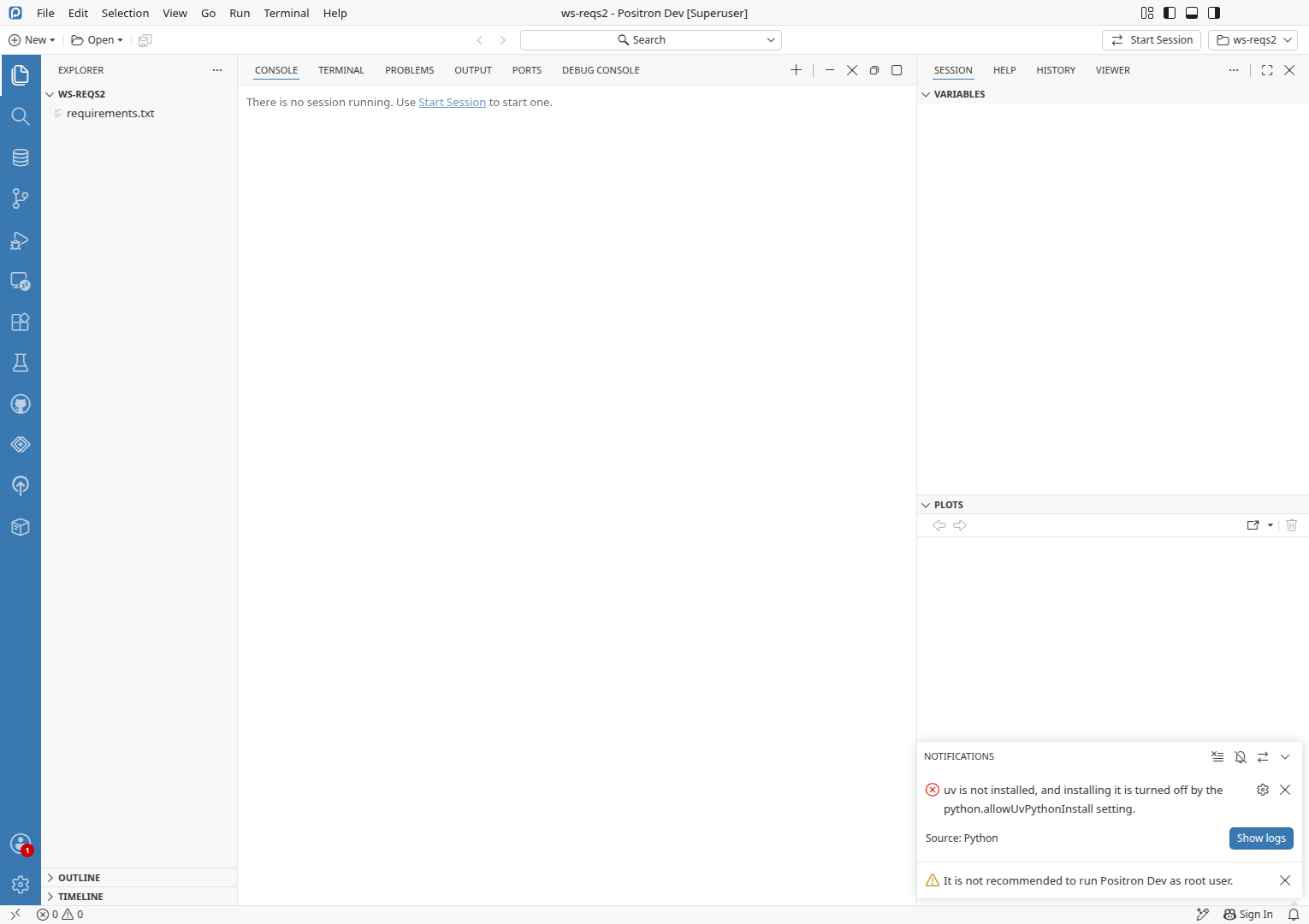
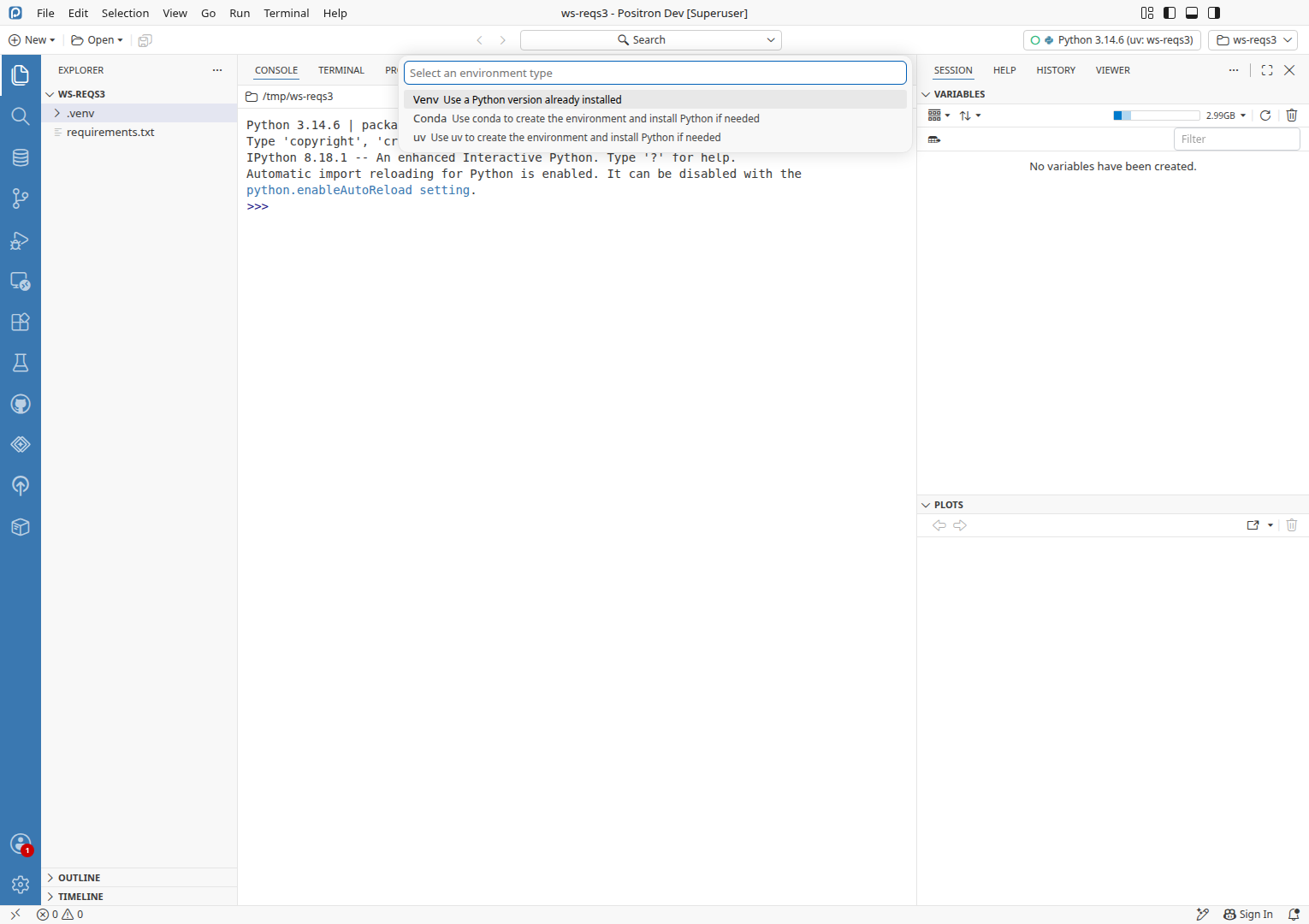
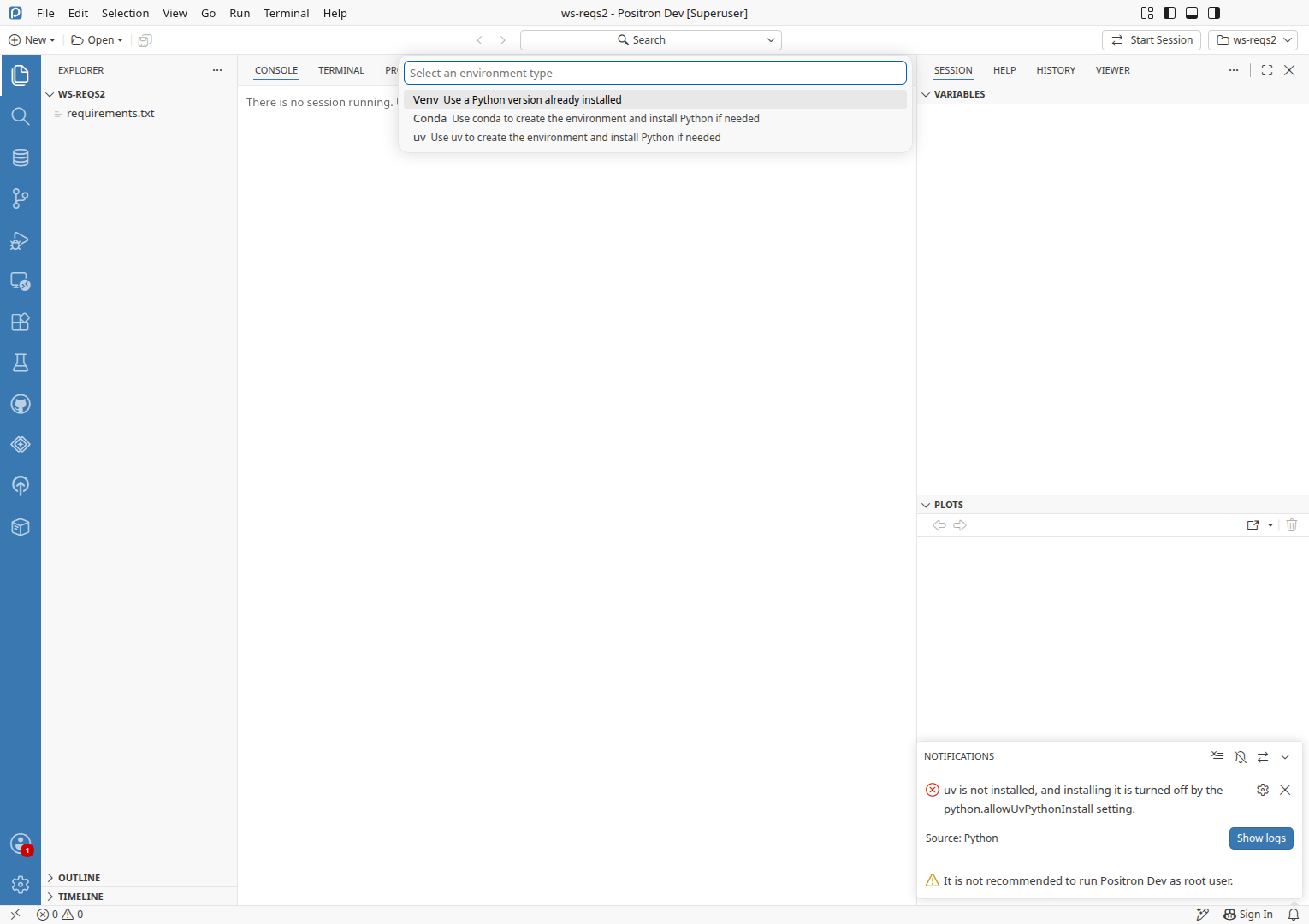
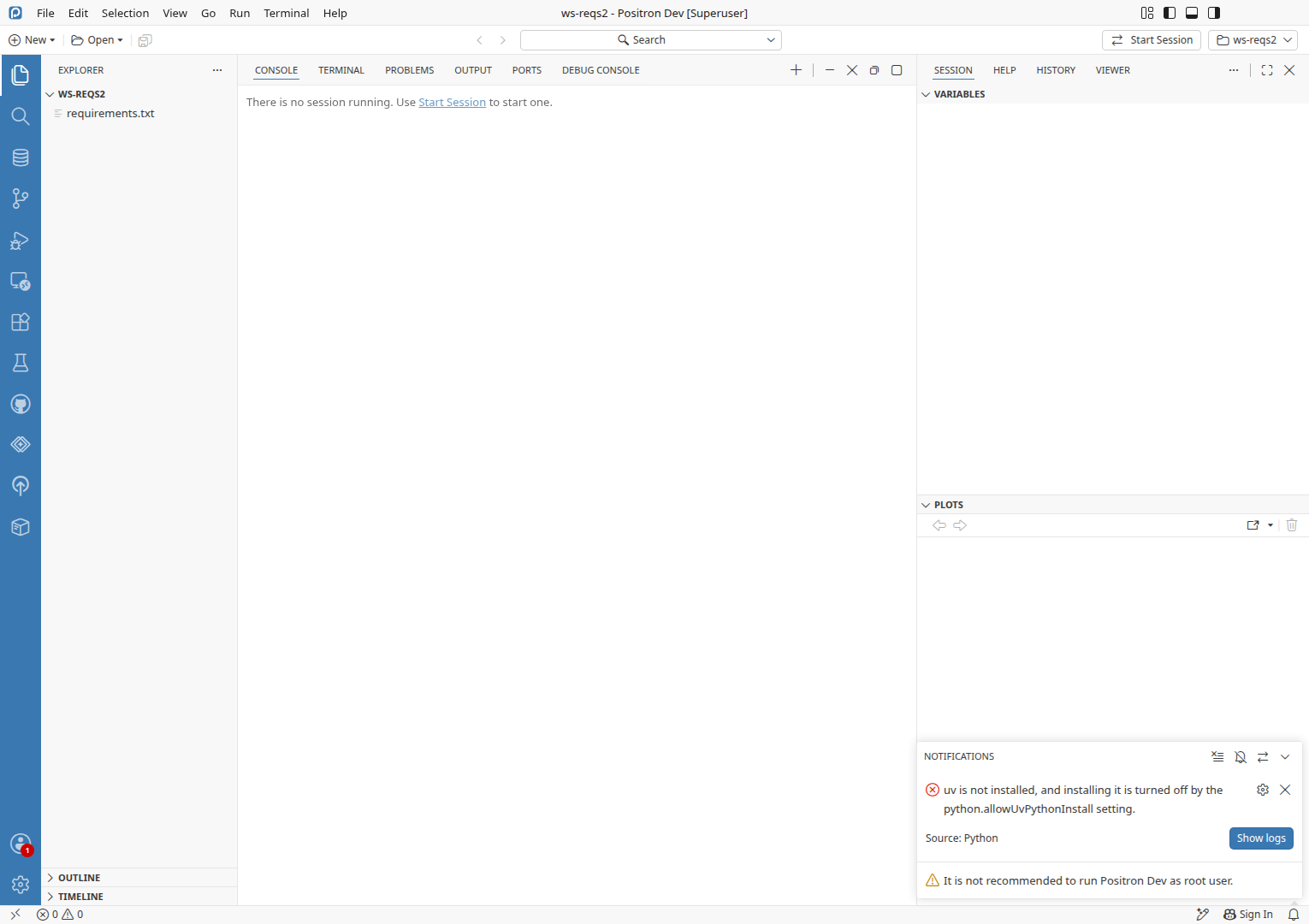
With uv not installed and installing it turned off, the Create Environment picker offers "uv: Use uv to create the environment and install Python if needed", and picking it only shows the error "uv is not installed, and installing it is turned off by the python.allowUvPythonInstall setting." The same uv row is offered after Yes on the create-venv notification, and in the New Folder flow's Environment Creation dropdown.

Expected

A choice that cannot work is not offered: the picker lists only Venv and Conda while uv is missing and installing it is off, as the interpreter picker already hides its install-Python-with-uv item under the same setting.

Reproduce
  • uv is not installed: not on PATH and not in ~/.local/bin
  • "python.allowUvPythonInstall": false in user settings
  • A workspace with requirements.txt (files/ws-reqs/requirements.txt) and no .venv
  1. Run Python: Create Environment....
  2. Verify the environment type picker lists Venv and Conda but no uv rowFAIL 4
  3. Pick uv in the environment type picker.
  4. Verify an error notification names the python.allowUvPythonInstall setting, with Show logsPASS
Evidence · 2 log lines
logs/46351-python-ext.log:992Extension host20:50:46
Not installing uv: python.allowUvPythonInstall is off
logs/46351-python-ext.log:2759Extension host21:02:06
Not installing uv: python.allowUvPythonInstall is off
Likely cause · Hypothesis

getRankedProviders in extensions/positron-python/src/client/pythonEnvironments/creation/createEnvApi.ts:126 returns the uv provider whatever the setting says and whether or not uv is installed, so the picker always lists it. The interpreter picker's install item in the same file (around line 430) does check python.allowUvPythonInstall. The listing predates this change, but the change made the setting block installing uv in ensureUvInstalled (uvPythonInstaller.ts:152), so the listed row now has no way to succeed while uv is missing.

Test gap · 1 missing case
Suggested case
  1. The Create Environment provider list leaves out uv when uv is not installed and python.allowUvPythonInstall is false
    ExtensionAdd to createEnvApi.unit.test.ts exists, covers where uv is ranked, and asserts uv is listed last when not installed with the setting at its default
Other tests that touch this code
Finding 2MinorConfirmedReproduced 2/2

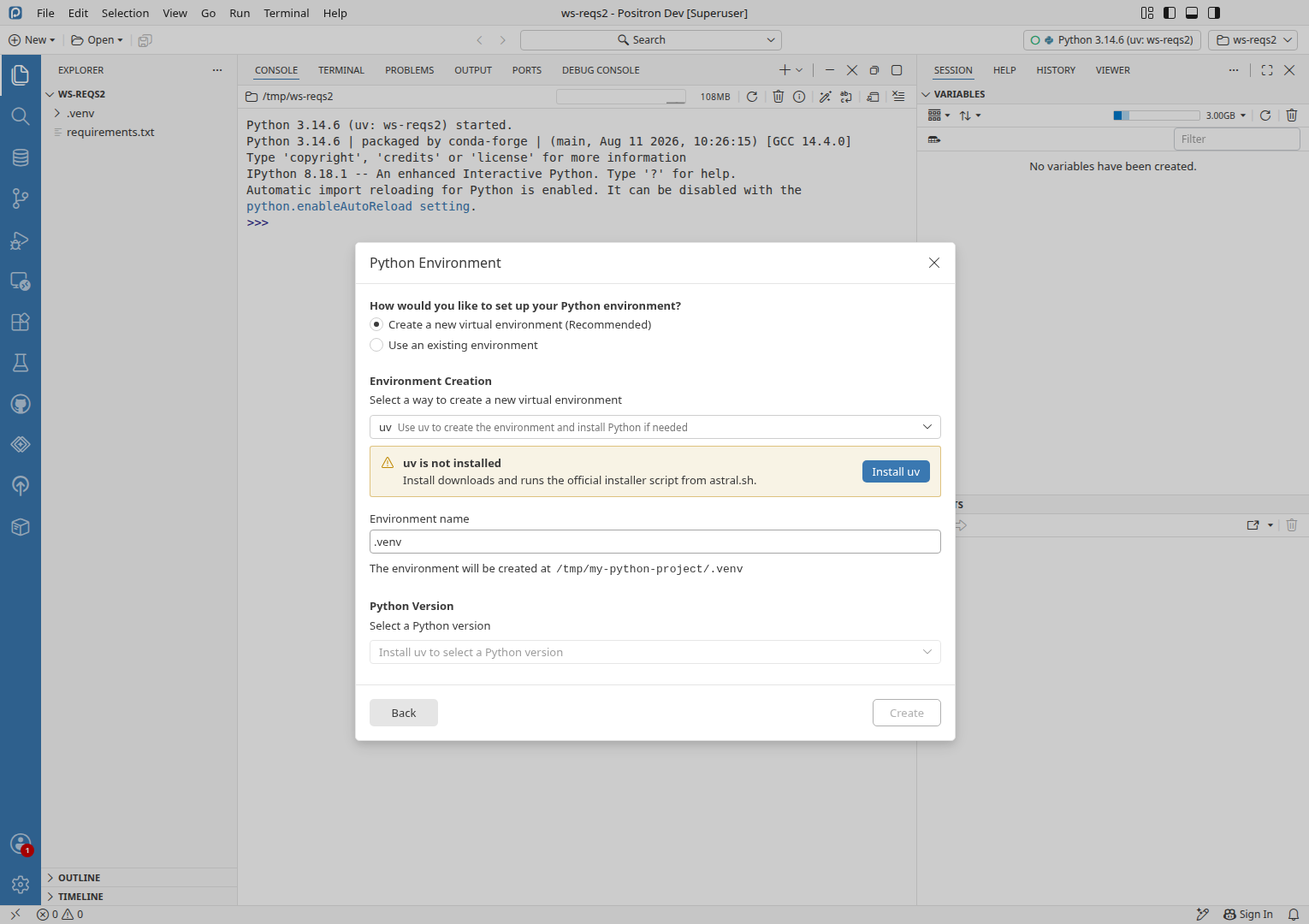
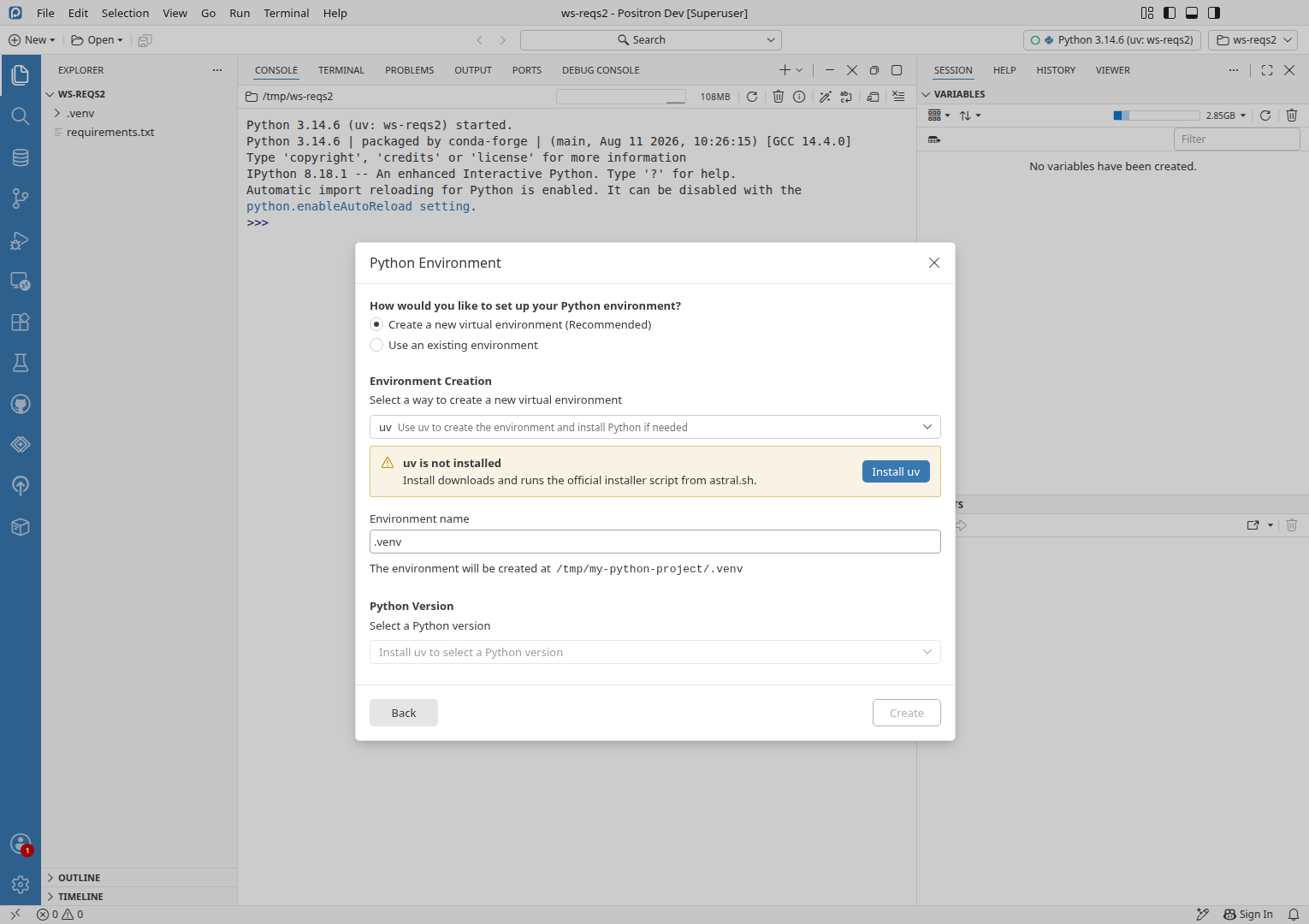
Python Version says "Install uv to select a Python version" when installing uv is off

Observed

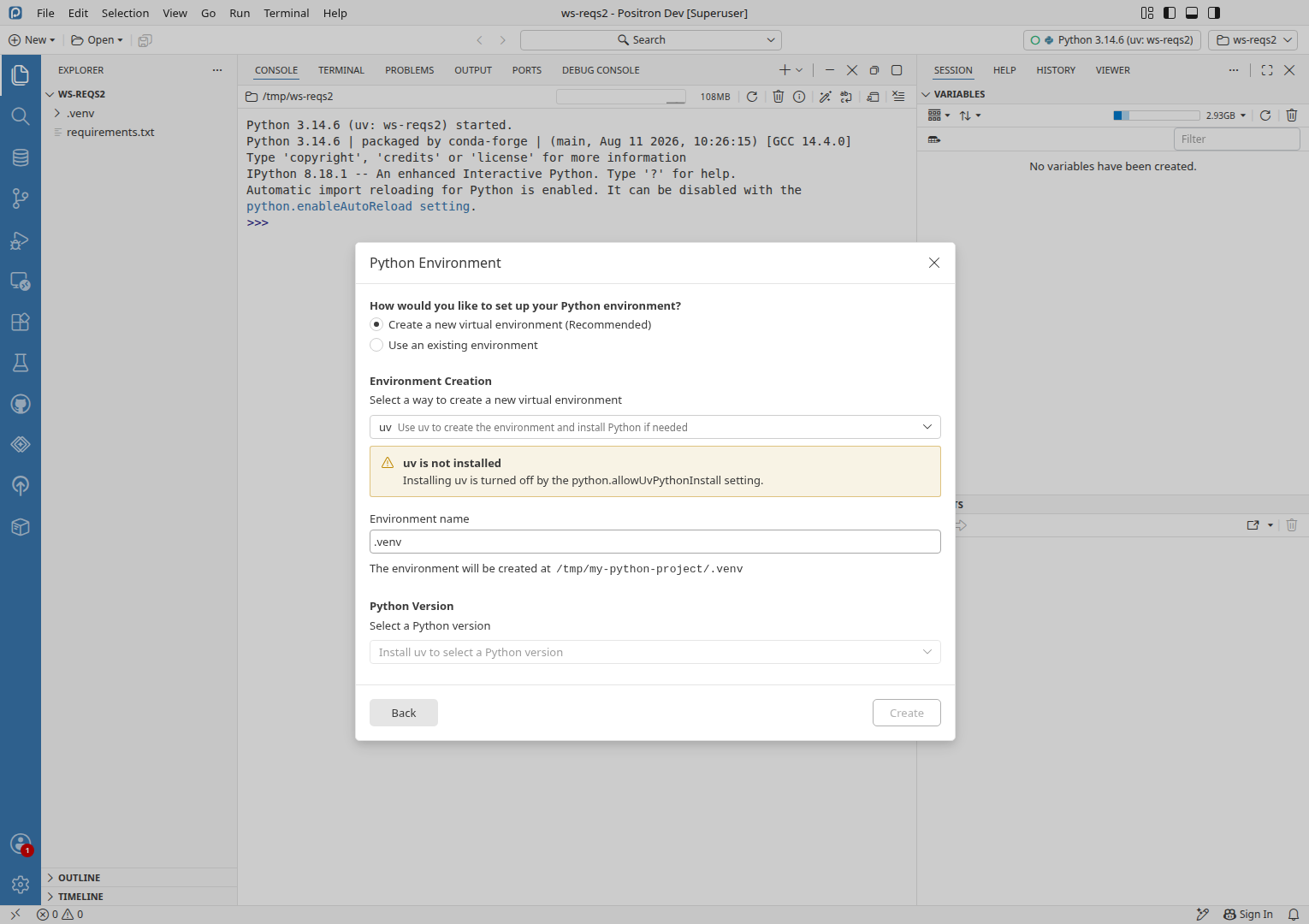
The callout says "Installing uv is turned off by the python.allowUvPythonInstall setting." and has no Install uv button, but the disabled Python Version dropdown below it still reads "Install uv to select a Python version".

Expected

The Python Version dropdown agrees with the callout, for example by saying that uv is not installed, rather than asking for an install the dialog no longer offers.

Reproduce
  • uv is not installed: not on PATH and not in ~/.local/bin
  • "python.allowUvPythonInstall": false in user settings
  1. Run Workspaces: New Folder from Template....
  2. Click the Python Project tile.
  3. Click Next.
  4. Type my-python-project2 in the Folder Name field.
  5. Click Next.
  6. Click the Environment Creation dropdown.
  7. Click uv in the dropdown.
  8. Verify the Python Version dropdown does not tell the user to install uvFAIL 2
Likely cause · Hypothesis

The placeholder in src/vs/workbench/browser/positronNewFolderFlow/components/steps/pythonEnvironmentStep.tsx:516 checks only context.usesUvEnv && isUvInstalled === false. This change taught the callout (around line 353) about allowUvInstall but left this placeholder as it was.

Test gap · 1 missing case
Suggested case
  1. With python.allowUvPythonInstall off and uv missing, the Python Version dropdown does not read "Install uv to select a Python version"
    UnitAdd to pythonEnvironmentStep.vitest.tsx exists, its setting-off test checks the callout and the missing button but not the dropdown
Finding 3MinorUnresolvedReproduced 4/4

Keyboard shortcuts do nothing after closing dialog until you click in the workbench

Observed

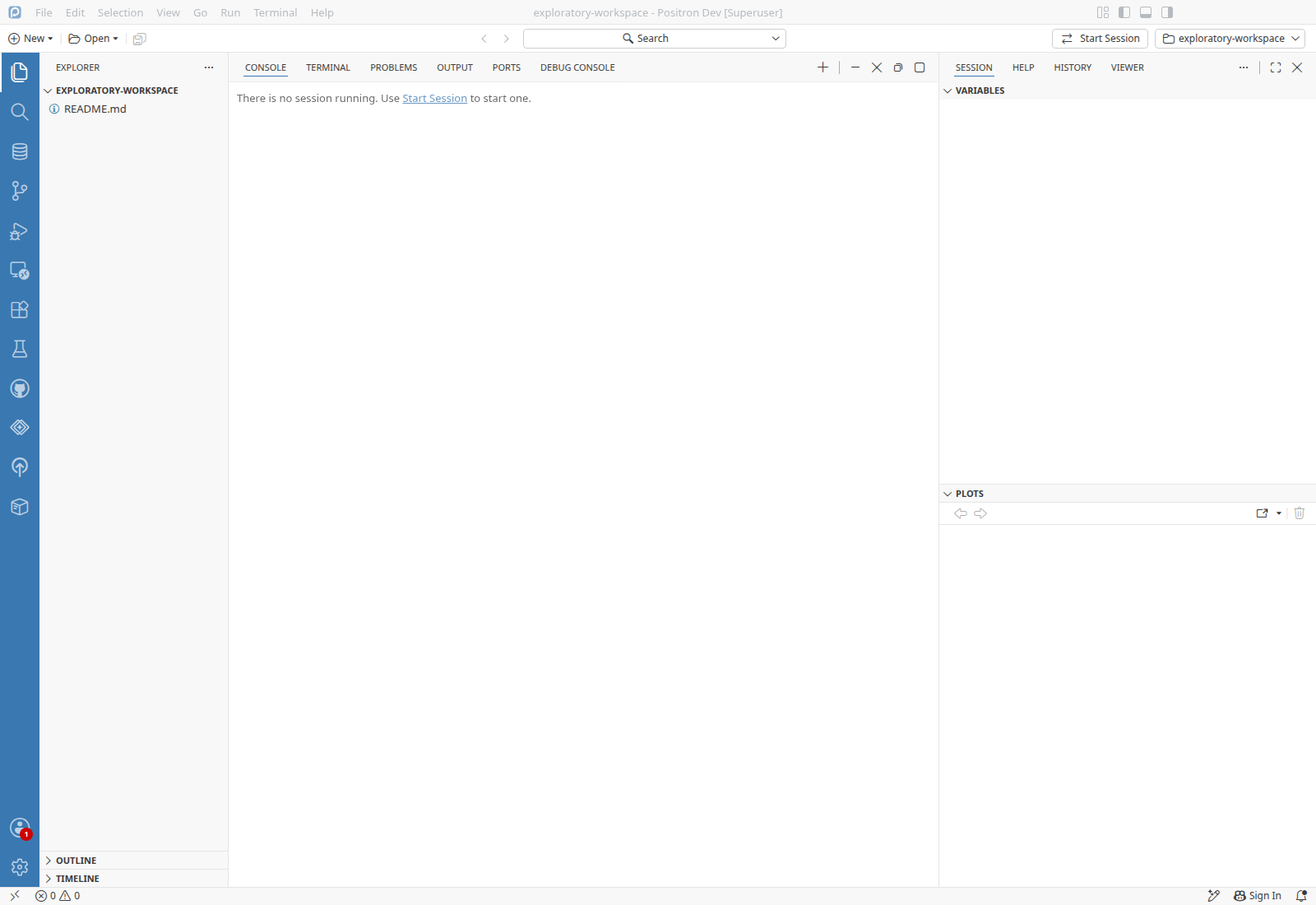
After the New Folder dialog closes, the Command Palette shortcut does nothing. Clicking a row in the Explorer brought the shortcuts back.

Expected

Keyboard shortcuts work as soon as the dialog closes, with focus back where it was before the dialog opened.

Reproduce
  1. Run Workspaces: New Folder from Template....
  2. Click Close in the Folder Template dialog.
  3. Verify the Command Palette opens from its keyboard shortcutFAIL 3
Likely cause · Hypothesis

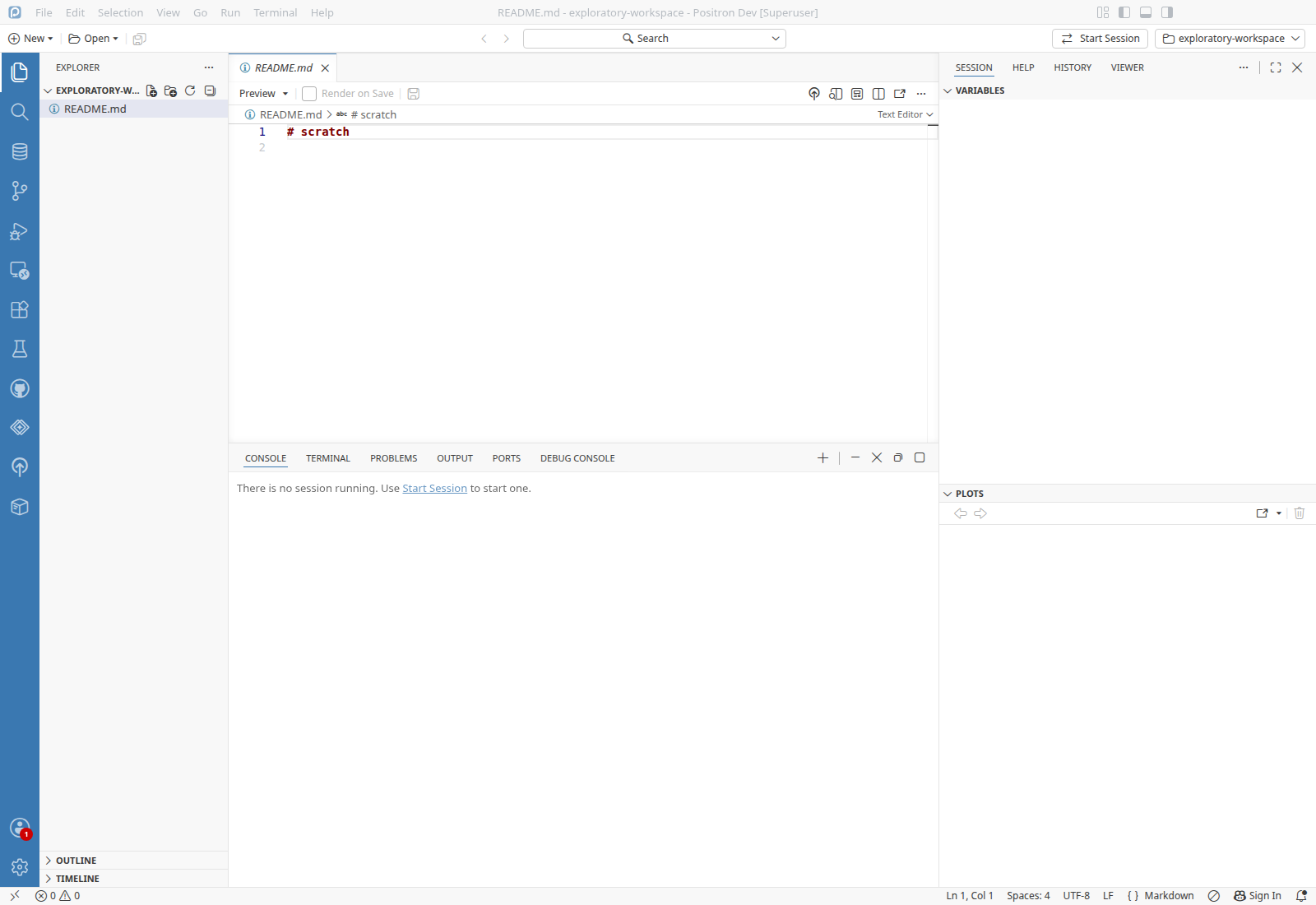
Focus is not restored when the dialog closes: a read of the focused element right after closing found the workbench root, .monaco-workbench, rather than an editor or view. Where the dialog's close is handled is in src/vs/workbench/browser/positronNewFolderFlow/newFolderFlowModalDialog.tsx, around line 140, which this change does not touch.

The create-venv notification (accept, decline, failed install, setting off), Python: Create Environment with uv, and the New Folder flow's uv callout, on Linux desktop with uv hidden.

ScenarioResult
Create-venv notification with uv missing and installing uv turned offFinding 1
Python: Create Environment with uv missing and installing uv turned offFinding 1
Python: Create Environment with installing uv turned off, second tryFinding 1
New Folder flow Python Version prompt when installing uv is turned offFinding 2
Keyboard shortcuts after closing the New Folder dialogFinding 3
Keyboard shortcuts after closing the New Folder dialog, pre-launched instanceFinding 3
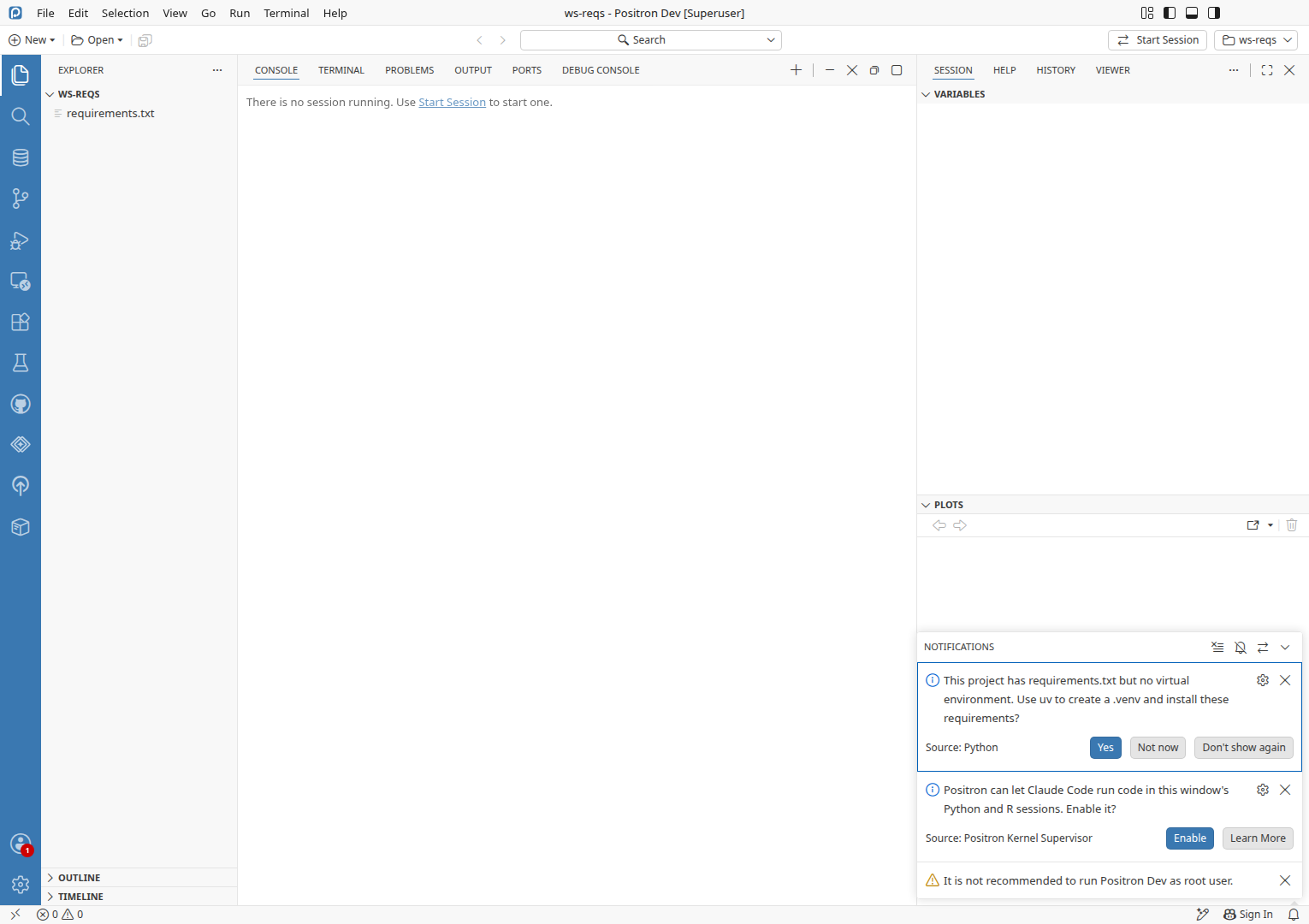
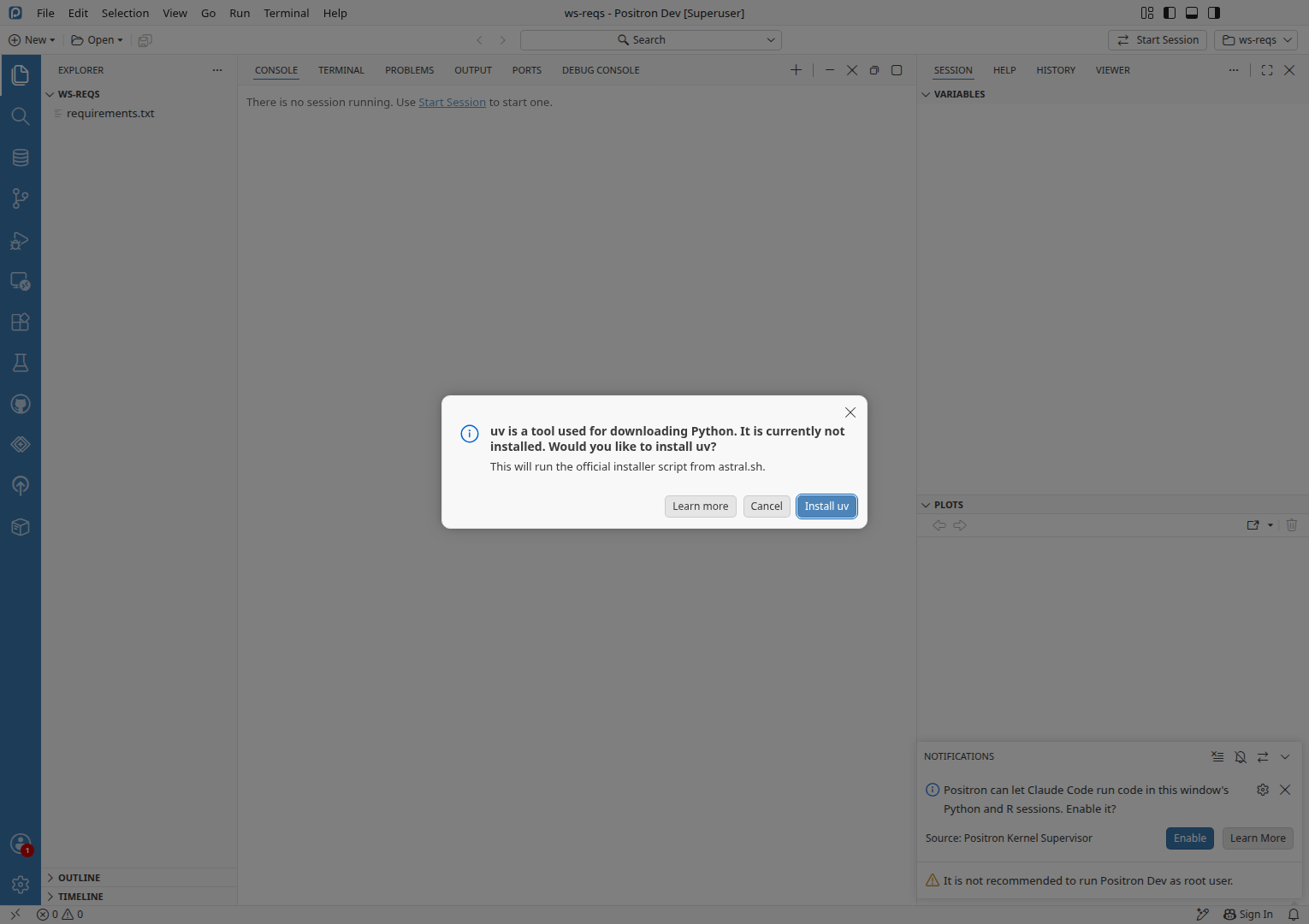
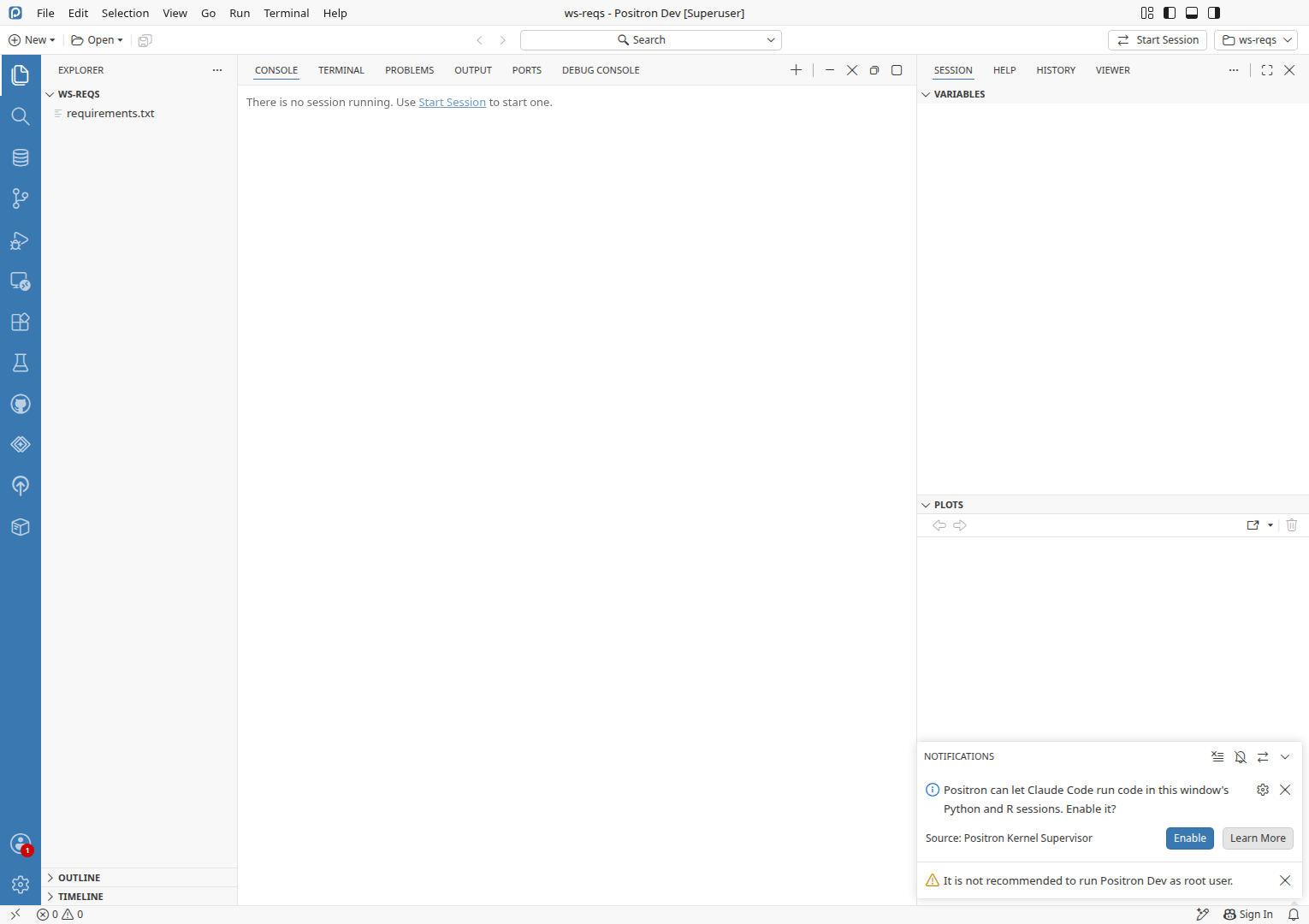
Declining the uv install from the create-venv notificationThe notification offers uv, Yes asks to install uv, and Cancel ends quietly with no .venv.

uv absent, ws-reqs workspacePreconditionsuv absentuv not on PATH and not in ~/.local/binws-reqs workspaceA workspace with requirements.txt (view requirements.txt) and no .venv, opened at launch with a global Python selected

  1. Run Notifications: Show Notifications.
  2. Verify a Python notification reads "This project has requirements.txt but no virtual environment. Use uv to create a .venv and install these requirements?" with Yes, Not now and Don't show againPASS
  3. Click Yes on the requirements.txt notification.
  4. Verify a dialog asks "Would you like to install uv?" with Learn more, Cancel and Install uvPASS
  5. Click Cancel in the install uv dialog.
  6. Verify no error notification appears and the workspace has no .venvPASS
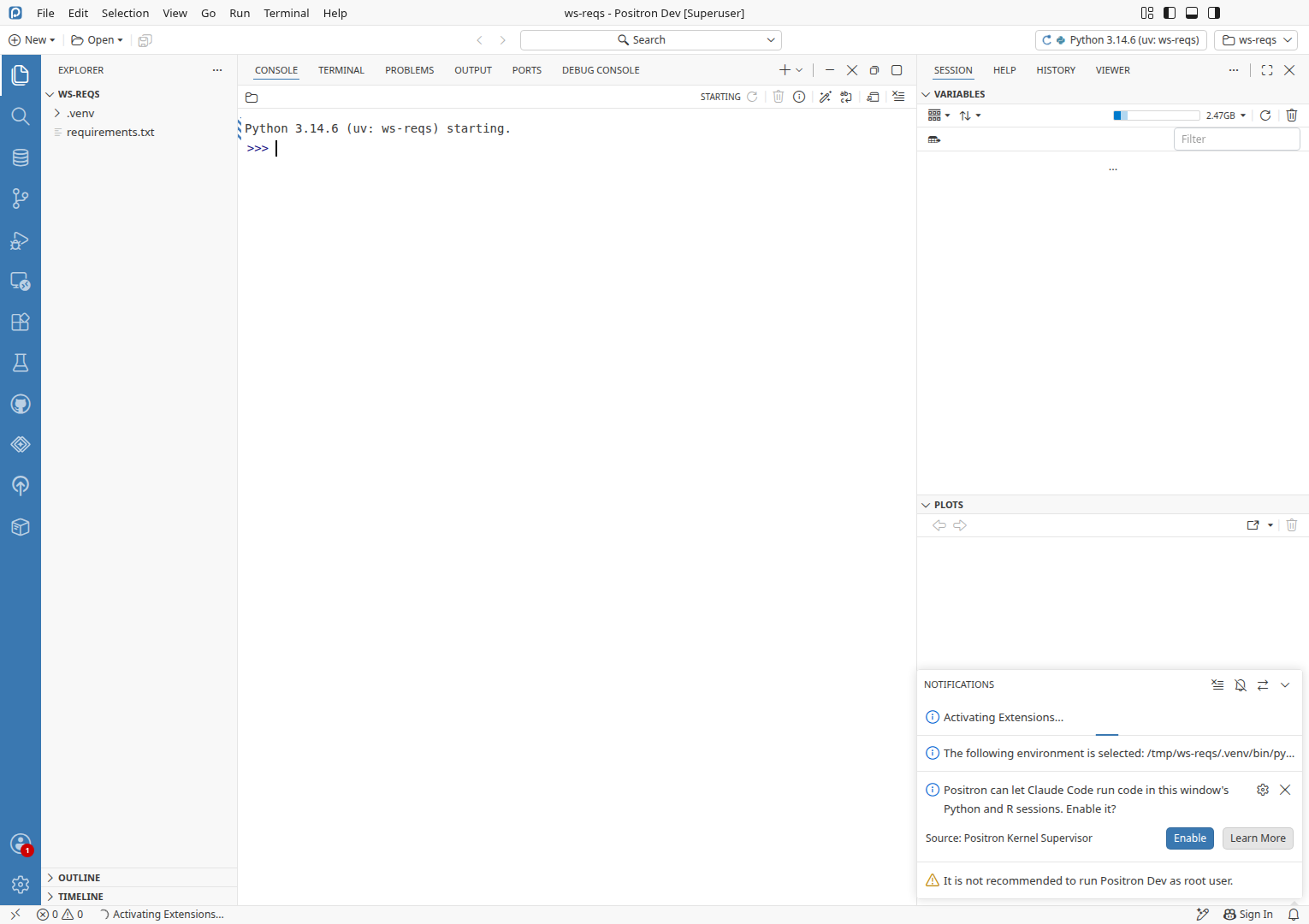
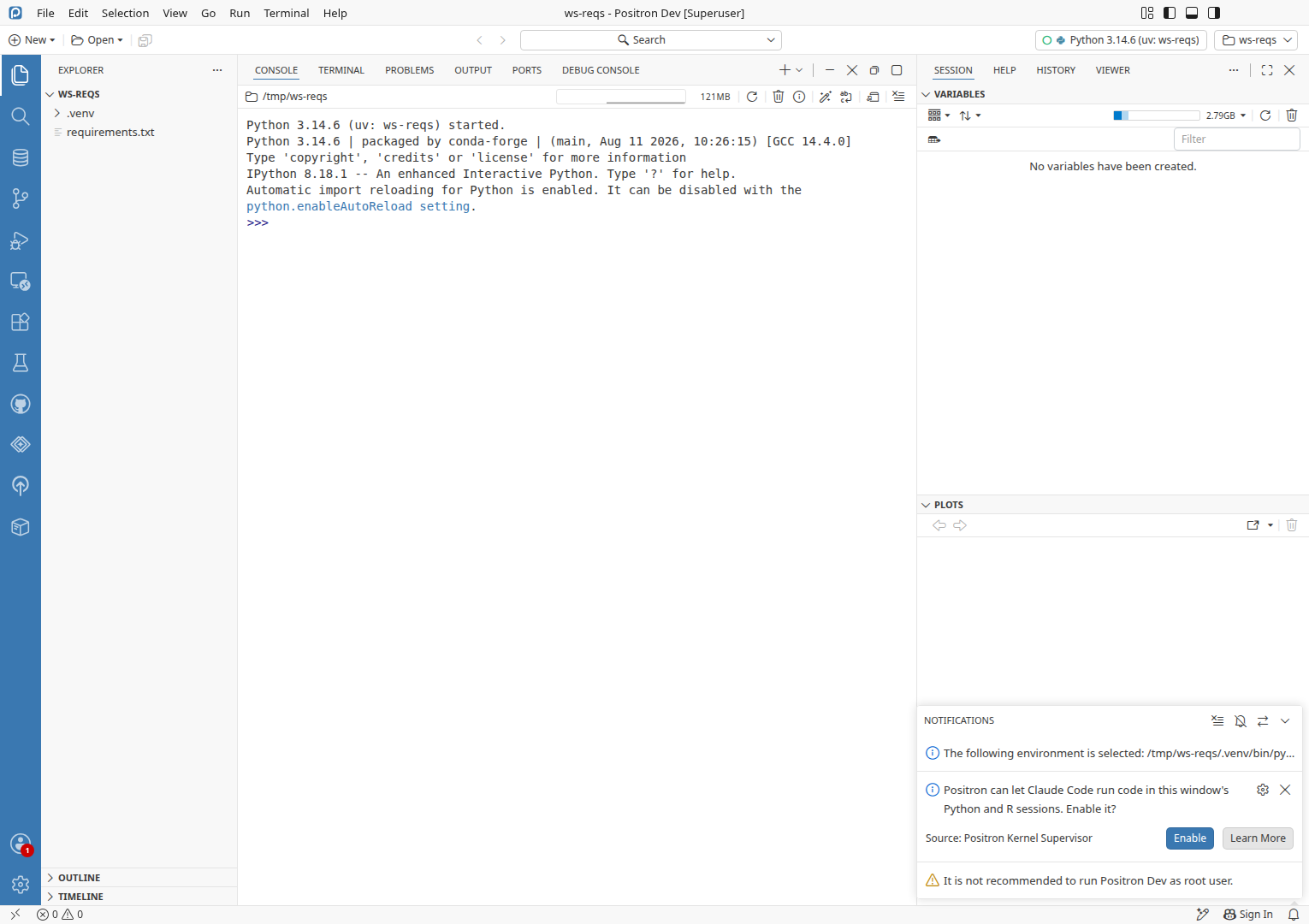
Installing uv from the create-venv notification creates the venvFix verified for #16192 · Install uv installed uv, then created .venv with six 1.16.0 and started a console on it.

uv absent, ws-reqs workspacePreconditionsuv absentuv not on PATH and not in ~/.local/binws-reqs workspaceCreated in Declining the uv install from the create-venv notification: A workspace with requirements.txt (view requirements.txt) and no .venv, opened at launch with a global Python selected

  1. Run Developer: Restart Extension Host.
  2. Click Yes on the requirements.txt notification.
  3. Click Install uv in the install uv dialog.
  4. Verify a notification says the environment /tmp/ws-reqs/.venv/bin/python is selectedPASS
  5. Verify /tmp/ws-reqs/.venv imports six 1.16.0 and a Python console runs on itPASS
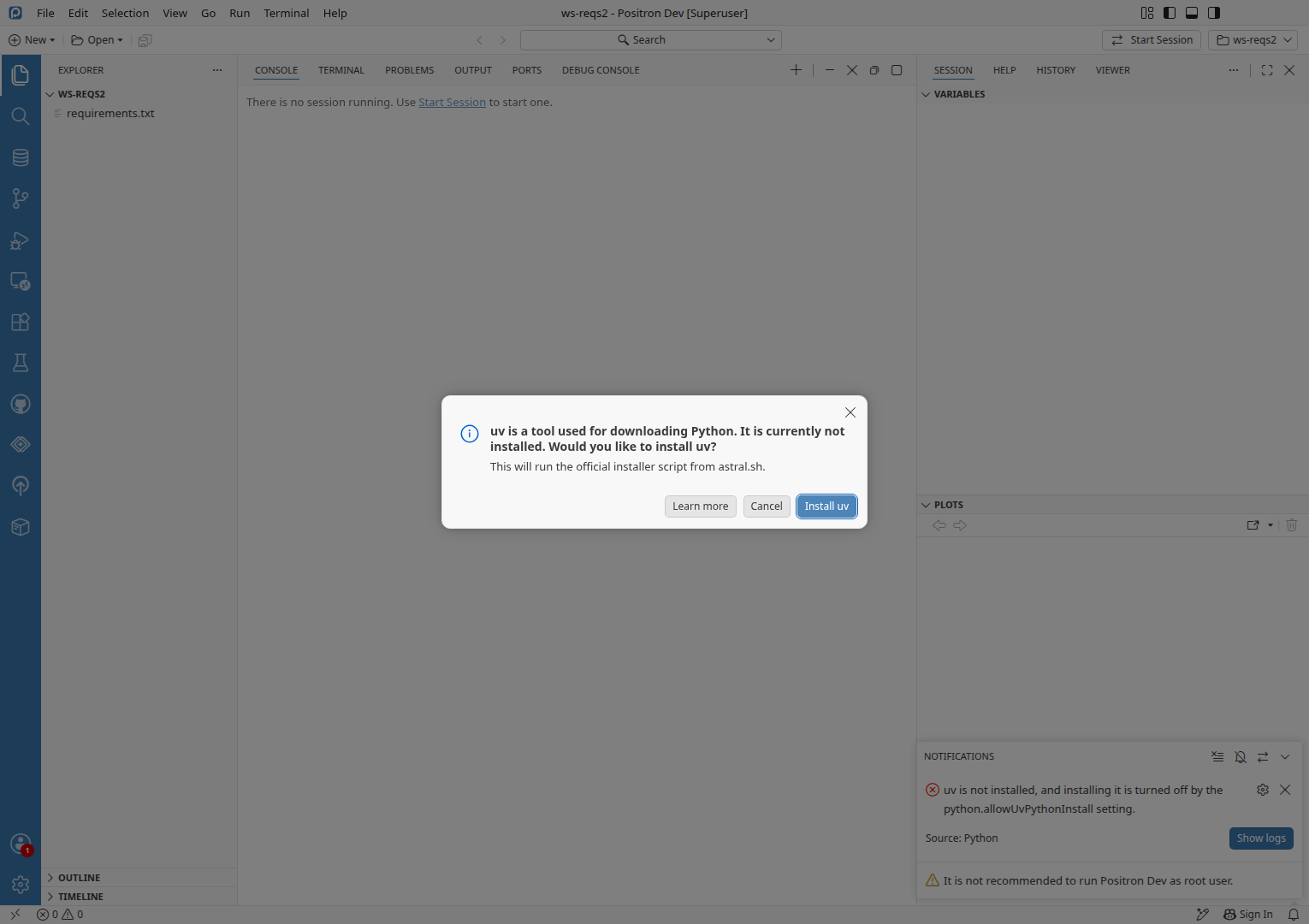
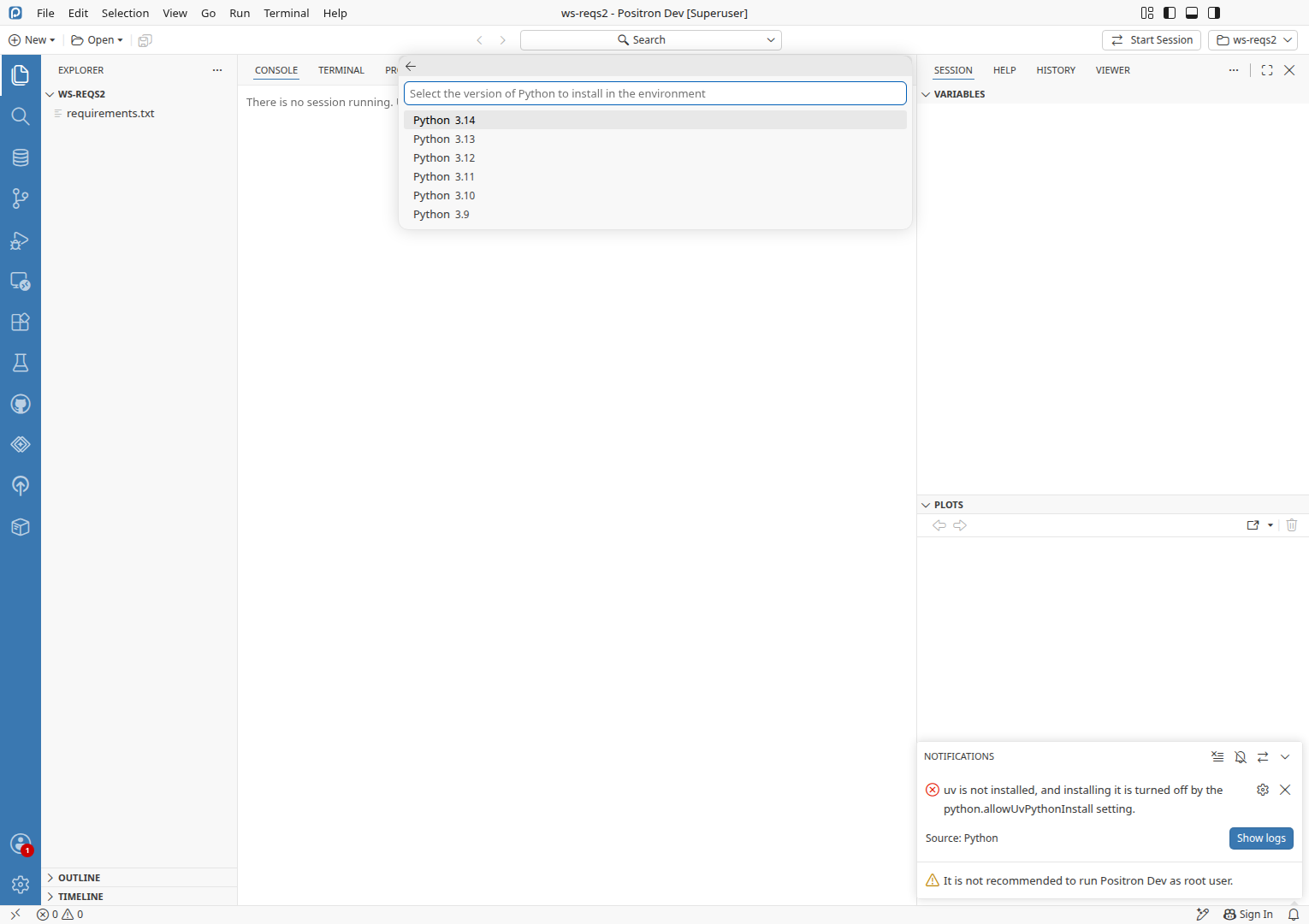
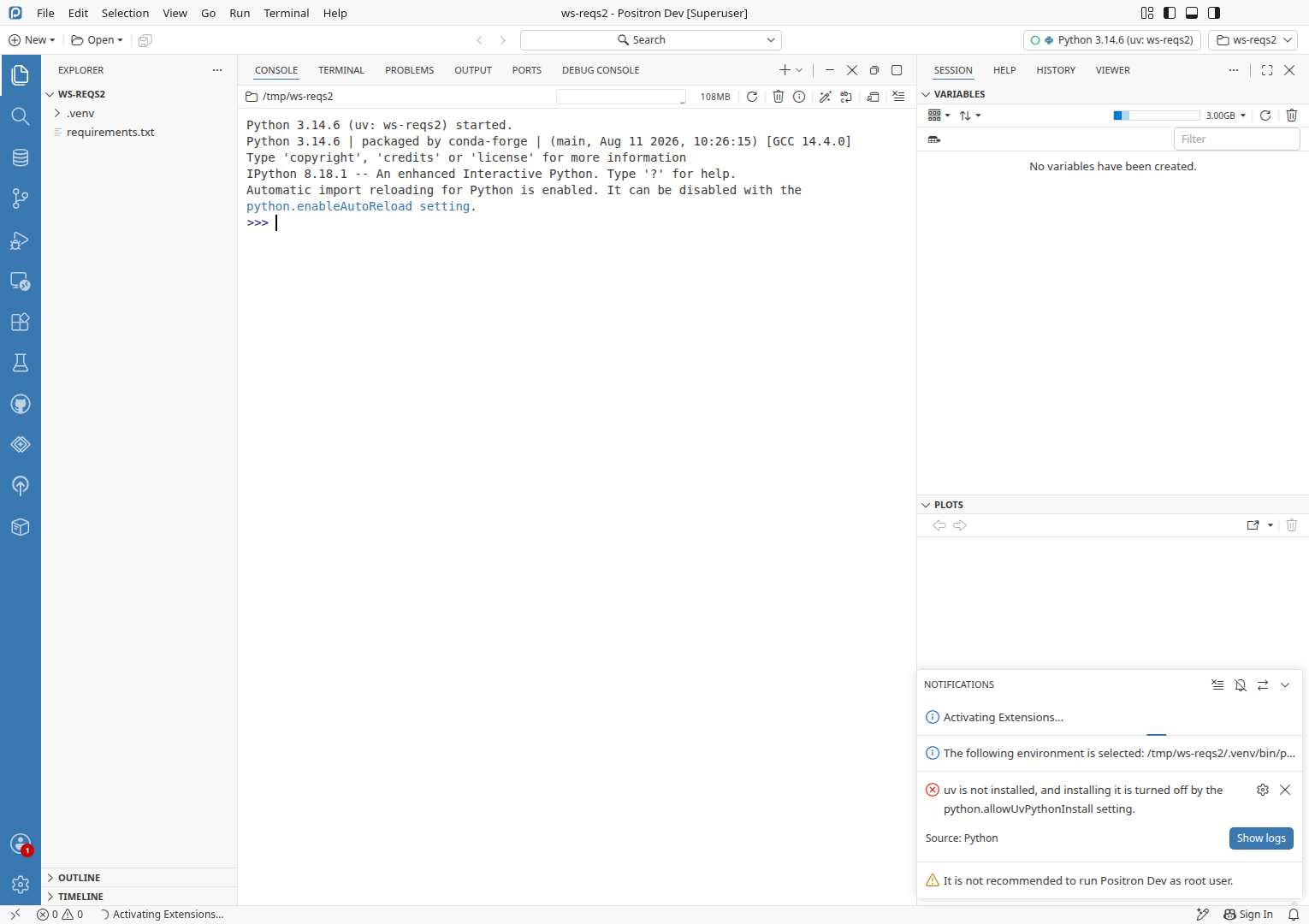
Python: Create Environment with uv picked installs uv firstPicking uv asked to install uv, installed it, asked for a Python version and created .venv.

uv absent, ws-reqs2 workspacePreconditionsuv absentuv not on PATH and not in ~/.local/binws-reqs2 workspaceCreated in Create-venv notification with uv missing and installing uv turned off: A workspace with requirements.txt (view requirements.txt) and no .venv

  1. Set python.allowUvPythonInstall to true in user settings.
  2. Run Python: Create Environment....
  3. Pick uv in the environment type picker.
  4. Verify a dialog asks "Would you like to install uv?" with Install uvPASS
  5. Click Install uv in the install uv dialog.
  6. Verify a Python version picker opens, listing 3.14 to 3.9PASS
  7. Press Enter in the Python version picker to accept Python 3.14.
  8. Verify /tmp/ws-reqs2/.venv is created and selectedPASS
New Folder flow uv callout follows the setting liveThe Install uv button hides when the setting goes off, returns when it goes on, and installs uv.

uv absent, uv install onPreconditionsuv absentuv not on PATH and not in ~/.local/binuv install on"python.allowUvPythonInstall": true in user settings

  1. Run Developer: Restart Extension Host.
  2. Run Workspaces: New Folder from Template....
  3. Click the Python Project tile.
  4. Click Next.
  5. Click Next.
  6. Click the Environment Creation dropdown.
  7. Click uv in the dropdown.
  8. Verify a "uv is not installed" callout shows an Install uv buttonPASS
  9. Set python.allowUvPythonInstall to false in user settings.
  10. Verify the callout reads "Installing uv is turned off by the python.allowUvPythonInstall setting." with no Install uv buttonPASS
  11. Set python.allowUvPythonInstall to true in user settings.
  12. Verify the Install uv button is backPASS
  13. Click Install uv.
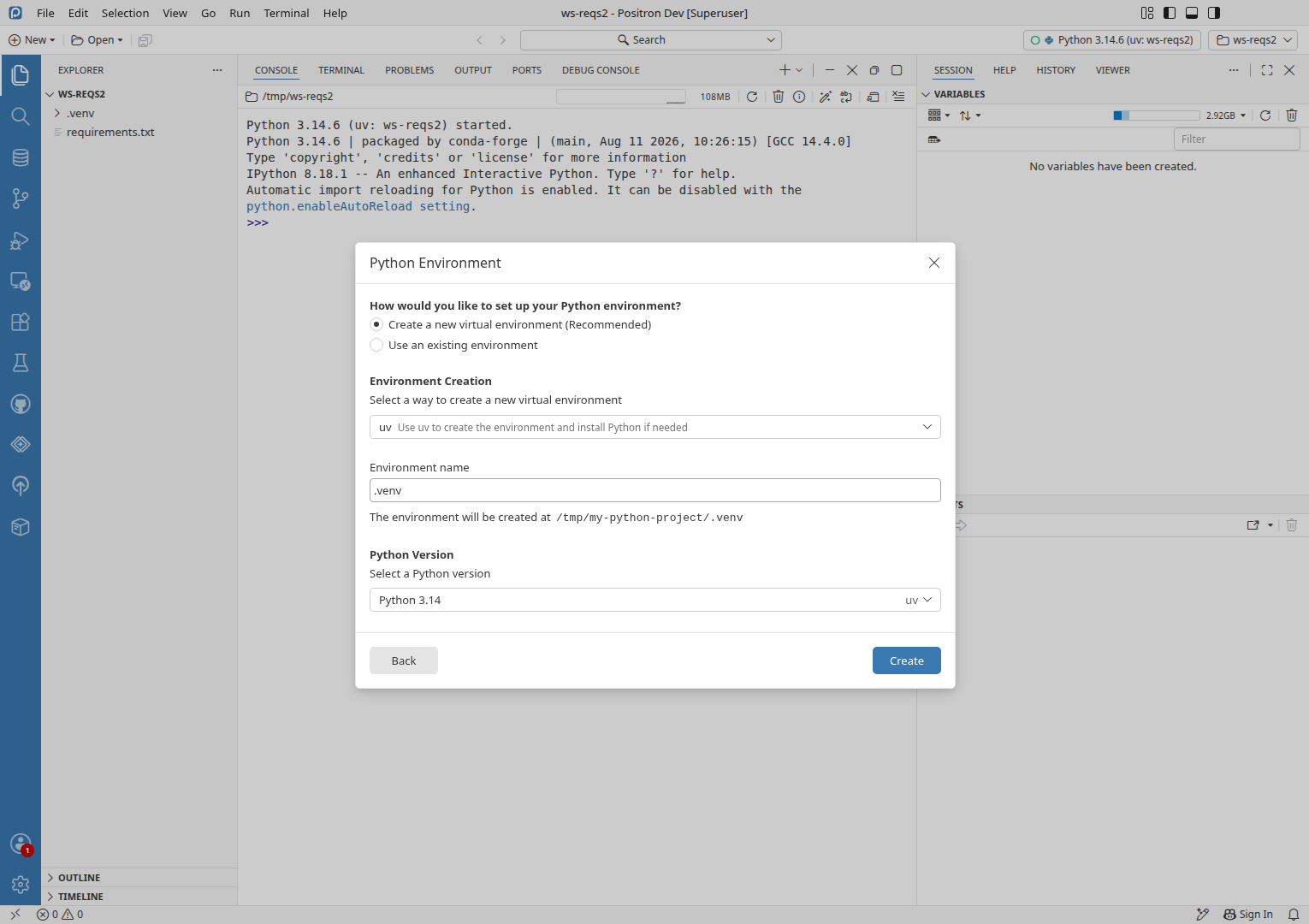
  14. Verify the callout is gone and the Python Version dropdown shows Python 3.14 uvPASS
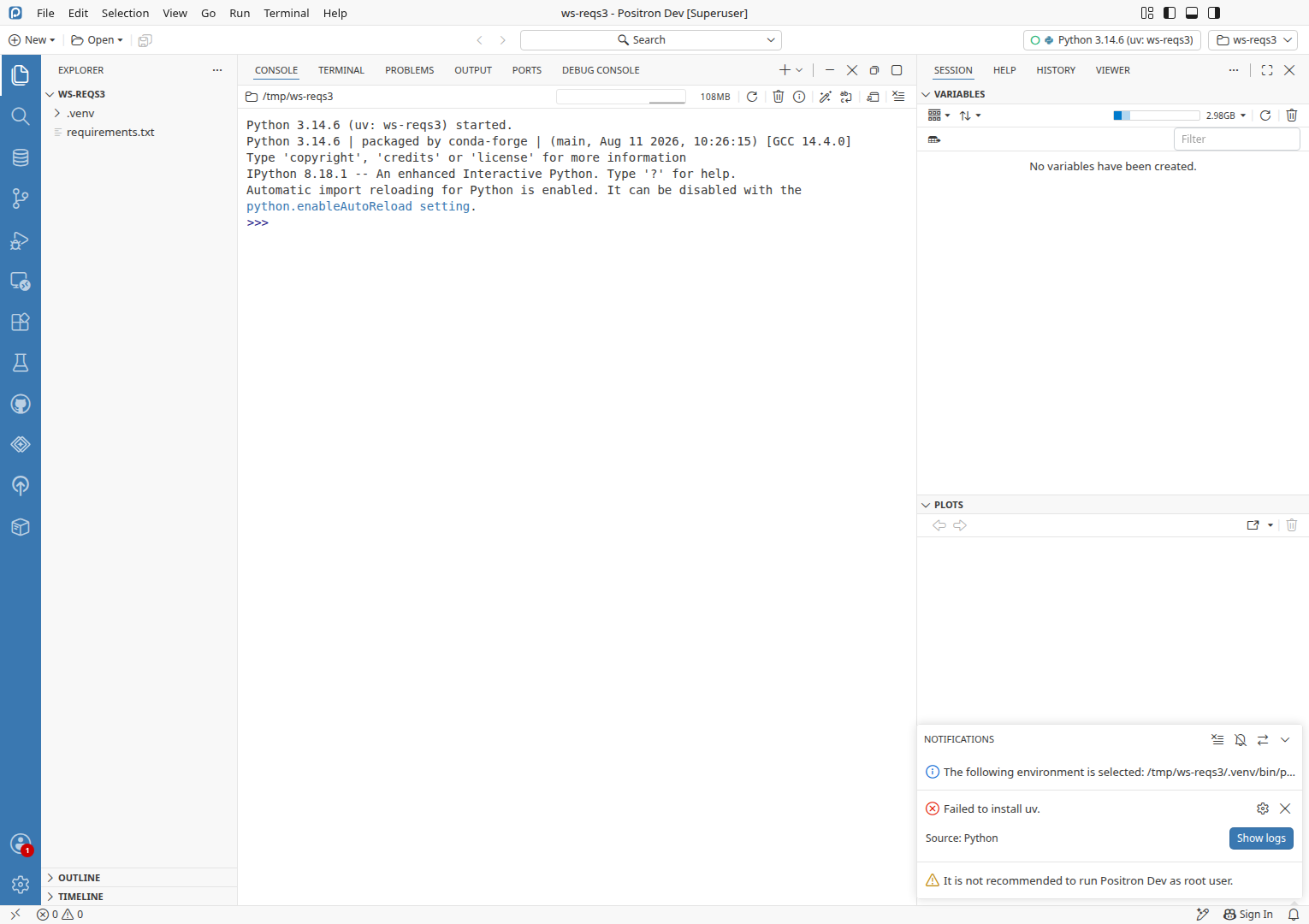
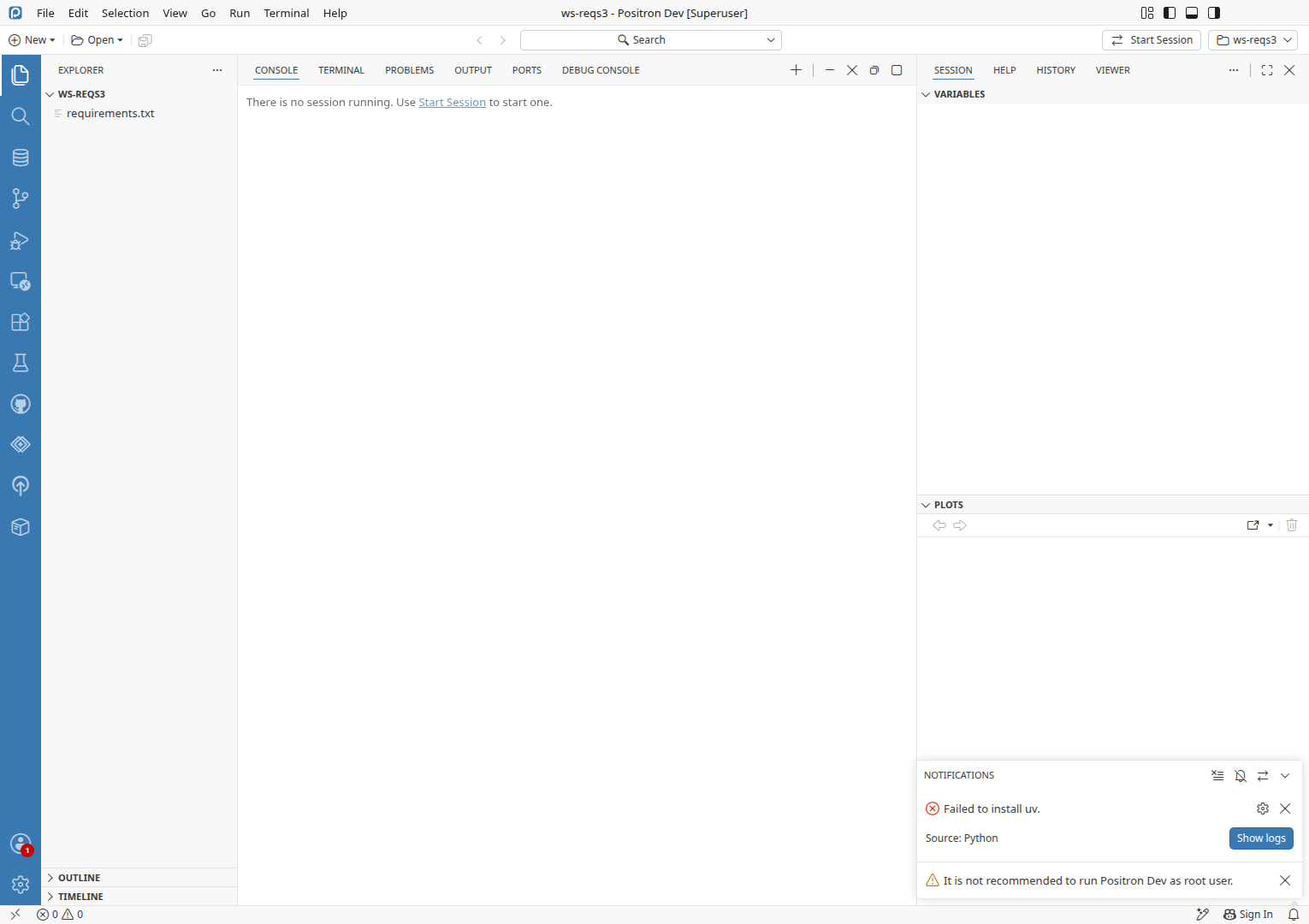
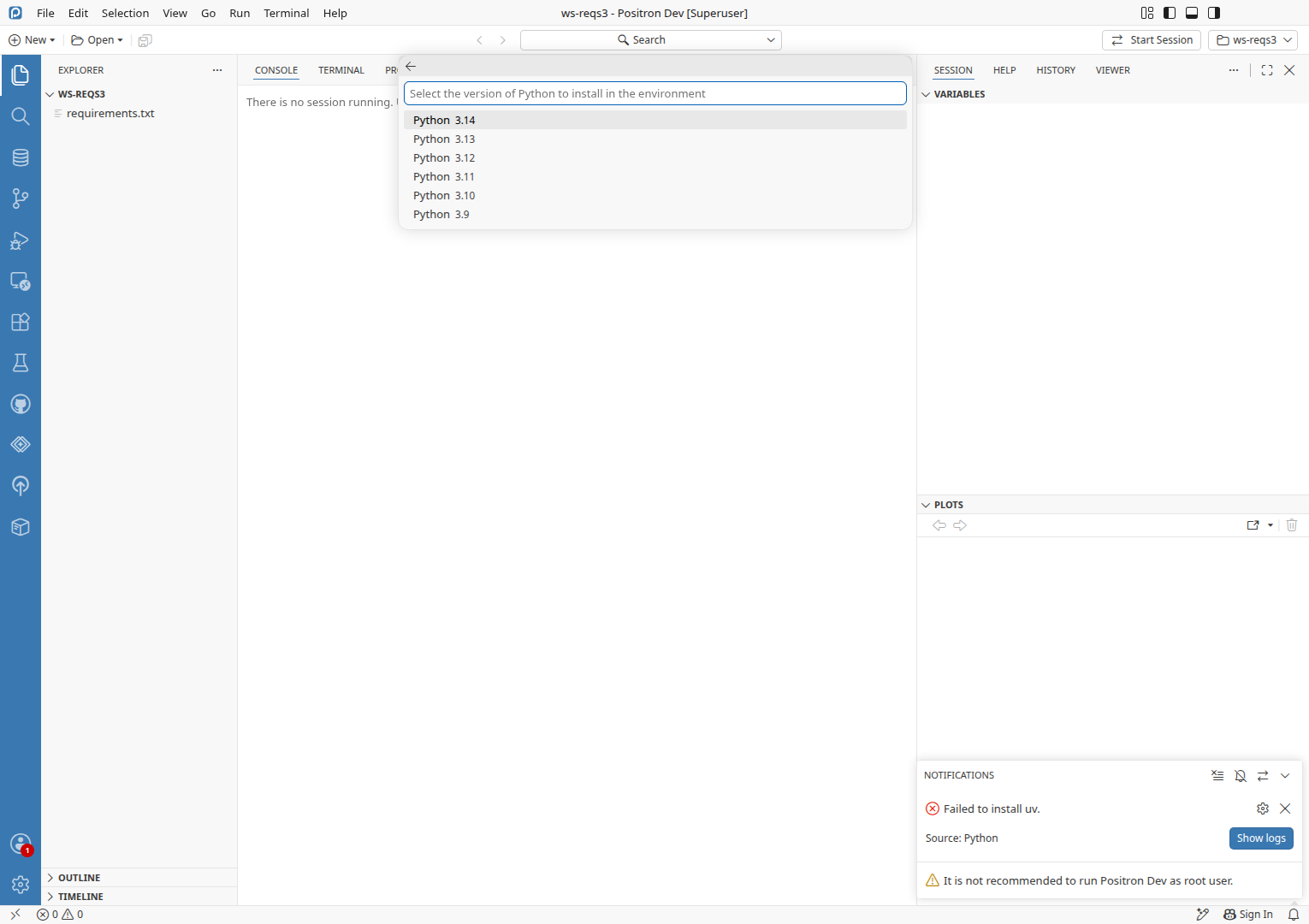
uv install fails from the create-venv notificationWith the uv installer host blocked, "Installing uv" showed, then "Failed to install uv." with Show logs, and no .venv was made.

uv absent, uv install on, installer host blocked, ws-reqs3 workspacePreconditionsuv absentuv not on PATH and not in ~/.local/binuv install on"python.allowUvPythonInstall": true in user settingsinstaller host blockedThe run mapped uv's installer host (astral dot sh) to 0.0.0.0 in /etc/hostsws-reqs3 workspaceA workspace with requirements.txt (view requirements.txt) and no .venv, with a global Python selected

  1. Run File: Open Folder... and open the ws-reqs3 workspace.
  2. Run Notifications: Show Notifications.
  3. Click Yes on the requirements.txt notification.
  4. Click Install uv in the install uv dialog.
  5. Verify an "Installing uv" notification is replaced by an error "Failed to install uv." with Show logs, and no .venv existsPASS
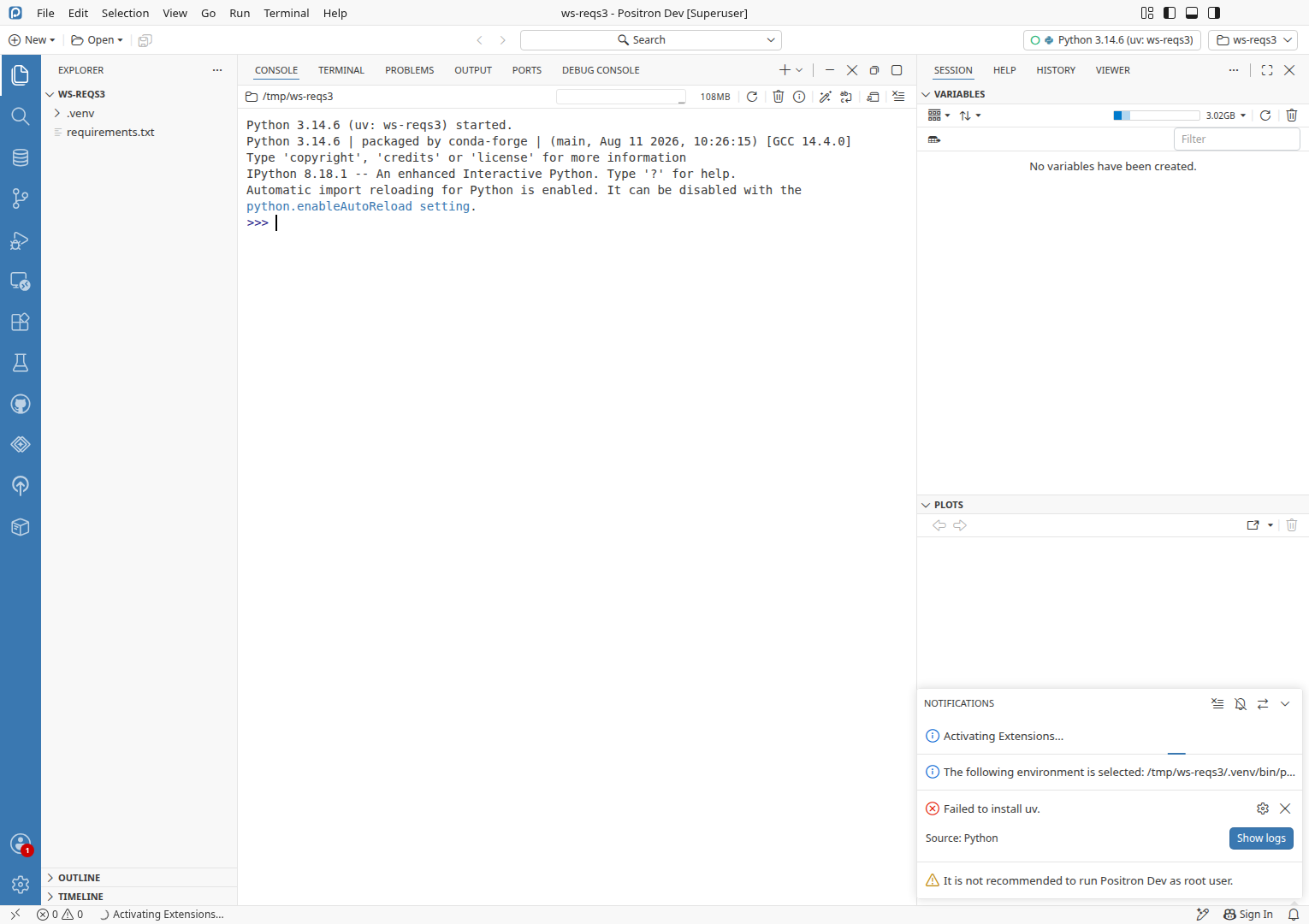
Installing uv again after the fault is removedCreate Environment with uv installed uv and created .venv with six 1.16.0 once the installer host was reachable.

uv absent, ws-reqs3 workspace, installer host reachablePreconditionsuv absentuv not on PATH and not in ~/.local/binws-reqs3 workspaceCreated in uv install fails from the create-venv notification: A workspace with requirements.txt (view requirements.txt) and no .venvinstaller host reachableCreated in uv install fails from the create-venv notification: The run removed the /etc/hosts line it added

  1. Run Python: Create Environment....
  2. Pick uv in the environment type picker.
  3. Click Install uv in the install uv dialog.
  4. Verify a Python version picker opensPASS
  5. Press Enter in the Python version picker to accept Python 3.14.
  6. Verify /tmp/ws-reqs3/.venv is selected and imports six 1.16.0PASS
Interpreter-select modal (create venv when picking a global Python for a console) with uv missingNot run · Its ladder skips uv unless uv is installed, so the change does not reach it
uv.lock "uv sync" notification with uv missingNot run · Out of time
Windows PowerShell installer path of the uv installNot run · Environment: Linux container only
Positron Web, where the New Folder flow callout also rendersNot run · Environment: no web license
Run detailsAgents, change under test, environment, state manipulation, test ledger, logs, test files, branch verification
Agents
StageModelCostTurns
ExploreOpus 5.5$4.0699 of 200
VerifySonnet 5.5$0.197
EditSonnet 5.5$0.082
Total20m elapsed$4.32108
Change under test

The create-venv-from-requirements notification now names uv whenever python.allowUvPythonInstall is on, not only when uv is installed; on Yes it asks to install uv, installs it, then creates the venv with uv. The uv Create Environment provider offers the same install instead of failing. With the setting off, ensureUvInstalled refuses with a named error, and the New Folder flow's uv callout drops its Install uv button and says why.

Issue #16192 (fixed by this change): the fix held. Yes on the notification, then Install uv, installed uv and created .venv with six 1.16.0 (S02).

Environment
  • Positron 2026.10.0 build 0, dev build of f0e1067034 (Code - OSS 1.134.0), on Ubuntu 24.04.4 LTS (Linux x86_64).
  • Python 3.12 at /usr/bin/python3.12 as the selected interpreter, conda Python 3.14 on PATH, uv 0.12.23 (x86_64-unknown-linux-gnu) installed by the run's own uv installs (the machine's uv was hidden for the run).
  • Positron desktop launched with uv off PATH (/root/.venv/bin and /root/.local/bin removed) and ~/.local/bin/uv moved aside, so uv reads as absent. Running as root, in the CI container.
State manipulation
  • Launched a second Positron instance (CDP port 46351) from the stripped launcher, with /root/.venv/bin and /root/.local/bin dropped from PATH and --no-sandbox plus the CI instance's GPU flags. It is stopped.
  • Moved /root/.local/bin/uv and uvx aside so uv read as absent, and moved each copy the app installed aside again before the next scenario. The original binaries are restored (uv 0.12.9), and the copies the run installed are deleted.
  • Added 0.0.0.0 astral.sh to /etc/hosts for the failed-install scenario, then restored the original file.
  • Toggled python.allowUvPythonInstall in the run instance's own user settings.
  • Created the workspaces /tmp/ws-reqs, /tmp/ws-reqs2 and /tmp/ws-reqs3, each holding a copy of files/ws-reqs/requirements.txt, and deleted them at the end.
  • On the CI job's own instance, opened and closed the New Folder dialog and clicked README.md in the Explorer. It was not stopped.
Test ledger

Every scenario’s preconditions, steps and checks, recorded as the run went: ledger.md

Logs

Everything captured during the run, saved next to this report. Error lines are also in each finding’s Evidence and agent prompt.

  • logs/46351-renderer.log Renderer process of the instance the run launched 173 errors, none tied to a check (language model provider activation, extension manifest warnings)
  • logs/46351-exthost.log Extension host of the instance the run launched 18 errors, none tied to a check (positron-connections deactivation, GitHubLoginFailed)
  • logs/46351-python-ext.log Python extension output, copied from logs/all/46351 5 errors: 1 is the blocked uv download the run caused on purpose, 4 "Unable to find workspace for given file"
  • logs/46351-code.log Main process of the instance the run launched no errors
  • logs/46351-console.log Browser console of the instance the run launched 11 errors, none tied to a check
  • logs/46351-python-console.log Python console of the instance the run launched no errors
  • logs/46351-python-kernel.log Python kernel of the instance the run launched no errors
  • logs/all/46351/ full log tree of the instance the run launched see above
  • logs/36535-renderer.log Renderer process of the pre-launched instance 7 errors, none tied to a check
  • logs/36535-exthost.log Extension host of the pre-launched instance 1 error, not tied to a check
  • logs/36535-code.log Main process of the pre-launched instance no errors
  • logs/36535-console.log Browser console of the pre-launched instance 10 errors, none tied to a check
  • logs/all/36535/ full log tree of the pre-launched instance see above
Test files

Every file the scenarios used, saved as it was when used. Also in files/ next to this report.

  • ws-reqs/requirements.txt Text · 1 line requirements file pinning six==1.16.0, copied into each of the three workspaces S01, S02, S03, S04, S05, S08, S09, S12
Branch verification

CI compiled out/ from this branch in this job. The checkout is at f0e1067034. Behavior specific to the branch was seen: the notification offered uv with uv missing, and the setting-off callout text appeared.

Ignored local noise: language model provider activation errors, positron-connections deactivation errors on extension host restart, and GitHubLoginFailed from the mocked keychain.
Verification detailsSecond agent, repository only, advisory

A second agent re-read this report with the repository but without driving the app. Advisory only: no finding was changed or removed.

1 confirmed2 confirmed3 unresolved

TITLE: 3=Keyboard shortcuts do not work after the New Folder dialog is closed until the user clicks in the workbench

  • Finding 1: getRankedProviders (createEnvApi.ts ~line 126) only reorders providers and never checks the setting. The diff adds the setting check only in ensureUvInstalled (uvPythonInstaller.ts:152). The listing is older code. createEnvApi.unit.test.ts:255 asserts "uv is listed last when it is not installed", with the setting at its default; that is not the setting-off case. The "any env type" wording is not at issue.
  • Finding 2: pythonEnvironmentStep.tsx:516 checks only usesUvEnv && isUvInstalled === false. The callout at ~line 353 reads allowUvInstall, and the diff touches the callout but not the placeholder. pythonEnvironmentStep.vitest.tsx (the setting-off test the diff adds) checks the callout text and the missing button but not the dropdown, as the report says.
  • Finding 3: The two instances give 4 failures out of 4 attempts (actions.log 20:59:17, 20:59:51, 21:00:13, plus S10/S11). Clicking an Explorer row restored the shortcut. That is consistent with a focus problem. But the run only probed it with CDP-driven key presses.
    • The document.activeElement read is a raw eval, noted in the log at 21:03:54 and backdated to about 20:59:20. No screenshot shows it.
    • Nothing separates a real focus-restore defect from an automation artifact. A real window would have a user-visible focus target.
    • newFolderFlowModalDialog.tsx only calls renderer.dispose(), and focus restoration is not in that code. The cause is therefore unverified.
    • The change does not touch this path, so Finding 3 is unrelated to the PR.
    • UNRESOLVED: a manual repro with a real keypress, or a base-build run, is missing.
  • Known issues: No match for any finding. The two searches (dialog focus and Create Environment uv) found only #16210, which has a different symptom. Not every search term was tried.
  • Noticed O03: the notification says "Use venv" with the setting off, but Yes opens a picker that includes uv. This is the same root as Finding 1. Not a separate defect.
  • Noticed O02: the Escape close also left the shortcut dead, but only once and with no screenshot. It supports Finding 3 weakly.
  • S03 step 5 lists uv after Yes on the notification, so Finding 1 also covers the notification path.
  • Check 4 (createEnvApi.unit.test.ts and pythonEnvironmentStep.vitest.tsx): both files cover what the report says.

The report claims the focused-element read as cause evidence, but it came from an unlogged raw eval, not a helper step. No lint problems with the action log.